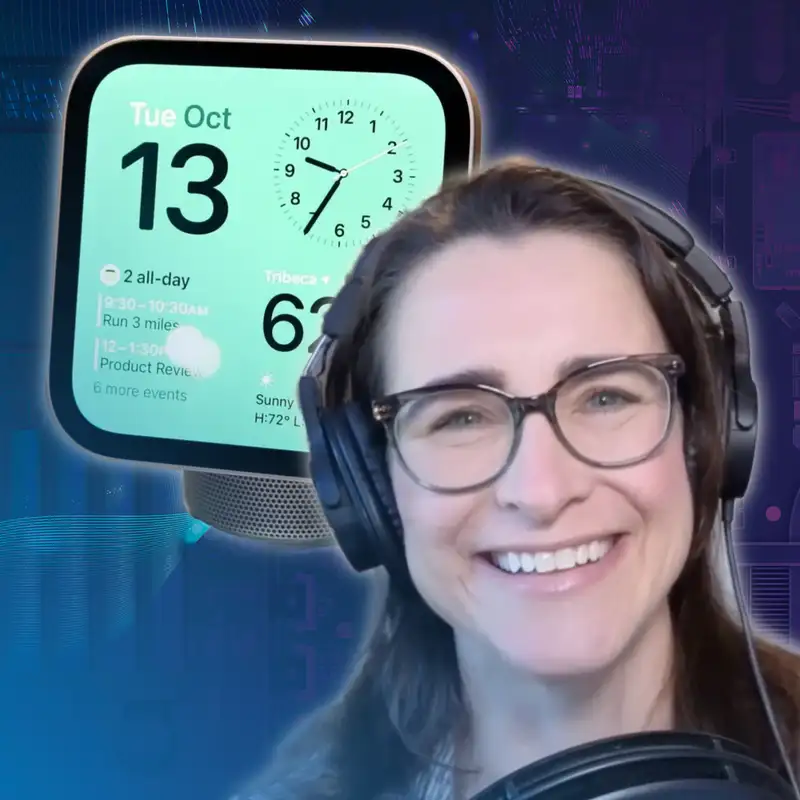
HomeView First Look with Jennifer Tuohy
Download MP3Welcome to a special episode of Primary
Technology.
I'm your host, Stephen Robles,
joined by my friend and co host Jason.
How's it going, Jason?
It's very good. I'm I'm very excited about
this extra episode.
This is a fun episode where we have a big
debate because for the first time
on this show we have special guest
Jennifer Pattison Touhy.
Jen, thanks so much for being here.
Hello, hello, so excited to be here,
very honoured.
Yes,
and we met at CES earlier this year for
the first time,
so that was super fun. ~ yes,
Yes, the Akara event. And I have the pin.
yeah, and that
I haven't been to Antarctica though yet,
sorry.
yes, right, you do have our primary tech
pin.
That's wonderful. And
Akaro is gonna come up later in this
conversation because we're gonna compare
that.
I have some questions about Apple Home
Collection,
but HomeView, that's the story.
You were there at the event in person.
You had, I think, a great reel of all the
stuff.
you got
Yeah.
to spend a long time with it. And a lot of
creators said that they couldn't actually
use the device. Apple kind of used it for
them and they could record it.
So, Jen, you were there in person.
I want to hear from you.
Overall impressions, how did you ~ how who
did you bribe to get hands
on time with this thing? How did it go?
Just tell me all about it.
Yeah, yeah, okay. So it was a unique Apple
event from what I'm told,
because it was actually my very first
Apple event,
because Stephen, in case you didn't know,
they haven't done a lot of stuff around
Apple Home.
It's been a minute. It's been a minute.
So yeah, it was lots of different
experiences.
So they had a keynote, which was...
a video basically, and then Cecilia,
who's one of the product managers on Apple
Home,
kind of gave a little presentation.
And then they had two apartments set up in
the building that were
kitted out as full New York City
apartments.
So it was the whole floor of this ~ five
story Tribeca townhouse,
Five store.
I think, I didn't count, but there were a
lot
Yeah yeah.
of floors, at least five.
And there were two different apartment
areas.
And then there was a sort of staged area
where most of the videos
you probably saw were done, where it was
more the sort of typical hands-on
of like an Apple iPhone event where
everything's on a plinth and it's
all mainly in demo mode. So you couldn't
really do much.
You could just see different things,
Yeah.
different experiences.
flying by, which was kind of difficult for
videos
Rotating around.
because you were like, I want it back,
come back. But
Right.
yes, so there were those different
experience rooms.
The main room was the apartment that was
actually designed by an interior designer.
They had the interior designer come out
and give a little talk,
which was kind of neat because one of my
big things about smart home technology
is that much of it has not.
being designed with the home in mind.
It's often been designed by,
and I say this, I've said this many times
before and people can come at me,
but by single male men, single men in
their 20s that live in Silicon Valley
in a small apartment. So it doesn't really
have the family in mind or
the home space in mind.
outside of a small apartment. ~ So,
you know, it's got better over the years,
definitely. And Google has done good stuff
here with the sort of fabric wrapped
in nice colors. We've seen more of that.
But anyway, I thought it was great that
they had it all set up in
a really nicely designed apartment.
And this wasn't like steel and brick and
glass apartment.
It had like soft furnishings and,
you know, it felt like a more traditional
home.
maybe not a normal home, because this is
still Manhattan and it
was a large apartment. But they had all
the devices sort of interspersed around
the home as you would in your home.
And it was very well done because you
actually,
I sort of walked past things and missed
that there was a device there.
It wasn't like really in your face.
So it was giving you that, this is what
it's like in your home experience,
which I thought was well done.
And we've seen other companies try and do
this.
Amazon did it with its Alexa Echo event.
this was an actual home, which I think
lent to the experience.
We had very limited time in each space.
We had very limited time in each space and
there was an Apple representative doing
each demo, but
Mm-hmm.
I just went in and started swiping.
I did not ask permission.
So you just didn't ask permission,
Ha ha.
you just went up. Okay.
No one
had said, don't touch.
Okay, okay.
yes, and I just, and he was very...
~
obliging and he kind of jumped
Okay.
in to to help when I got messed up because
it was a lot of swiping.
You may have noticed in the video I was
constantly
Yes.
doing the up and down and it was a lot of
swiping.
But you know it's a new UI so it kind of
is a cross between an iPad
and an Apple Watch kind of UI.
So
Yeah.
that was a little kind of took a bit of
getting used to and swiping down activated
Siri so obviously you can also
Mm.
activate it with your voice but
So then I'd get the little bubble
Bubble.
and it would be stuck there and wouldn't
go away.
So yeah.
But it didn't type to
Siri real because so when you swipe down
for Siri,
You spoke to it. It was speaking.
it's not a type to Siri. You use it's only
speaking.
But there is
Yeah. So.
a full keyboard available in some places
on the home view.
Right, although I never actually
saw that pop up myself, but I did see that
in
Really?
other videos. Yeah, and I only had the
amount of time on that video is
how long I had. It was
yeah, so look like two minutes.
You had two minutes with it.
very short, but yeah, and because they
were then like,
you got to go to the next bit and see this
experience.
So there were
Sure.
four. So there was the one that I,
the main one you saw, and that was sort of
the entryway.
And that was the smart home view.
So you, with different buttons,
like the I'm
Okay.
leaving button, the door lock button.
And that's a skin of the Apple Home app.
you're going in to sort of,
if you're leaving the house, you might hit
one button.
You have thermostat control, which is the
obvious kind of
Yeah.
use case for the wall. And then you go
straight into the,
that's the Home app that you're looking at
there.
There's the Siri AI bubble. And then the
neat thing was the camera view.
And
Yeah.
that I was impressed with. It pulled up so
fast.
And those were live feeds of real cameras.
Really.
And that is something that smart displays
to date have struggled with so much.
So this so this this I wanna sit
on for a second, because Jason and I
talked about this last week,
and one of the things that no current
Apple device is great at is seeing live
camera
views or even
Yeah.
one live camera view just persistently.
Like the only good place to do that is on
an Apple TV,
and then you can bring
Right.
up like multiple camera feeds and see them
live-ish.
Even then I'm not a hundred percent if
that's like all if all of them are live.
But like on
Yeah.
any of your Apple devices.
And obviously not on a home pod.
You have to you see a freeze frame and
then you have to click in to see it live.
So as
Right.
far as you know, on the home view,
you can have the four camera up view,
and they're all live feeds of home kick
cameras.
you can have nine cameras on that
On this little seven-inch screen.
little, I said, they're gonna be really
tiny,
right? And
And they're all love.
they're all live, yeah, that's what they
said.
~
Okay.
And you click in on them and it takes you
to the full screen with
the same experience you get in the iPhone
app where you have other devices nearby
that you can click into. So you could in
theory have your video doorbell screen
and then your door lock.
right there so that you can turn on and
off or the porch light that
you could turn on and off. So yeah,
was very much, ~ yeah, those were all live
and up to nine they said you
can have on one screen.
So I know you had very limited time and
we'll once we get your full review
and everything, but for something like
that,
is there a timeout on the screen?
Does it does the screen like wake up when
it detects that someone's near
it so you could see this or like what's
that like?
Yeah,
so there was a discrepancy I noticed,
I hadn't read all the press releases,
because this was at 9 a.m. and the press
releases dropped at 9 a.m.
Right. At nine AM, yeah.
And I think somewhere it said in a press
release that,
or at least I read someone had written
that ~ it adjusts as you approach,
which I did not see. So
Okay.
everything was static. And as you moved up
to it,
it stayed that way. So that home view
screen that you saw,
when you approached had ~ the same,
I think it was, there's up to six widgets
on the one that I saw.
And that's
Right.
what you got. And it didn't change.
There you go. Not six, I can't count.
One, two, three, four, five, it is six.
No, no, no. Well it's six like w with the
clock,
Yeah,
yeah.
and you can have more. I think you can
have up to nine.
Yeah,
you can. Okay.
so it didn't change. It just looked like
that the whole time.
And it didn't go away. And it doesn't have
a screensaver.
Okay.
So you choose whichever
Huh.
face you want. So this was a face,
you could have a photo as a face,
you could have the cameras as a face,
but you can swipe so there are multiple
faces.
So if you wanted a photo up the whole
time,
you could then have your home face as your
next one and just swipe to get to it.
Or you just leave your home face up so you
can just come up and press the button.
And that is key, I think. And that's
something that no other smart
Right.
display offers right now.
is that ability to just come right up and
press a button and it works straight away,
just like
a light switch. He's
Right. And so I'll let Jason ask a
question after this because I'm I'll
dominate
the whole time. But with the no,
I'm just enjoying the conversation.
It's fine.
no, no, no, no. Okay, I'll get no no I
know.
still here.
I just want one other question and then
and then Jason go next.
So for the home control, you can have up
to nine widgets,
you're saying, which makes sense.
Like if you have like
Yeah.
small, medium, and large size widgets and
the the three across are the small,
then you could have nine. Can
Yes.
you have and ~ Shane Watley was saying
that maybe you can only have one of these.
Can you ha like could I make
multiple of these screens. Yeah.
multiple nine widget screens or does it
not seem that way?
I did, so he, think he asked that
question,
didn't he? Cause I think he said
I think he did.
he asked and they said no, but I don't
know.
And okay then a file
Cause you
can have multiple photo screen.
Well, I dunno. Yeah.
That's this is what I'm saying.
Like if it's like an Apple Watch
face where you would have multiple but my
other question,
you might not know this because we we we
don't have this hand,
but is this a like personal face?
Like when you have the six profiles,
is like can I make a face that is just for
me,
like the nine widgets, or this is a
public,
No, all the faces are public because the
profiles
like okay.
don't appear until you get up close.
So
I see.
the faces are shared and the profiles
Okay.
are what you see once you click in.
So when you swipe up from the bottom,
you get different apps and those you would
get separately based
Okay.
on your profile. And when you come up
close,
I think that might be where that confusion
came.
Because when you come up close,
With your profile, it can switch to your
profile.
But if that seems strange though because
that's what I'm saying.
And I don't know what you then get to see.
Yeah, what do you see? You don't want it
to change when you get up there.
'Cause like if it's if it's the home
controls as the Yeah,
I don't want it to change, right,
Yeah, yeah, that,
exactly. Like I want to control my home.
That's strange.
yeah, we still don't know. They didn't
sort of demo that.
The
Okay.
only
thing they demoed was switching faces,
but then you were already in the face.
So the way they switch faces in the top
left of,
top right of the screen,
there's a little profile icon and you can
click on that to manually switch
or it should automatically switch.
But yeah,
Okay.
there wasn't a lot of, obviously we
couldn't demo switching faces ourselves
because
we're not on the profiles. So yeah,
that's all stuff we're gonna have to wait
until we get our hands on and find
out how that all works. But my
Yeah.
overall view of it, of the home view,
Thank you.
was my initial impression was,
~ my goodness, it's tiny.
I was expecting it to be much bigger.
I was expecting a HomePod with a screen
and what we got was a HomePod mini with
an Apple watch. A large Apple watch.
And I was like, actually I quite like
that.
I like the square screen and I like the
bezels again because I feel like
it fits better in a home environment.
It looks more like a photo frame and less
like an iPad or a screen.
~ It looks more like an aura, ~ if you're
familiar with the aura photo frame.
And I guess they, I feel like they went
square maybe to
be different because everyone else is ~
rectangle.
Hm. Rectangle. Yeah.
But also
I like that it takes much less space.
It has a much smaller footprint than even
like the Echo Show 5,
which is smaller in general, but that is
wider.
So for
Yeah, yeah.
fitting this into like nooks and
crannies and corners on a kitchen counter
or a bedside table.
I think that size is quite nice.
it's vertically, it's taller than most
other smart displays,
but width-wise smaller. I really did not
like,
and there is a picture of this in my
hands-on,
the USB-C cable positioning. It sticks out
the back like a little rat tail.
And I was like, no, no, no, no,
this just feels so unappley.
Yeah, you can see it there and then
there's another one where it's silver that
you can see it a lot clearer. It might
actually be in my other article.
wrote like seven articles, sorry.
okay, okay. Yeah, yeah, yeah, yeah.
~
No, no, it's all good.
But it sticks out and you can see in that
picture that it's quite high up.
I I feel like it
Yeah.
should be under and it should have a
little notch that it comes out and
is much more elegant. Because
Yeah.
also if you're trying to stick this up in
the corner of your kitchen or something,
that's an extra like two inches it's going
to have to stick out.
You
just gotta drill the hole right in the
island,
in the middle of the island.
just like the video. Okay, I'm sorry,
Jason, you go ahead, go okay.
Well, obvious
I seems like the reason that the cord is
where it is is because that bottom part
is the ventilation for the subwoofer,
right? Like there's a sp it is?
Yeah, but it's in the ventilation part.
Yeah,
Okay.
it's stuck in the middle of all the little
grills.
It's weird. It's weird.
Yeah, I don't know what to tell you.
Okay. Remarkably though,
It just felt wrong. Yeah,
That doesn't make any sense, yeah.
I don't even think that that's the
weirdest thing about this device.
Now, I'm not Yeah. That is really strange.
you see there? You can see it's
Yeah, yeah, yeah. Yeah.
in the grills.
Okay. Well, it I I was thinking as you
were describing the experience.
I'm like, I was at the WWDC when they did
the Vision Pro announcement and we
Yeah.
had to like go and take our glasses and
put them in there and they
had to customize because there's so much
about that device that is personal to you,
matters, yeah.
right? Well, I was thinking like
Wouldn't it have made a lot more sense for
them to just let you pair your iPhone
to do this whole exper I realize it's a
little different 'cause did
you really want your calendar to pop up in
front of all these other journalists
hahahaha
or whatever? I understand all that.
But it does seem like it's a tough thing
to really experience without
Yeah.
actually experiencing it the way it's it'd
be like picking up an iPhone
at the store is fine. You can tap through
things.
But until you have your mail and people
are sending you messages,
Yeah.
it's hard to know what it's gonna be like.
And I've
Yeah, yeah.
I've been to that townhouse in
Manhattan for like an iPad announcement
and when the scary fast event with
the MacBook Pros and stuff. So I'm trying
to picture it.
Like Apple put a lot of effort if they
built out different apartments
in that building.
Yeah.
But the thing I keep trying to figure out
is why do you think that Apple
is making this device? Like why does this
particular device they went from zero
really smart home care, other I mean,
they call the home pod and the
You
Apple TV a home app ~ a home device,
but they're kind of not.
Right. They exist in your home.
They're not, I call them, they're
content consumption devices with a side of
smart home automation.
Yeah. I mean I was telling Steven
Side.
that the only home thing I think about is
like our level lock that we have
on our front door has to connect to a home
~ Apple TV.
RIP.
I listen, it mine still works.
I don't care. I'm keeping it 'cause it
looks like a lock and my daughter knows
how to use it to get in the house.
But as soon as I swapped out ho Apple TVs,
I had to like go through this process to
reset the whole thing.
Apple has not figured this out and it I
was as I was listening to
you and Steven talk, it's like Steven is
like,
how do I figure configure and tinker with
this thing?
Yeah that's not really what they want you
to do.
And it feels like Apple is like,
you're gonna do zero configuration and
tinkering with this thing.
It's just gonna sit
on the counter and it will know exactly
what to do.
W
Yeah.
okay, so my question really is,
why is Apple making this? Because the
people who want it want to
do what Steven wants to do. And the people
who Apple thinks would benefit from this,
I don't know that they care.
So I think it's interesting that sort of
being the question to just since this
device launched amongst the tech press.
I am really interested to see once the
sort of mainstream press starts
to pick this up because I really don't
think it's designed for
the classic Apple tech nerd. It just
isn't.
It is designed as a family device and it
is designed or a household device because,
know, obviously it could work for
roommates as well.
But as the video showed, the family is the
core.
~ demographic that they think this is
going to fit.
And I have a lot of friends who have
families or different ages
and stages of life, and they all love
devices like the Facebook portal
or the Skylight calendar or the Aura
frames.
I mean, there is a big market for some of
these tech forward,
but household centric devices that Apple
has not got ~ a skin in the game for.
And this fits that space. This fits
something that your Apple-focused family
will
buy for their house, to show their photos,
to show the calendar ~ for shared
interactions.
And honestly, the thing that caught me the
most about that video was that
no one had an iPhone.
everyone was using the device.
And as a parent who does not like phones
at the dinner table or
at the kitchen counter at breakfast,
you know, it's always, you get like,
but mum, we just need to check what,
whether my, you know, what time my class
is tomorrow,
what time my driving lesson is tomorrow,
let's just pull out the phone.
And then one person pulls out the phone
and everyone pulls out the phone.
It's over. It's over.
Whereas having a central device that you
can use that for,
that is like, we do not need our phones
because if there's something
you really need to do, we can do it with
this.
This is actually what smart displays have
been good at to date because you can,
or the current examples from Amazon and
Google,
you can ask questions like that too as
well.
But the differentiator I think here is
that this is an extension of your iPhone.
So it does give you that more personal
element.
I mean, again, both Google's displays and
Amazon displays have tried to
do that and Google could do that.
much better than they do. And maybe that's
Yeah, yeah.
Mm-hmm.
coming. But Amazon struggles because you
have to give it all your data,
whereas this device
And then see ads.
is just going to have it all. So that's
who I think,
I really do think this is not designed for
you,
Stephen. I think you're going to enjoy it.
I'm getting three, yes.
And it wasn't designed for all of the...
for most of the creators that were there,
the ones that probably use Unifi and Home
Assistant and everything
in the background, they're still gonna
have fun with it and they're probably
gonna
Yes. Yeah.
find
ways to do things on it that it really
wasn't designed to do,
at least not yet. But it is,
I think, and this was my other piece I
wrote last week was,
I think its killer feature is gonna be its
simplicity,
that you don't
Yeah, yeah.
have to program it, that you don't have to
figure out what widgets you want.
It just will present the information that
you need or want in your household simply
and easily. But we will see once we get
time to play with it.
So
go
Let me follow
ahead.
up real quick, 'cause we have a I'm this
is gonna be painful for you 'cause
I'm not gonna say the names of any of
these products.
Google Nest Hub Max.
Yes, we have one of those on our con We
have one of them on and
Yeah, she knows, she knows.
we have two of the smaller ones.
One is in our bedroom and
Nest Hub.
one and one is
Yeah.
in our bathroom actually. 'Cause it
doesn't have a camera.
doesn't have a camera.
Right, exactly.
Mm.
Although I do remember when they sent me a
review unit and they're like,
This will track your sleep. I'm like,
How are you doing that? Exactly but it's
like sonar or something,
Radar, yeah, solely
but yeah.
radar.
So but we have that thing sitting on our
counter and it's wonderful.
It just plays photos out of our favorites
from Google Photos.
That's
Yeah.
great. The thing no one has ever once
asked me to do is,
Dad, it'd be really nice if I could see my
calendar on this.
Like no one wants that on that device.
We use it
Have you tried
a skylight calendar or anything like that?
No.
No. I mean, I mean
I haven't.
we could, but like it plays Spotify for my
wife when she's cleaning the house.
It plays timers. We set timers on it
because forever you could
set multiple timers on that and you
couldn't do that on your Apple Watch,
which is just insane to me. And it
Yeah.
shows photos, and then occasionally our
twelve year old who doesn't have
an iPhone will walk up to it and look up
like Wikipedia articles,
right? Like
Yeah.
it does those things just fine.
We don't need it to be personal
necessarily.
Yeah.
So I
and I feel like most of the people
Who are in and I feel like I'm a little
more tech forward than the average person,
right? I write about it all the time.
But I think like most people are closer to
my thought process on this,
which is we have a device that works.
If I wanted something like this,
I probably already have that, or an echo
show,
or whatever. The audio it feels like the
audience Apple is really going after
is probably already satisfied with the
Skylight Calendar or with
one of these devices. And for
Are you satisfied
with your Google Nest Hub Max?
I know,
It does exactly except for that I never
remember the name of it.
It's actually a fantastic speaker.
Like it's a very
but it's what, like
seven years old now? You can't buy them
anymore.
Yeah, and you know what it still works
gre.
They're out of stock everywhere too.
They're out of stock No one buys them.
No, you're right. I'm not arguing,
but you know what? It still
works. And the fun thing is I can even
like shout at it and it will change
YouTube
TV on our television. Which is like
wonderful.
Yes, I know. Yeah.
Like it does everything
that we need it to do. So my point is
simply for a th well,
There's a lot of these already out there.
and for a three hundred dollar device that
Yeah.
wouldn't let me tinker and configure it
more,
I'm like, I mean, it'll probably sound
better and it will be Apple.
Which is all that's great. No,
Yeah. Yeah.
like I like all those things. But it's
The Apple. Yeah, yeah, yeah.
like we do all the other things that they
demoed on our iPhones just very happily.
And then the the thing sits over there and
plays photos most of the time from
our trip to Alaska, right? Like
Yeah, well,
So
I mean, but the fact that you like that
device and use it is an argument
for Apple making one. They just should
have made it a few years ago.
Mm hmm Yeah. Yeah.
Seven years ago. Yeah.
And you know, the rumors
are these, these have actually been ready
for two years sitting
in warehouses because it was waiting for
Siri AI.
And I agree, they should have,
and Steven, I know you agree, they should
have released this a long time ago.
yeah.
But I don't think, I was talking to an
analyst about this and she was like,
I said, Apple too late to the market?
And she said, they can enter the market
whenever they want and do well.
And I think she's right there.
And also as much as I like to think every
person in the world has smart devices
and loves smart home, it is still a niche
market.
I think the statistics are somewhere like
40 % of all internet connected households
has one smart home device, but that one
smart home device could be
It's a ring camera.
Lutron. It's like a Lutron switch or
something.
a smart display or yeah, I mean,
Or a ring the
it could be
ring camera that came with the house when
they bought it.
yeah.
Right, yeah, so there's
That's what they bought, yeah.
still growth in this space. And I also
think there is room for Apple
to dislodge Google Nest Hub Maxes or Echo
shows from people's kitchen counters,
both around privacy, because I think
there's a lot of concern around devices
that
are always listening in your home and
which company it comes from is
a big issue that's becoming a bigger issue
than it ever was.
And the Echo shows all have ads on them
now,
which are...
infuriating. the Google has an opportunity
to come in here and say,
hey, we're doing this, here's our version
and it's better.
But they haven't. mean, the last one they
did was the Pixel,
which is back here binging the Pixel
tablet.
Yeah,
I've got one of those right there
actually.
and that was a great idea, but they just
abandoned it.
This is another issue with the Google
stuff.
So yeah, take, I mean, I think I totally
understand your point.
What you have works great and you have no
need for this,
specifically the personal element.
And I also do think the personal element,
whilst they're pushing it as their
differentiator,
I'm not sure how useful it will be in
practice.
I don't see my daughter checking her text
message from her secret boyfriend over
dinner, over
Right.
breakfast. I just don't see that
happening.
But yeah.
So I w
do
I think people are going to buy
you have a skylight, Jim?
it. I did test the Skylight Max,
the big one.
Yeah, yeah.
And yeah, I loved that. I thought it was a
great device.
And that's the kind of, that's a mum tech
device.
Like all the mums I know want something
like that.
So my I'm
I'm going to play my own devil's advocate
in a second,
but we have a skylight and we love it.
it was a sponsorship like a year ago,
but we do use it every day and my kids use
it for like chore tracking,
our calendars on there. And there's gonna
be a weird choice that families have
to make where this holiday season,
if we're gonna buy a thing to put on the
wall,
are we gonna choose a
Yeah.
skylight or we can choose a home view?
And the home view does not do all of this
kind of collaborative task stuff.
No,
yeah.
Or
like the skylight is also a picture frame,
like I can send pictures and videos to it.
So I still think like Apple has a long way
to go in that regard.
But you have
to pay like 80 bucks a month, a year for
the skylight,
It's eighty bucks a year for some
features.
don't you? Yeah. The calendar import
stuff,
Like if you want the chho the calendar
report,
which is really good.
it is really good. And the reward feature,
which is honestly what we use the most
with our kids,
Yeah, yeah.
where like they
clean the bathroom and they get stars,
then they can redeem those stars.
That's an
Yeah.
eighty dollar a year subscription,
which which kind of stinks. But the two
use cases that I tried to make
a valiant effort to defend this on last
week's primary tech episode,
Yeah
you know, having a timer
that's visual is at least going that's
the time is good. I like the way
they did that. Yeah, that interface is
nice.
Yeah, and that's at least that's gonna cut
down on
The
Google Nest Max Hub can do that as well
though.
Yes.
I'm sure I a lot of things can show a
timer visually,
And it even has little
but I'm just saying that'll be a good ~
feature.
icons and pictures of what you're doing,
but yeah.
Yeah, and that is cool. But the one
other feature, and I'm curious if you had
any experience with this hands-on,
is when it comes to recipes, you
Hmm
know, they show this recipe beaming from
your phone to the thing,
or you can ask the voice assistant.
But a situation that happened just
yesterday,
my daughter wanted to make overnight oats,
and my wife had the recipe in the notes
app on her phone.
Yeah, I can't believe they don't have the
notes up on this.
And s and that would be an ideal situation
That's just, yeah.
where if there was a home view on the
counter.
that my wife could just like tap her phone
to it and the recipe from
her note comes up on the home view.
And
Yeah.
as far as I could tell, it does it seems
like recipes get on this thing
one of two ways. You ask the voice
assistant for a random French toast recipe
and it will go out to the internet and
find one.
Well, that was through the text message.
So that was text,
That was r ~ okay.
it said, because they were showing the
personal context.
So show me the recipe that mum texted me
on French toast is what he said,
or mum sent me. So, but that was probably
a URL.
So same thing still coming from Safari.
Right, but it does not seem as far as you
could tell,
like if I have, as I'm sure many people
do,
a bunch of recipes on in the notes app of
my phone,
notes app. Yeah.
is there any way to get that onto the home
view?
Not as of now, no, because
Hmm.
for some reason, no Notes app on there.
And that does seem like an oversight to
me.
I, know, and there is a lot of interesting
aspects about what they decided
to leave to include and what they didn't
on this.
And I'm sure it will change. I'm sure more
things will come.
I don't think it's weird. It doesn't have
an app store because none
of the other smart displays have app
stores.
This is not something these devices are
used as.
They're not really.
It's not a personal computing device that
you sit there and tap through your apps.
I think, yeah, the Safari,
they don't, I actually asked, it doesn't
integrate with Apple News's recipe
app section
Really?
either. It's just Safari at the moment.
What? I thought that was the whole reason
they added recipes to News Plus.
Yeah, I know. I was like, I thought that
was the whole,
I thought that, me too.
It's right there! You could
save the recipes in Apple News.
But I said, it use Apple News recipes?
And they said, it uses Safari.
You know the whole Apple non-answer,
we're not gonna say no, but we're gonna
tell you what we just said.
Ha ha
Well and like I mean and it's cool
like in the demo and even in your short,
like it shows beaming a webpage and then
it shows just full on safari
And it goes, woo! Yeah,
on the display.
so you get the full,
and so the whole recipe is there.
And then if you see in that bottom left,
bottom right corner is a little icon.
And when you've tapped on that,
it switches views. So it's basically a
view in Safari that goes from webpage
to guided cooking. So that's what it's
switching.
Which is actually
doesn't Safari have that like on the Mac
or iPad right now,
like if you go to a recipe page?
It's like the reader
mode in Safari.
Right.
Yeah, I've never tried that,
but there may be, yeah, you may have the
option to do this on your phone too,
or on your iPad. If you just want to buy
an iPad.
You can so like right now like I just went
to
an almond flour pancake recipe
Yeah.
and you can just you know, in if you go
into reader mode,
there's like a table of contents I guess.
Right, so it's doing, it's basically the
same thing,
although the difference is it's adding in
the timers.
It's kind of the same thing. The time the
time that's cool.
And that's
neat, you just tap it and it'll do the
timer for you.
But that seems like a huge
miss if like you the Apple News recipes,
which is like a good interface.
I know, it is, it's good.
Like the Apple News plus recipes is
good. Like if it doesn't move to the home
view,
that's a miss. I
So the Apple News is another one of the
apps that's default on the device,
although it's not on the device,
it's in the CarPlay projection side of
things,
which I'm very interested to see how all
of this works.
They didn't show any hands-on demos of the
AirPlay,
well, the CarPlay apps.
Mm hmm.
It was all the built-in apps, so very
limited.
But you do have Safari built in,
so in theory, you can do anything you
like.
Yeah. Sure. Did do you 'cause I also
saw the Apple T V app was built in and if
that's a CarPlay app.
No, that's also a, that's a CarPlay one.
So
So
you
it's default, it's a default app on the
device,
but it's not built in, it relies on your
phone.
So hold on. So if my if a kid wanted to
play
Toy Story Five and it was like purchased
in Apple T V.
So it like in the Apple T V app.
Is that not s they can't
Yeah, don't,
I'm not sure if it's the Apple TV and they
didn't,
cause they didn't demo it, if it's the
Apple
Hmm.
TV app or if it's the Apple TV service.
Not confusing at all.
which would be different things,
correct?
So my seven year old
Or if it's just an Apple T V four K and
you didn't know that.
I mean, I'm assuming it's
So my okay.
the app. So yes, anything you downloaded,
if you own Toy Story, you should be able
to play it,
but they didn't clarify, so I'm not sure.
So anything
Mm.
that works in Apple TV, you can airplay,
but I don't see this as a video
consumption device personally.
I really don't feel like that's its
purpose.
No.
But ~ the only place I see it could be
useful for that would be recipes.
I mean, you might want to
Right.
watch a YouTube version of a recipe or a
TikTok.
That's my daughter makes all her cooking
is done with TikTok recipes.
So I would want that if I could.
I mean the the
Sure.
the video thing though, I mean this feels
pretty classic Apple.
No, the iPad is for that. Right?
Hehehehehe
They're not gonna make this for
three hundred dollars replace an iPad
mini.
They're gonna be like, No, if you
Right.
wanted to give your kid a thing to watch
Toy Story five,
you have sixteen hundred screens in your
house.
This isn't going to be one of them,
Yeah.
but let me interest you in a in a nice
little iPad.
Yeah. Much more expensive one.
I bet.
Yes.
my god, my cat
just jumped in my window on the second
story.
~ What? No,
Wait, like in real life, your cat right
now?
he's yelling at me from the window.
Do you need to go get Do you need to go
get the okay Okay.
No, it's, he'll be fine. Well,
I can't get him
in. He's on the second story. Sorry.
That's wild. Okay. Well they always land
on their feet,
right? That's the that's the thing.
So so like on the textbook
page for the home view, it show I see now,
Yes, see, there you go,
yeah.
apps available from iPhone. Yeah.
But that's lo Okay, sure. But they they've
yeah.
So what does, you know, what
does that logo mean? Is that the streaming
service or is that the Apple
TV access to everything app?
I I assume that they mean the Apple T V
app since it's listed where apps available
Yeah.
from the iPhone. Right? Like I assume that
that's what that means.
Right, so you should be able to get
anything
that you pipe through Apple
Yeah.
TV, including...
Yeah, the same thing with the
music app and the podcast app.
Like the music app,
Yeah.
if you're not subscribed to Apple Music,
I don't know what you can hear,
but there's the there's the app.
So they did
say that you'll be able to use like
Spotify or any third party audio
app that's currently supported by CarPlay.
Third party audio and video, although they
pointed out there are
no video apps currently supported by
CarPlay.
I was gonna say
Which
makes sense since, you know, your car is
not typically the place that
you watch videos.
No,
but apparently that's something
Yeah.
they added at WWDC, the ability
Yes.
to do this. So in theory, like if you're
sitting at a soccer match,
you could sit and lean back and watch TV.
Yeah. Well, and my kids, my favorite
Well if the
feature in the Tesla is that you can watch
Netflix in the Tesla,
Yes. Only when it's in
but only when it's in park.
It's in Puck, right?
park. But if it's any indication how long
YouTube took to make a Vision Pro app,
they probably will take a few years to
make a CarPlay app,
I would think. So although
Yeah, I said.
it'd be nice, like the YouTube on the home
view for recipes for cooking.
Anyway.
Yeah, I do feel like YouTube is,
but you could, I mean, you could go to
Safari and do it,
but I can't imagine the
Hmm. Yeah, not great. Yeah,
experience is going to be great.
So this is all stuff we will find out once
we get to play with it though,
yeah, yeah. So we'll
for sure.
we'll yeah, we'll talk once it's in hand,
maybe we could talk again. But I need to
get your opinion on
the Apple Home Collection. Because this
was
you rumored LG Schneider, all this stuff.
I was actually just this morning looking
for what other home
kit secure video cameras are available
today?
And I don't know if you've noticed this,
but it seems like there's less and less.
Hardly any, yeah.
Over time it's like
Akkara and that's it. ~ I don't know why
like
Eve.
I know Eve is out there and like but Tapo
used to make a bunch more and ~ like
Yuffie has a few.
Yuffie has a few, but it's it was
unfortunate because I was trying
to compare like price wise. But if you
just even we take Accara and Eve,
~ and then for door locks like Schlag and
stuff,
like
Yeah.
Apple Home Collection, do you feel like it
is a compelling collection?
Like would you choose any of the Apple
home collection devices over some
of the other ones? Because like I can get
an ACARA video doorbell that's
two and a half K, home could secure video
for ninety nine dollars.
Yeah.
Or do I have to pay what is it,
Have you seen
two hundred?
the look of the acara door bellow?
It's
I have it I have it I have it
like a giant Mars bar on your front door.
Yeah.
Listen, now wait
a minute now wait a minute. Now you could
get the
Ha ha ha ha!
well wait, which
Designed by
a twenty year old single guy in Silicon
Valley,
right? That's what she said. Okay.
Yes, yes, yes. Sure.
Well that one's designed in China but
yeah.
Well well well hold up. 'Cause a car has
like a bunch of the video doorbells,
and
I know. So the difference
one one of them is not good.
here is the Apple polish. And I know
people are like,
~ this was made by LG. No, no,
this was designed by Apple. They made that
very clear.
By Apple. This is the Akar one that I by
the Jen.
There you go. Yes. Doesn't it look like a
Mars bar?
Is this the you were talking about?
It's fine. It's fine.
It's really chunky. I actually did a
review of the three current doorbells that
have
AI text description recently, and I have
all three doorbells on my front door.
So they're next to each other.
And so there's the Google Nest,
the Ring 4K and the Acara. I love Acara
stuff,
it's great.
Yeah.
But it doesn't look good. They do not have
the design down for something that you're
Do you think the Apple home one looks
good?
gonna put.
I do, and do you know what it doesn't have
on it?
And what none of their products have on?
Are logos. I'm like, hate
Logos, logos, sure. Now I was so this
logos on devices stuck in my home,
especially ones stuck on my front door.
Yeah. I get it.
It's not high tech, like it's not cutting
edge.
~ my goodness, the cat's back.
Yeah, I've been hearing the cat.
We need the home view to get the cat off
the thing,
yeah.
It's not, ~ yeah, these aren't like really
tech forward devices that
do wild and weird things, but they did
nail all the basics,
I think. And the design,
it's high tech looking, but it's not
garish.
So I think it will appeal. do think it's
hard to get these devices to look good
in homes. So I like the fact that they
went with a cohesive look.
So if you buy them all, kind of have a
sort of a lot of money.
Sure. And spend two thousand dollars on
it's a lot of money.
It's
a lot. They are expensive. mean,
doorbells, as you said, you can buy for
$99 now.
So this one is absurdly expensive.
It does have two cameras. And I do
Yes.
really like the light, motion sensing
light.
okay.
Yeah, I think the cohesive look is the
selling point.
The
Right.
prices are a little crazy. They're kind of
like,
well, they're very similar to the Google
Nest products,
actually, price-wise. And you're also
getting,
and I kind of did a deep dive into all of
this the end of last week,
you're everything that Apple Home offers.
which is actually something that a lot of
products haven't adopted.
Acara is probably the best at bringing
most of the features that Apple Home
offers
in, but you do have like thermostats have
Apple Adaptive Temperature,
Clean Energy Guidance, the door lock has
UWB Hands Free,
which only two other door locks offer
right now.
Schlage and a cara, yeah. I have them
both.
So I kind of see them
So but
like almost like reference devices as
well.
Like this is what you can get.
with Apple homes,
What it
the complete experience. But they're very
expensive and they
They're expensive.
don't, I don't think the look is gonna
appeal to everyone,
but also if you don't like something
techie looking,
you don't really have many other options.
I was disappointed in the door lock that
it has such a big bulky back housing.
Why
Yes.
they didn't just do a level like thing,
know, and level was right there for them.
That was weird. ~ two
Yeah.
two questions. So on the LG video doorbell
specifically,
it has the two cameras, one's pointing
down,
one's pointing out. Does the one pointing
out,
is it
Move.
vertical or horizontal in aspect ratio?
~ I thought you were going to ask.
Did they even show a live video feed for
it?
They did,
Because I have the
but they
showed it of the package. They didn't show
it of a person when I saw a demo.
Right. Because that would that would be
cool because landscape.
So I'm guessing the top one is landscape
and the bottom
Yeah. Okay.
is vertical because you're just looking
straight down.
That's a genuinely new and different
feature because
Yeah.
most video doorbells have to go with the
tall,
ultra wide
that kind of,
view.
yeah, and it gives you that sort of
slightly distorted fish eye type lens
look.
Yeah. Right.
And
actually the wide, cause most originally
doorbells did the wide aspect ratio.
Right. Can't see the packages,
And then people, then they realized people
want to see the packages on the porch.
yeah.
But yeah, the wide aspect ratio is
actually better for security because
you see more of people coming from side to
side and see more of your front door.
So yeah, that the combination is useful.
mean, Eufy had a doorbell that does the
two,
that has the two cameras in.
~
Right.
But yeah, this is a much sleeker looking
device and it has a little mount
on the back so it's actually sticking out
from your house.
It's not flush on your
~ okay.
wall. But $250 is a lot and it's only 2.5,
It's a lot. Okay, so that that's the other
thing I wanted to say.
which was a surprise.
L Jen, this
is driving me insane because we have asked
for HomeKit Secure Video higher
resolutions for years.
Yeah.
And Apple at WWDC announced four K HomeKit
Okay.
Secure Video and then their first foray
back into the smart home,
they released a two and a half K camera.
So do you think maybe this has been a
development for two years as well
and they just...
~ sure. But here's
and here's my other question if you have
any inside knowledge.
I don't know because the Apple four K Home
Kitscure video,
I've talked to several brands,
and all of them say that their current
cameras on the market will
not support the higher resolution in Home
Secure Video.
I don't know why this can't just be a
feature update because
my Accara video doorbell is two and a half
K in the Accara app.
And
Yeah.
if maybe it's a play that they want you to
pay for the Accara subscription
and not Home Kitscure video, but why why
no four K?
That's my qu do you have any idea why no
four K anywhere?
So Apple released a new HomeKit Secure
Video spec at WWDC.
And that is the spec they have to adopt in
order to enable the 4K.
Okay.
And I don't know enough about the
development process of camera
to understand whether that maybe is
something that they just can't
retroactively
do or whether they're just, well,
this is a new feature we could add and get
more people to buy us new cameras.
And so we're going to do this going down
the road.
I would be surprised if it was the latter.
I think most companies would want to add
value to their existing products,
the ones that are in this space,
because there's only a couple of them that
really offer.
Right.
But no, don't know exactly. I don't have
any inside knowledge in terms of why
Mm.
Apple did this. do think, and I did say
this in my piece last week,
and this is entirely speculation,
but you know the matter camera spec is
basically built on HomeKit Secure Video.
It's the same idea.
I honestly think these cameras will
probably support matter
Matter?
down the line. They have thread.
They
They have thread
have...
and they don't support 'cause Apple Home
doesn't support matter cameras right
now at all.
No, because there are a few things in the
matter camera spec that don't line
up with HomeKit secure video yet,
but I think they're still being developed.
I
Mm-hmm.
do think that, and then if there's support
for matter cameras,
then obviously you could use these in
other ecosystems and it gives more
flexibility
and also means there'll be more cameras
that would work with HomeKit in the
future.
That's
true. That's true.
So
I think it's a watch this space thing.
But right now, if you want the whole
experience,
the Apple Home collection. I mean,
Expensive.
if you're
a Silicon Valley family setting up your
first home,
there you go. You just
Sure.
click buy. I mean, that's what it's for,
right? It's all in one.
Yeah.
I feel like the packaging is for a very
select market.
The individual devices, I think I could
see the door lock being popular.
~ because it's UWB, ~ which I think is big
selling point.
If you haven't tried UWB, Jason yet,
you need to try it.
It's good. It is good.
Well,
my the thing I keep thinking, okay,
so I I mean, I get it. All the extr all
the home collection devices look great.
I I and I know why Apple had to have
something,
because if they're going to convince you
to buy this as your centerpiece,
then there have to be accessories
available,
right? And like w
Right, exactly.
I mean, we're like I think we're actually
fairly normal in the sense that like
we have some Google stuff, we have a
Some echoes, but th literally the only
reason we have Echo Dots is because
we have the LED ones and th those are
alarm clocks for our kids.
Like we didn't
Yeah.
buy them because we're like, hmm,
which smart home system should we be in,
right? And then in my office Yeah,
Yeah, and you probably got them for 25
bucks too.
Yeah. Yeah.
they're cheaper than air they're cheaper
than air tags,
I was thinking. I bet I got four of them
for a hundred bucks,
right? But
in like in my b when I did my office,
Steven told me to put in Lutron switches.
So I did, so I can control those things.
So I and it doesn't bother me to have
three different systems in
our house because we never like
all the ~ echoes are on home or on kid
mode so they won't shout ads at
us all the time, right? Like anyway,
so but I think for a lot of people,
the idea that they're going to start with
a home view and then they're going
to spend an extra whatever you said,
two thousand dollars to buy all these if
you've already got a ring doorbell
or if you've already got these things,
it kind of
Yeah.
feels like Apple approached this from like
the opposite direction.
Like the home device everybody wanted is
please just make a router again.
I know, I know. I even wrote that article
and I'm like,
Like just make a router and then go from
there.
And it seems like they're like,
no, no, no. Yeah. It's like they have this
entire system.
yes, please, Apple, fix the problems.
So my I'm curious though.
Everything about the home view to me feels
like the Vision Pro.
Like I even I said that already once.
It and it feels I know,
It's not $3,000, Jason.
but compared to
some of its competitors, it is a lot,
right? It is more than what most people
are thinking they're going to spend.
Because you then also have to spend a lot
of money on all the things
to make it worthwhile. No one's gonna put
this on the counter just for recipes.
Like that's
Yeah.
insane, right? Like I'm not wrong,
am I?
No.
I think the two use cases that they pushed
it for,
which is ~ entertainment and
the personal family management side.
You can do all of that without smart home
devices.
But the video doorbell I could see being
the biggest reason to,
mean, the video, that's the only thing
that Apple doesn't have currently
in the home, as we discussed earlier,
that you can easily view your video
doorbell when someone rings
the doorbell through.
The Apple TV works, but then you have to
be in the living room where your Apple
TV is, or it has to be on. So
Yeah, yeah.
I think the video doorbell and probably
the door lock are the
two biggest selling points here.
And I agree, if you have a ring doorbell,
you're probably not swapping it out for
this.
If you don't have a video doorbell though,
this might convince you to get one,
I think is Apple's play. For the...
six hundred dollars for the display and
the video
Total, total and
dormo.
the doorbell.
The combination, yeah.
Well, if you buy this and then you're
like,
~ what else can it do? I mean,
that's how the Echo took off is people
bought these Echo smart speakers
and were like, ~ this is neat,
I wanna do more. And then
Mm.
they went and bought smart bulbs or then
they went and bought a smart thermostat,
because then they could control it with
their voice.
Like that was how the Echo became a
popular device originally.
So yes, Apple is quite late to this game,
but as I said earlier, there's still a
large slice of people that have not even
stepped into the smart home for various
reasons.
think cost is a big one. Not seeing the
value,
like any benefit is the leading reason.
And I think here with this device,
Apple is trying to say, here, look,
here's what you can do. Here's the
benefit.
I don't know if it's gonna be successful.
think, I don't think you're wrong,
Jason, in the Vision Pro comparison in
terms of whether this could potentially
be a flop because people just don't
understand why they want it or the
people...
who wanted it now don't want it because
it's not what they were expecting
and the people they're selling it to,
are they going to really understand the
value?
I mean, this is one of the hardest things
about the smart home is trying
to explain to people what the benefits
are.
I mean, it's my entire job ~ and I tell
you it's hard.
Ha ha ha.
It's good for you that it's difficult
because they are going to keep paying
It's good for me, it's difficult.
you forever.
But I think the
Employed forever. That's it. Yeah.
price point could be at Xavier.
Yeah,
The price
yeah.
point could be at Saving Grace.
It's cheaper than I was expecting.
I don't know it's going to stay cheap.
So I genuinely think if you're interested,
you might want to buy it now while they
clear out the warehouse of two years worth
Mm.
that apparently they had, because I could
see this getting more expensive.
But I think the price point is compelling
for families having this little,
it's a beautiful photo frame too.
mean, people spend a lot of money on those
auras.
Those are expensive.
and it has the exact same
I'm yeah.
features.
The one my last question, 'cause I know
you gotta go.
I'm trying to figure out where I'm gonna
put it because
Yeah.
we have an island and unlike Apple's
video,
I'm not gonna drill a hole in the granite.
But any
People do actually
have outlets in their islands,
I have to say. Yeah,
Well and I have Alet in the I like in the
middle of it though?
I've seen that. You have like a little
thing that comes up with all the outlets
on.
~ anyway. Yeah.
Like the Apple store tables where you like
wave your hand and then
the thing rolls up. But I like where
it 'cause if I put it where the outlets
are around the counters,
it's not near the stove where you would
want to use it to cook.
I know.
And if you want to put it like we have a
home pod mini in the kitchen,
but it's on a little shelf like kinda off
to the side and you wanna be able
And is it white or black? Is
to see stuff. White. I have a white home
pod mini.
it now off white?
Well, it's far enough where it's not it's
still white.
My
white HomePod is gross because it was in
I'm sure we'll be yeah.
the kitchen and it got all greasy.
So I do like that this is aluminum because
you can
Right. True.
wipe it clean. I think that's something
I've really struggled with with kitchen
devices. They're so gross. I'm putting it
next to my stove.
So have you decided where you're gonna put
it?
Like do you have you spotted out your
spot?
Okay. Okay.
I have outlets right next to my stove.
That's where I want
to do it. ~
Okay.
But
the downside of that, and this is probably
to your point,
is then the interaction by the rest of the
family won't work because they don't come
to the stove. So I might have to do like a
~
Right. You just gotta put one on the wall,
one on the stove.
week by the stove and then a week in my
other
Yeah, yeah.
spot where I put the smart displays,
which is on the kitchen counters.
But I have a long counter like this with a
wall,
so it'll go by the wall. And that's where
my kids,
the Google Nest Hub Max, they would watch.
Teen Titans go until one day it decided to
just only play in Spanish.
So we had to stop. But yeah,
It's a feature. It's a feature.
Sponsored by Duolingo. ~ that's it.
Yeah. Stephen, you know
well
placement's
going to be an issue for a lot of people,
Yeah, yeah.
I think.
Like, where is this a good spot that's not
going to get knocked off?
You
know, Steven, the device I hear that's
really good for cooking is the Vision Pro.
I'm just I'm just kidding. I'm just
kidding I'm just kidding I'm just kidding.
timers every every pot. Jen, I just before
you go,
Don't do that!
I just
want to show you one last thing.
I was inspired by HomeView and I didn't
want to wait.
So I vibe coded ~ a new iPad app that lets
me put ~ home view widgets
Look at that! That's fantastic.
and live camera view and you can fit more
than nine widgets.
So ~ so anyway. Yeah.
You can. And does that just stay or you
have to swipe to get to it?
No, well it's an app, so it'll just stay,
Okay.
but you
can also swipe for multiple pages of
controls.
So I
Okay, so now
we didn't answer your teaser question and
I have like two more minutes.
Why
Yeah, yeah, yeah.
should this not just be an iPad?
Jason, you think this should have just
been an iPad,
Listen, I didn't Well, I don't think I
said that specifically.
right? Everyone on the internet has been
saying that.
What I think I said was what I think is
well,
No, no.
although the pixel tablet with the base
stand is actually kinda nice. I have one
right there.
But like I just think most of the things
you could they didn't make
a compelling case for anything you could
do on this other than the home
kit secure video, which doesn't bother me
at all because I don't have any of that,
that you couldn't just do on your
Yeah,
iPhone or your iPhone.
yeah, yeah. And I totally get that
argument.
And if you have your needs fully met by
those two devices,
great. But to me, I think when the iPad
came out,
that was an argument, was like,
why I can't do anything on this that I
can't do on my iPhone other than it's just
a slightly bigger screen. So I just,
feel like this device is another interface
for interacting with devices and apps.
some apps, limited number of apps that you
use on your phone or your iPad,
but you don't want to be always pulling
your phone out or pulling your iPad out
Yeah.
in this setting, in the kitchen or in your
bedroom,
not having to have your iPhone in your
bedroom.
Like some people don't want their iPhones
in their bedrooms.
This gives you
That's true.
most of the basics you might still want
without having to have your phone,
without access to TikTok, without
Yeah.
access to Candy Crush. And then,
know,
this is what Apple's all about,
right? More screens to do the things you
want to do.
So it seems like a natural extension to me
of something where you've got a screen,
you can do everything you already did on
other devices,
but it's a different interface and it is
always plugged in,
Right.
it is always accessible, and it isn't in a
drawer or under the couch.
And there's no battery that's
And if there's no battery that swells if
it's plugged in.
gonna die. ~ So...
It's the always on, always accessible
element to it is something that neither
of those two devices offer. And I think
that is a selling point for this.
If that's a use case that you have come
across where you're like,
~ I want to change the thermostat and my
phone's dead.
Okay, yes, you can get up and go and do it
on the wall.
And it has fast user switching.
And it has fast user switching.
The iPad does not. Yes.
And fast user switching. It's the only
Apple device with it.
That the multi-user
device is obviously, and maybe they'll
bring that to the iPad and maybe you'll
That would be amazing.
be able to...
skin your iPad and into a home view down
the line.
the
Be nice.
multi-user switching will be definitely
feels like a selling point because
especially for families that don't
necessarily want iPads,
you've got a device that's a multi-user
device in your home.
So ~ yes, can you do everything on this
that you can do on your iPhone
and your iPad? Yeah, you can.
I can see, I definitely understand that
argument,
but I also just feel like
This is a screen that people, especially
families or a household,
will find some use for, but I think it's
gonna be like most smart displays.
You will find one or two things that you
use this for,
and that's pretty much all you do.
Or you won't find a use at all and you'll
send it back.
So it's because every home is different,
and this is the challenge with a smart
home,
finding use cases that are gonna work for
you regularly enough for you
to want to invest in it. So that's gonna
be the...
the whether this thing sinks or swims is
if those use cases really
do come across once you get them in your
home and start playing with it.
Well, I'm excited to get three of them.
So, Jin, thanks so much for coming on.
We'll have you back sometime and talk
about smart home.
Thanks, Jin.
Wonderful,
thank you, great
Thanks, Jen.
to be here.
Creators and Guests