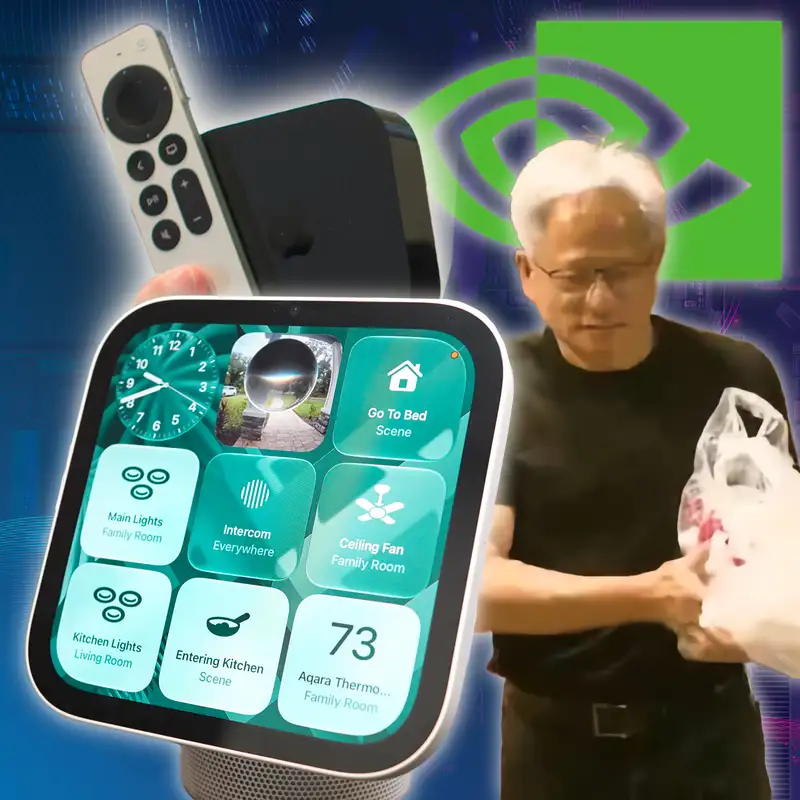
HomeView and Apple TV Reviews, Jensen Huang is Out as NVIDIA CEO
Download MP3Just think of it as you're being let go,
that your life's going in a different
direction,
that your body's part of a permanent
outplacement.
Welcome to Primary Technology,
the show about the tech news that matters,
just breaking news as we start a
recording.
Jensen Wong is out and NVIDIA.
been an entire saga. We're gonna get into
that.
But also embargoes just dropped for
Apple's Home View,
the smart home hub we've been waiting for
for years.
And the new Apple TV four K, plus a
lightning round about Gemini and email.
Fable five point two is out, and I vibe
coded something literally right
as we started recording. This episode is
brought to you by Base Forty Four,
Coax, Clean My Mac, and you, the members
who support us directly.
I'm one of your hosts, Steven Robles,
just reeling from publishing two videos as
we record.
And my friend and co host, award winning
co-host,
Jason Aten. How's it going, Jason?
I'm also a little bit reeling 'cause I
just had to publish an article that
I wrote last night expecting to publish
last night and then we took so long
in the pre show that
I don't all right. So a little
a little behind the scenes, a little
inside baseball.
We have an unedited feed for those who
support the show.
Link in the show notes if you want to
support the show.
And we record like a pre-show,
which is us chucking in jive and getting
ready to record the real show.
And we usually start that around 820 AM in
the morning.
And we were both kinda like not
intentionally delaying,
but we were like, is news gonna break
about Jensen Wong and NVIDIA?
We also had these embargoes that were
dropping at nine AM and I had two videos
I was gonna publish. And so we basically
just
talked and then if you wanna hear Jason
and I work in real time,
which is not great radio, but you can hear
it.
That's all un in the unedited feed,
which is why it's like probably gonna be
two and a half hours long this
Because
week.
f five minutes before nine we were still
shucking and jiving or whatever and they
Yes.
fired him.
Crazy, crazy. We're gonna get to the whole
Jensen Wong saga.
We'll do the Apple stuff first and then
we'll talk about Jensen.
But the news is that he is out at NVIDIA
with no succession plan in place that
I'm aware of. They're gonna be looking for
a new CEO.
There's rumors about that. We'll get into
all of it.
Before we get to the home view and Apple
TV reviews,
I do wanna say we had no five star reviews
this week in Apple Podcasts,
which is a person on the front.
so please leave us a five-star rating
review.
That was just getting there, but
We would love if you leave us a five-star
rating review in Apple Podcasts.
And if you can help us get to 5,000
subscribers on YouTube by the
end of the year, we're almost there.
We're at like 4,600, which is really cool.
so you can subscribe to YouTube.
But I wanted to pull some YouTube
comments.
I basically cherry-picked all the ones
that tell me that I'm right in what phone
you use your iPhone and what pocket you
use it.
except for the first one. Old Gaffer said
he's right-handed,
but he puts his phone in his left pocket.
But Daniel, right hand, right pocket,
and then future one sound.
Charlie Marley and Rylan, all right hand,
right pocket. So if you cherry pick the
comments,
I look very right in what hand you use
your pocket your iPhone and what pocket
you put it in. I just want to say that.
And one follow-up on Siri recaps.
There was a question on YouTube asking
about if the processing is done
on the iPhone, why do you need Apple Watch
Ultra 4 or Series 12?
Shouldn't an iPhone be able to do Siri
recaps?
And this is a question.
I've heard several people ask Apple.
And basically the answer is it's because
the Apple Watch has to be on your
physical body to be unlocked. And because
it is unlocked whenever it is on your
wrist, it is the ideal device to have Siri
recaps on whenever you want
or all the time. Whereas if your iPhone
could just do Siri recaps.
There could be an instance where you have
Siri recaps running,
but your iPhone is locked somewhere
randomly,
or nefariously, someone could put their
iPhone in a boardroom and then get Siri
recaps all day, supposedly, and then go in
and grab their iPhone at the
end of the day or whatever. So that's why
it's the Apple Watch specifically.
It's not a technical limitation,
it is a philosophical limitation about
what device is doing these recaps.
Any thoughts on that, Jason? Are you still
publishing your articles?
no, my article's published. I we I think
we're gonna are we gonna talk about well,
first of all, you didn't ask me about the
movie quote,
that's fine. I was expecting
movie quote, do you know you know what it
is?
something from up in the air. Would have
been the
Up in the air is great movie.
canonical example of a movie about people
getting fired.
True. It's a great movie.
But I do think I don't think George
Clooney was in this movie.
No, he was not. It is it is,
Isn't it a Disney movie? The uh Emperor's
New Groove or whatever they call that.
yes. Animated. uh Exactly.
It was uh Isma.
Yeah.
She
was just think of it as you're being let
go.
Your life's going in a different
direction.
So anyway, uh that was the quote from
today.
Also, want to do one shout out.
Andy uh listener and sent the he has an
app now in the app store and wanted
to give them a shout out. It is called the
Service station league table. It ranks the
top 100 UK motorway service stations with
a routefinder. It's got widget support.
Built it with the help of Claude AI,
which we're going to talk about uh later
in the show and some things that I vibe
coded. So thanks for sending that in.
Andy has been a long time listener.
And so I wanted to share uh that thing he
made.
Very fun. That app store link will be the
show notes.
And something I started vibe coding right
as we hit record today,
and it is already live. Just just throwing
that out there.
If you want to call in the show and leave
us like a voicemail,
you can now do that. And it's totally
built into our website.
You can go to primary tech dot fm,
click call in, and a little form.
And then you can start a recording and you
can send a voice memo and we will
get the file. And then yeah, maybe we can
do some Q and A's with uh audio as we head
into the holiday season and maybe,
maybe tech news will slow down as we go to
the holidays,
but maybe not because Sam Altman was it
last Thanksgiving or two Thanksgivings
ago that he
It was
like th it was like twenty twenty four,
twenty twenty three? Two or three years
ago.
So two years ago. It was two years ago,
I think. He got he got fired over
Thanksgiving week.
It might have been twenty twenty three,
but yeah.
Yeah.
And interesting, why is it around this
time that we got big CEOs just causing
issues? You know what mean? Something
about the holidays?
I don't think the two things are in this
case.
No, they're not related. Not related at
all.
This just happened. Sure.
Although very related in the AI NVIDIA
sense,
but sure, not really related.
Well,
I mean, actually they are related.
The board lost confidence in one,
the board lost confidence in the other.
Just boom. That's it. Okay, let's get to a
couple of the quick follow-ups.
We mentioned Siri recaps in the reviews.
You have not had a good experience with
Siri recaps.
I had had mixed experience. I still have
it on all the time.
I still think it's interesting.
I just wanted to share one Siri recap with
you,
Jason, because this is supposedly a
10-minute recap.
But the entire recap is Thanksgiving
Beverage Shopping.
And it's a reminder.
set for November twenty third to get
sparkling water and grape juice three days
before Thanksgiving. That was a reminder
that I just was trying to tell the voice
assistant to set the reminder.
And somehow Siri recaps thought I needed a
whole summary of that reminder
in my phone. So I got a Siri recap of that
I saved it.
But you've had not not had a good
experience with Siri Recap.
It's not very
smart, Steven. Like I have one that says
Sure.
math competitions and retirement benefits.
Do those two things seem related to you?
I mean retirement. You gotta do math for
retirement benefits,
They're they're not. Cheer team
maybe?
and job plans. Uh Buick
Well sure.
repair and in and concert tickets.
But d do the bullet points that it gives
you actually have pertinent information?
Hang on, let me check. W well,
While you check, we're gonna talk about
this in a second.
I mean
I mean, here's the thing. Sometime
sometimes it looked like you're holding
up E. T. right there. That's what that
just looked like.
I was holding up the home view for
our audio listeners. We're gonna be
talking about this shortly,
thing is
don't worry.
very, very small. Um it the bullet points
are are I don't think that they're
inaccurate. They are wholly insufficient
to be helpful.
If you're used to transcripts and like
services like granola or otter,
Otter.
like yeah, it is not that. But how about
I don't so that makes
me wonder what on earth is the point?
No one could depend on these to recap
meetings that they were in because it does
seem like each category of thing that gets
talked about is limited to four bullet
points and it's like it doesn't
It does seem like that.
seem useful.
Yeah. All right. Well, we'll follow up
because it's still in beta.
It's still in beta. We're still in beta
one.
We'll see once it gets out there for
everybody.
And one other follow-up before we get to
the big review is Apple TV four
K and the home view. Uh MKBHD did his full
review video of the touch screen MacBook
Pro with ProLid. He's very positive on it,
loves the laptop. The long and short of it
is it's a great,
incredible screen. It's fast and it has a
touch screen,
but he doesn't really touch it very much.
because that's not how he uses computers
and I think how probably most people would
use a computer. But it's a great machine.
And that's the bottom line. And I've been
using mine just to kind of keep testing
it. I don't know if I'll do a full review
because I'm like I'm not doing benchmarks.
I'm not doing all that kind of stuff.
But it's a beautiful display. And you had
a whole article saying you were w what
was it? You were wrong about? No,
Yeah, I changed my mind. I didn't say I
was wrong.
I didn't say you were wrong.
I said I changed my
mind. I said the text I think that the
touch screen is a very Apple feature.
And the reason is Apple, the thing Apple
has always done best is especially with
a Mac, but also with an iPhone,
that if you think a thing should work,
it probably does. Right? If you think you
should be able to do a thing,
drag an icon on your desktop onto an app
and have it open in that app.
For example, that's like just an a good
example.
Or drag an icon across the edge of your
screen to another screen of a device.
Like you're like, I wonder if this will
work.
Most of the time, it just does.
And we have a whole generation of people
who are used to using touch.
And now, if you're like, I should be able
to just swipe,
it works. And it works the way there are
some limitations to the way that they
did it because it just translates touch
into clicks.
So it's not perfect in every way.
We'd already talked about like YouTube on
Safari,
that kind of thing. But the reason I
actually thought this is very smart.
I don't think anyone should use it.
I'm gonna almost never use it.
But the fact that it just does what you
would think would happen if you reach
up to touch your display, I think is a
very Apple feature.
And I think it's good that they did that.
I think it'll probably come to I don't
think it'll come to like the studio
displays. That seems weird. Like but I
think it'll
No, I don't think so.
come to the MacBook Air, probably not the
MacBook Neo.
But I bet you within like three years
it'll be on everything.
Because it's just like that's what you
expect from Apple.
I should if I do this, will this work?
And you reaching up and touching your
screen is one of those things that never
worked. And
Right.
now it
just does.
And MKBHD's thesis was like M chips have
been so good for so long that it's almost
b like Apple MacBook Pro upgrades are a
little boring because it's just like it's
a little faster, but they've been really
fast for years because series chips
are great. And so this was also a way to
be like,
here's something new. It's not so much
about the chip,
it's literally the same chip that was in
the MacBook the chips it's
Yeah. Chips are not faster. Spoiler alert.
the exact same chips, but it's an OLED
screen and you can touch it.
And it's got a dynamic island.
Eh, you like that? So sure. My and it
works.
A lot of people he mentioned the rounded
corners in a positive light.
On the display of the OLED MacBook Pro,
all four corners are now rounded where
previously the bottom corners were squared
off. John Syracusa is not happy about
this.
He feels like you are losing pixels uh
because they've rounded the bottom left
and right corners.
You were also pretty negative on it.
Has your opinion changed or you feel like
it's
I
I don't like it, but I never notice it.
Is that a fair thing to say? Like I think
if if I
I think so, yeah.
look at it I'm like that is dumb.
But also I think it's dumb on the top,
to be honest. Like it doesn't make any
sense that they're rounded because this
studio display they're not.
Right. And to MG MKBHD's point was,
well, at least now it's symmetrical.
Like because the last couple of years
MacBook Pro has been rounded
on the top and I think the MacBook Air two
has been rounded on the top but square
on the bottom, which was unsymmetrical.
Right. Which
is what the iPhone Duo does. But it's
sideways.
R no, right? Like it's rounded on one side
and square on the other side.
But that's exactly right. Yeah,
that's exactly right. And so if you like
he has them side by side here,
the you know, MacBook Pro without a touch
screen and the one with a touch screen.
If you look at the like where the screen
lands,
you do get a few more rows of pixels,
you know what I mean? Like it goes farther
down towards the hinge as opposed
to having more bezel there. So maybe you
get more compared to it.
I can't I don't know. It's it's fine.
I think it's fine. Some symmet s symmetry.
I couldn't think of the I couldn't think
of the noun version of symmetrical.
All right. Two big reviews. Apple TV 4K
and HomeView.
I think HomeView is gonna take longer,
so let's hit the Apple TV. Okay.
I did my review. I've had it for over a
week.
And the Apple TV four K is a complicated
review because some of the best features
are available on on the last two
generations of Apple TV also.
So you can get Siri AI on the second and
third gen Apple TV 4K,
and you can buy the Siri remote that has
the built in FineMai and makes a sound.
That remote is $60, you could just buy it.
The two new features, three ish.
If you count the new faster chip as a
feature,
maybe, but I don't really experience a
difference.
You can set up four home pods and a
surround sound setup.
That is only the new Apple TV model,
and the built in microphone.
That's
really the only two hardware
differentiators and the chip,
faster chip, with the new Apple TV versus
the old.
And so the only two things you'd have to
think:
is that important enough to me to want to
upgrade?
Because if you just want a remote that has
FineMai and you just want the Siri AI,
you can get that on your last generation
Apple TV or even the second generation.
So that's what's new. I have a couple
notes about the actual new features.
The remote.
The Find My Remote, you get the,
it's in the Find My App now, as are your
last Apple TV remotes.
So those will actually appear in the Find
My App as well.
You don't get the arrow on screen like you
do with an air tag.
You only get this little green,
the green screen with the circle telling
you how many feet away the remote is,
but you don't get the arrow pointing at
the remote.
And I thought we were getting that,
and I was a little disappointed by that.
Is that important to you or do you not
really care?
I mean none of the old ones have any of
this.
I know, but I thought like the new one
having the new stuff,
it would have the arrow on screen that
would like go there.
I'm gonna save my Apple T V thoughts until
you're done.
I'm gonna let you finish.
Okay. Uh
all right. Uh I want just to show you as
an example,
what how is this different from the old
Apple TV remote?
I have actually like pulled up right here
the old Apple TV remote,
which was is now in the Find My app and
you can do find,
but it doesn't have the green screen that
tells you like how many feet away it is.
It will tell you like it's nearby,
but you can't have it make a sound or
anything like that.
So that's the difference. You get the how
many feet away the remote is
and you can have it
You can have it make a sound, which is the
one feature that you have said in the past
is like the only thing that matters.
Yeah.
And I agree. You can ping the remote.
Also, nearby is the least helpful thing
that screen could say.
'Cause I'm in I'm in my
I I know.
house. I know the remote is nearby.
I didn't take it out of the house.
I know. uh
Why are you telling me?
I know. Well, and that's why it's a little
more useful on the new remote,
because it tells you how many feet away it
is.
Which couch cushion is it in? Thank you.
Which
cat yes, exactly. And then you can have it
ping,
which is the most useful part of the new
remote.
So you can buy the new remote,
that's 60 bucks. That's there.
It's nice to have the built-in microphone
on the Apple TV if you don't have other
home pods in the room, because then you
can just tell the Apple TV,
hey Dingus, where's the remote?
And it will ping the remote.
And it works pretty well. And Siri AI,
which we just talk about now, like it's
interesting on the Apple TV.
You can ping the remote. You can ask it
for movie suggestions.
You can ask it for where was this movie
filmed?
And it does that pretty well. You can ask
about actors and actress information.
You can say, recommend some movies or what
are some trending TV shows.
You can ask, what was that Apple TV show
with Harrison Ford?
And it all the Siri, it does all of that.
And
you can turn on personal content and it
can look into your text messages.
So I texted myself Dark Matter,
which we talked about in the pre-show,
uh, because I wanted to. You know,
it's a good show. That's all I was wanted
to say.
He's trying to get me to watch it.
He's bullying me.
I'm trying to get you to watch
Dark Matter. That's that's the thing.
But you can turn on personal content in
the settings,
and then like I asked it, what was the TV
show?
I texted myself. And it will show you,
it'll tell you what TV show it is.
Now, unfortunately.
You can't click it. So it told like a
little Siri bubble pops up
in the top right corner and it'll say,
You recommended dark matter. But it won't
let me actually click and go to the show,
which is kind of weird. So I feel like
they should change that.
They should let you actually click to the
show if someone texted you a show like
the for you area. But anyway, it's fine.
I compared it to Gemini on the Google
Streamer box because I tested that earlier
this year. And the Gemini on the Seerbox
look better.
Like if you ask it for a general knowledge
question,
like tell me about black holes,
the Gemini on a s on Google TV,
you'll get the explanation and you'll get
YouTube videos right underneath.
And because it's all Google, YouTube and
Gemini,
it's just a clearer integration.
You can ask Apple TV, show me videos on
YouTube about black holes.
And it will open the YouTube app with the
search already run and it'll show
you those videos, but it doesn't have
those that cohesive like here's one splash
page with the explanation and the videos
linked.
So that's a you know an advantage that the
Gemini streamer has.
Any questions so far before I talk about
home pods around sound?
Okay, thank you. Uh the other feature that
is locked,
so the built-in microphone is only on the
new hardware,
obviously.
The other big feature is home pod
surround.
Now, this is something people have wanted
to do for a long time.
They have a bunch of home pods in their
house,
or maybe they just prefer the home pods
and the simplicity of the Apple ecosystem.
They want to set up a surround sound
system with home pods.
A, the surround sound setup on the new
Apple TV is one of the coolest experiences
you can have, like on that the thing.
So the sound glow feature, which
Didn't make a whole lot of sense.
I mean it looked cool, but it makes a ton
of sense when you're setting
up the surround sound on the Apple TV.
Because when it asks for what speaker is
placed where,
well, one, it identifies it pretty much
automatically.
So it goes through this setup screen where
it will like play sounds through the home
pods and it gets a pretty good idea of
where each home pod is.
So you don't really have to do a lot of
tweaking.
But once you do that, it will show you on
screen four colors and it will
ask you to confirm the placement.
And
when you swipe on the remote to the
different color circles on the screen,
the home pod makes a sound and glows that
specific color.
So you can say it, is this the front left
home pod?
And you can scroll through the colors,
wait till that home pod lights up and
makes the sound,
and then you can confirm that that's the
home pod.
Very, very cool feature. Great way to
distinguish which speaker is which.
So it's to both visual and audible.
That was really cool.
And then once you confirm the placement,
it goes through this super fun setup
animation where it plays a bunch
of immersive sounds and it ends with the
Mac startup chime.
Mm.
Kudos to whoever it is at Apple that said,
hey, we need to put this in this in the
surround sound setup.
It's a great that's that was great.
Now, a couple of data points. You can only
have a maximum of four home pods
in a surround setup. You cannot.
Put a fifth in the middle for a center
channel.
Doesn't work that way. You have to choose
four large second gen home pods,
four home pod mini twos, the new one,
or a combination of two and two.
Two large home pods in the front,
two home pod minis in the back.
And I tested all those configurations.
So y now when you start playing a movie,
you can go up to control center and add
additional speakers.
Just to have the audio play through those
speakers.
So I go in the video and I'll link my
video review for this in the home view.
You can add other home pod minis that
might be in the room,
but it's not going to be tuned for
surround sound.
It's only going to be sending like the
stereo signal to that home pod and just
playing it out of that thing. So I would
not try to just add more home pods
for the heck of it. It's not going to be
the surround sound tuning with
the all the separate channels.
And
Yeah, so I would not do that unless you're
just trying to be loud.
And there's a setting too, once you set up
a home pod surround thing,
there's this new area in the control
center that shows either whole room audio
or surround sound setup. So if you were
doing something like playing music
in the room, let's say this is in your big
living room and you have a party,
and you don't want surround sound
specifically,
you just want music playing out of all the
home pods.
And not be tuned any specific way.
You can change the speaker arrangement to
whole room audio,
and then it will treat the four home pods
in the surround group as just individual
home pods again without you having to
unpair them and everything.
And then you can add other home pods via
airplay,
and it's more of like party music style
versus the surround sound tuning.
So you actually get that control.
You can also adjust the surround level for
the rear home pods.
So in that same control center menu,
you can turn up.
The rear home pods, if you like a little
more surround effect behind you.
So that's all the technical stuff.
Bottom line, it sounds very good,
especially if you use four large home
pods.
But a large home pod, do you know how much
a large home pod is now,
Jason? It actually went up in price and I
forgot about it.
Three forty nine?
You nailed it. Yes. I thought it was 300.
It is $350 since all the price increases
over the summer.
So if you want if you don't have any large
home pods and you wanted to get four
for this kind of setup, you're looking at
fourteen hundred dollars for four big home
pods. And you can only do this with the
newest Apple TV.
So that's a $300 Apple TV. So that's a
$1,700 setup.
For just four big home pods and the new
Apple TV.
For the same price, if not cheaper,
you can buy a Sonos Beam immersive set,
which the Sonos Beam Ultra is like their
latest beam,
which is like their it's not the arc,
which is like the top of the line,
but it's it's really good. Just throwing
that out there.
And you can get that with a sub mini.
And two Era 100s as rear speakers,
all for $1,600. And I'll just tell you,
that setup sounds much better than four
home pods.
Namely because of the lack of a subwoofer.
The one thing I missed with the four home
pod setup is the low end.
And I have nice subwoofers. Like I have a
big Clipsh subwoofer for my 7.1 setup.
I have
A Sonos subgen 3 in my big living room,
and I have a sub-mini in my bedroom.
Yes, it's overkill. I still do it.
And it sounds really good. And you can get
like the sub-mini is just gonna sound
better. Any of the Sono subs, you're gonna
get more low-end.
Anytime I watched an action movie,
you know, I did Interstellar, I did
Infinity War,
I did Dune Part 2. You just miss some of
the low end and rumbliness without
a subwoofer. And I don't think Apple's
gonna make a subwoofer.
So
Again, if that's important to you,
I think that's the that's the trade off of
using the four home pod setup.
Any thoughts there, Jason?
I don't think anyone should buy an Apple
TV unless you need an Apple TV.
Like I think I no, I'm like uh kudos
Same.
for giving our audience. Next time just
tell them to watch your video because
I think you managed to your video that
video was short,
right? Okay. We did eighteen minutes.
It was fifteen minutes, so I said more in
the video.
No, no, I'm just kidding. No, sorry.
I show it all in the video though.
I'm just picking on Steven. But for real,
I know, I know, I know. Yeah.
I
don't think anyone should ever think about
the Apple T V four K unless you just need
an Apple TV. And then you
Although now three hundred dollars is a
lot to spend on an Apple TV four K.
And so I just think I'm I'm glad that
Steven thinks about all of this stuff
so that I can just tell people you can
watch his video.
But if you're not in the market,
if you don't need an Apple T V and you
have an Apple T V four K,
I don't think that you said anything
that's worth upgrading,
especially because you'd have to buy a
bunch of like we have a Sonos
arc in a sub. Uh I don't know which
generation it is,
but it's like a year old.
And it's amazing in our living room.
Sounds great. Yeah.
We had been
using a pair of stereo original home pods
and it was amazing.
So buying a three hundred dollar we will
not be buying a three hundred dollar Apple
T V and four Gen two home pads.
There's just no way. Like it's just not
worth it.
Yeah, yeah, yeah.
So
This is for the nerds like David Sparks,
who already has two big home pods,
and he already has a bunch of Apple TVs,
and he's gonna upgrade one Apple TV and
then you pass all down the line.
So the oldest Apple TV falls off a cliff.
And if you already have two big home pods,
then you're talking about a seven hundred
dollar investment,
which is not cheap, but you like he wants
the simplicity.
He doesn't want to deal with the Sonos
app.
Having to run an E Arc HDMI from whatever
sound bar to the TV.
Like it is simplicity in Apple ecosystem
is what you're buying if you go with this
kind of setup. But you miss you miss the
subwoofer.
I'll just do that.
Well, we
do basically the same thing. It's just we
wait for an Apple TV to die before
we and then we upgrade the we upgrade
Yeah.
it, put that one in the main spot,
and then everything else trickles down.
We don't just look and say, Well,
there's a new one. I should buy that and
trickle things down.
It's like, no, no, no, no, no.
These things they last a very long time.
I we definitely have some non four K Apple
TVs still dinking around.
We have at least one with the slippery
black remote.
Yeah, yeah, yeah.
Like we
even have one that in our basement that
has this the old silver remote.
That only has the wheel and
Right.
two buttons. It works it it works amazing.
And it's on a ten eighty p d T V.
I know.
Who cares?
I know. I w so in my situation,
I had one Apple TV that was still the
slippery black remote because that
was the f a first generation 4K,
which also does not get TV OS twenty
seven.
There's not a ton of features that you
would care about about upgrading to TVOS
twenty seven. But for me, who is also huge
into the smart home,
which will play into the home view,
I want the newest software on all the home
hub devices that I'm running.
And so I'm replacing that old I already
have.
That old Apple TV is gone. And it it's off
at the farm upstate.
And now it's all the Apple TVs in the
house are now TV OS 27.
Uh the only thing I wanted to mention,
this came out after my review,
after I did my review video. But Apple is
bringing sign language interpretation
as a built in accessibility feature to
Apple TV,
which is wild and so cool that they're
doing this.
There's a documentary right now.
uh the being human that you can it's a
biopic with disability rights activist
Judy Human. You can watch that right now,
but they are bringing it to Apple's movies
like F one,
Greyhound, and other Apple T V content.
And you'll be able to just turn on sign
language interpretation and there'll
be little interpreter like green screened
in the corner going through uh which
is really cool. That's awesome that
they're doing that.
So that's coming to Apple T V.
All right, Jason. you're gonna grill.
You got you have
seven minutes, Steven. I'm just saying.
I have seven minutes. What happened?
Nothing. I'm just saying you have seven
minutes I'm giving you a time limit
to talk about the home view.
I know, I know.
Well my hobie video is forty eight minutes
long,
so there's no way
We did a whole
episode about this with uh the the expert.
Jen Tui. She
Yeah, Gentouy, so
is yes, she is awesome. Yes, we uh we will
discuss that.
I'm gonna do I'm gonna do our ads before
the home view though,
because I'm sure you're gonna grill me on
it and I wanna answer your questions.
And so before we get to the home view and
my review,
I want to thank our sponsors. And this
first one,
updated for iPhone Duo, highly recommend.
I've downloaded it, signed in,
is our friends at Coax. So what you do,
and I download the app on my iPhone,
all you gotta do.
Is sign into your Plex account and it
works with other servers as well.
I did it with my Plex account and it just
immediately sees everything on my Plex
server and it's super cool. If you are
ever nostalgic for like the old school
TV guide, I want to show you the Plex app
actually like live.
And so I'm gonna stop sharing my screen.
So if you're watching, uh I'm gonna show
this to you live,
but if not, just go to the Coax website,
the link will be in the show notes.
After you connect, I connected my Plex
account.
I
have like a channel viewer, old school TV
guide style,
updated for iPhone Duo. Look at that.
Edge to edge. I get like the little
channel surfing here with all the stuff.
And this is just all stuff in my Plex
account.
It is so cool to be able to navigate it
that way.
And it feels like it's just, you know,
if you just want what is on right now,
but what is on based on my Plex server or
my home media server,
you can just do that. And that's the magic
of coax,
updated for iPhone Duo.
And you can tinker to your channels to
your heart's content.
There's custom video playback built on top
of AV player that can play just about
anything. MKVs, 4K HDR, closed caption
support,
honors the system setting, which is huge.
That's again, can be really messy
depending on your home server.
Coax can handle that. That printed
schedule view that lets you flip through
your schedule like a guide in the
newspaper.
I didn't show you that, but on the in the
app,
you can like look at it like it's a paper
uh TV guide,
which is super fun.
Change the channel on your TV from the lap
in the remote printed schedule.
Use an IO of this to browse it like I was.
And family sharing is enabled.
Once you purchase it, it works across all
your Apple devices.
And there's also parental controls built
in.
So you can, you know, restrict certain
content depending on the ages of your
kids, things like that. You can pick your
theme,
ton of content filters. You can have TV
marathon channels.
There's a retro weather channel,
which if you grew up in the 90s like I
did,
you might be nostalgic for that.
And there's native implementations across
all the platforms:
iOS, Mac OS, TV OS.
Vision OS, and like I mentioned,
updated for iPhone Duo. Pure Swift
everywhere,
no shims or shortcuts. And here's you,
you can get a lifetime unlock for $75,
which is wild and unheard of. You will not
find a home media service that is just
that is that inexpensive, we'll say.
There's also monthly and annual
subscriptions and a free trial if you just
want to try it out. But you go to
coaxtheapp.com or even better,
click the link down in the show notes.
That'll let them know that you came from
primary technology,
coaxtheapp.com, and the link is down in
the show notes.
Our thanks to Coax for sponsoring this
episode and our friends at base 44.
Now, I talked about vibe coding at the
very beginning of this episode.
And if you're like me, you want to be able
to build something,
you have an idea in your head,
you know what you want it to look like,
you're ready to like implement it,
but you're just not sure what tools to use
or how to get it to actual fruition.
Base44 can help.
It's
an AI platform where you describe the
software you need in your own words
and get a working build, whether it's a
customer portal,
a dashboard, or the system your whole
business runs on,
base44 does it all. It's not just mock-up
or prototype tool.
You build the actual product, the website,
the app, internal system, or AI agent,
and keep shaping it as the work changes.
And you describe the changes in your own
words.
You lay out the pages, the data,
who uses it, what happens next,
and what tool should remember.
Base 44 turns that into software you can
run.
And it's one build, not a stack of
separate tools.
Instead of spreading your product site and
workflow across those different tools,
you can build them together in one place.
And it's made for how you work.
Especially useful when the tool you need
is specific to the way you sell,
serve customers, or run your team.
You stay in control. You use it,
change it, add what's missing,
and keep building. I've tried base 44 in
the past and it is just so easy to use,
so easy to prompt.
And actually makes really good looking
products.
Again, app, website, whatever you need.
So here's what you do: you go to
base44thenumber.com slash primary
for thirty percent off the builder plan
for your first year.
That's base44.com slash primary for thirty
percent off your first year.
Or thanks to base forty-four for
sponsoring the episode.
And finally, clean my Mac. I install a lot
of stuff on my Mac.
It's just all over the place. And I
I
like to have it clean though. I don't want
these files just randomly sitting there.
I don't like stuff just sitting in
application support that I don't know what
apps installed. And that's why I run
CleanMy Mac on my Mac just to get all that
stuff out of there, free up some space,
which is important. I have little Mac
minis running stuff.
We're gonna talk about that in a future
episode.
And I want to make those Mac minis are
clean from all the cruft.
And so if you need space, you want to just
do a cleanup,
see whatever little application files have
been hiding around.
Clean my Mac can help with all of that.
And it can even help with things like
messages.
A lot of times, if you have space taken up
on your device,
it could be those big attachments in your
messages,
iCloud messages, things like that.
Well, Clean My Mac can help you with all
of that.
Plus, those big files that are on your
Mac,
it can scan, identify those, help you
remove it to free up that space.
So whether it's on your laptop like your
MacBook Air and you're running
out of space, or you just want to put it
on your desktop Mac and make sure
everything's cleaned up, Clean My Mac is
the way to go.
So get tidy today. You can try seven days
for free.
And use our code primary tech all on word
for 20% off at clnmy.com
slash primary tech. And the link is in the
show notes.
You can click it there. Try seven days
free,
primary tech for 20% off. Clean my clnmy
dot com slash primary tech.
Thanks to Clean My Mac for sponsoring this
episode.
All right, Jason, I have my home view
here.
I brought it back into the studio so I can
hold it here in the video and show
it to you live. This is me swiping up.
To
the home screen. This is me swapping down.
There you go. I've had this for over a
week.
I don't even know what you just did.
That's fine. I will not
recap my video like I did with the Apple
TV.
But here I've waited for this device for
so long.
I looked back. The one thing I'll say for
my video,
the first mention of this device,
me and Andrew O'Hara were talking on at
the time was HomeKit Insider.
In March 2021, the first rumor came up.
Because it was after Apple discontinued
the original home pod,
and there were then rumors that Apple was
working on a home pod with a screen
to be their smart home hub.
Okay, but is that a home pod with a
screen?
That's my first question.
It is like a home pod mini with a screen.
I mean
Like.
What it tell what you mean by like at home
button.
Well, if you're talking about audio
quality,
it's actually very good. I was
Okay.
surprised. And I don't have the
wall-mounted version.
I'll be getting that in my order tomorrow
as we record.
But Gentui says she had a wall-mounted
version,
who was a guest on the show, that even
that sounds pretty good.
So even without the little bass.
Obviously you get less bass B A S S
without the bass B A S
Bass without the bass. No bass,
no bass.
E. uh but it does sound pretty good even
on the wall.
Now I
You know, you just want audio,
I think a home pod mini two, which sounds
better than the first version.
I we haven't really talked about it a lot
on the show,
and I've not done a video on it.
But HomePod Mini 2 does sound better
overall.
You know, I would Home Pod Mini is going
to give you a better sound,
but this sounds very good. And then you
have a screen that you can then do stuff
with. Home pod screen. I think this is
this is the thing.
This is the thing. If you are a smart home
nerd,
like I am.
I think you would enjoy this. I have all
the controls here.
I have you can have multiple pages of
controls,
which was a question when this first was
announced.
And in those episodes, early episodes we
talked,
it was unclear if you could have multiple
smart home control pages,
but you can. So here's one page with nine
different controls,
including a camera. Here's another page
with different layout,
different controls. You can have that.
One of the best things, honestly,
the speed at which accessories respond.
So if you're watching, I'm gonna turn off
the key light and turn it back on.
This is the control right here.
Tapping it, I mean almost immediate
response,
which is wild. And now everything in my
office is is moving and changing.
This is a great demo.
Look at that, it's a great demo.
Let me go to my other home control page.
And I have video purple here. And so I'll
run that scene.
Almost immediate response. So,
you know, one of the biggest things about
smart home for the people not nerds
in the house.
Is sometimes it can be annoying if you
have to wait for something to respond
or you're not sure how to control
something.
And so me and Gentui says this in her
review,
just having an obvious tap here to turn on
the light for everyone else in the home
is nice. It's use it's a useful part of
this device.
Now again, if you don't have smart home
controls,
less compelling. Less compelling.
But I want to tell you, I'm not gonna
recap my review.
I'm gonna tell you two things w about.
Just weirdness about this device.
And then you can um you can grill me.
No, I just want to ask questions.
Yeah. Good.
Yeah, yeah,
yeah, yeah. Recipes.
A super useful part of this device,
which really feels like it wants to be a
kitchen device,
would be reading recipes on this thing.
Now, how do you get recipes on here?
It's a bit convoluted. If you have a
recipe in Safari,
and I'm gonna pull up one, I do this in my
video,
but I just want to show you.
here as well. I have an almond flour
pancake recipe that always comes
up on my on my thing. I can tap my phone
to the home view and it will open that
recipe in Safari. I think I need to be
actually on the home screen,
which we could talk about navigation in a
minute because it's that
is a bit convoluted, I'll be real.
So I'm gonna airdrop this recipe.
Airdrop is very fast. If you ever used
handoff on a home pod and
had a bad experience, I think it's way
better here.
I can tap the little recipe viewer.
I get a nice little image, I get an
ingredients list that I can actually check
off, and I also have these start cooking,
the step-by-step ingredients, and when
there's a timer,
I can tap the timer and I get a nice big
visual timer on the home view.
All of that is really cool. If the recipes
that you are using are not from Safari,
there is no good way to get a recipe on
this device.
Now you can ask the voice assistant,
hey, give me a recipe for whatever,
and Siri AI will give you an answer,
but you can't go to that nice recipe view
with the ingredient list and swiping over
with the interactive timers.
So hold hold on. So you mean like if
you're using the New York Times recipe
app, like the New York Times app with
recipes or Apple News recipes?
So that is the biggest miss, and I say
this in my video.
The Apple News app, which is on this
device,
one, only lets you listen to news shows.
You can't read any, which doesn't make
sense because you have a full-on browser
on this thing. And r recipes in News Plus
are not on this device.
Huge miss. That was a total new feature
that Apple brought like a year or two ago.
Recipes in News Plus look great.
They're formatted nicely. You can
you know, categorized by time and how long
they take to cook.
No access to news plus recipes on this
device.
You can't even just airdrop
No, because they don't open. Like the news
app,
all you can do is listen to news stories.
There's no way to to do it. What it that's
a miss,
I'll fully admit. It's not good.
So like I can go to my saved recipes here
in the News Plus app on my iPhone.
Again, beautiful, great layout.
If I try to airdrop that to the home view,
like nothing happens.
I mean you got a cool little animation
there as it rejected you.
You g as it rejected it. Exactly.
But there's no way to get that on the home
view.
Nothing. Nothing happens. No news plus new
recipes.
When you ask the voice assistant,
you don't get the nice recipe UI.
And I think another big miss, most people,
you could tell me how you and your wife
are,
probably have recipes saved in Apple
Notes.
Maybe their notes app of choice.
No Apple Notes on this device.
And no way to get an Apple note onto this
device through Airdrop.
If there's not an app to view it,
you can't do it. Now, a solution was
suggested to me,
which is text yourself a recipe.
No, this is not a good idea. I mean,
Okay.
I'm not
saying it's not a good idea, but that is
not a solution to a problem that only
exists because someone at Apple didn't
think like,
you know, we we have a recipe thing.
We we have a thing for recipes.
I don't know if because it's a news plus
like under a subscription feature.
I don't know. But like I d I tried it.
I texted myself recipes. I said,
show me my cottage cheese recipe that I
texted myself.
And the voice assistant will go to work.
It does find the recipe I texted myself
because it has personal content
and it can do all of that. It's searching
for my cottage cheese recipe.
Problems reaching your personal device.
Never mind. So the re the recipe part I
think is just a miss.
I say it in my video.
There needs to be better ways to do it.
That's all.
And it does seem like that was maybe not a
selling point,
but it was a pretty big like if you're
gonna stick this on your counter in your
kitchen, seems like this is you know what
you can do this on?
What's that? Get out of here. Okay,
An iPad mini. Sorry.
so the other thing, other
two things. The multi-user aspect,
which was a huge part of Apple's promo
video.
The whole family spinning this thing
around the kitchen,
everybody using it. I put everybody in my
family on this device to their chagrin.
I have my I have all five profiles set up
on this device.
And it does a decent job of when you walk
up,
you swipe up, and it's your profile.
Also, I do wish that
it had the ability to as you approach,
it just unlocks automatically.
Or that I could set it where it can show
me the weather when I'm not near it,
but as I walk up, it shows me my home
controls.
There's no option for that. It
But you wouldn't
want it to unlock though.
No, but I would love for it to change to
home controls when I approach,
because I like seeing glanceable
information.
No, uh the thing you said before
though is when you walk up you wanted it
to unlock like the swipe up.
But what if you wanted to touch the home
controls?
You're right. That's not what I wanted.
What I want is to
Okay.
be able to have like a face for when it's
in like standby and then as someone
approaches to show home controls.
Okay, that's what the Google the Nest Hub
Right.
Max does. It's just shows photos and then
if I walk up it'll be like weather,
calendar, whatever.
Exactly. Because the photo face,
which you can connect it to your Apple
photos,
and it will show you photos of your
family.
You can say just show people, just show
collections,
that's great. I actually will probably
leave it on the photo face when it's
in the living room. But as I approach,
I want to see my home controls.
Because that's that's what I would
actually tap.
That's why I'm walking up to it.
That's
why I'm walking up to it. So that's a a
wish.
I wish you could do that. But the
multi-user stuff,
if someone is using it, like I'm using it.
And I walk away. Supposedly, one of my
kids should be able to walk up,
swipe up, and it should be their profile
with their personal content,
including their text messages.
That's what the video promised.
That is what the video promised.
60-ish percent of the time, that's how it
works.
If the if
Sixty
is like a d is like a it's like failing,
right? It's a D, right?
I mean if you were making it a test.
Okay D minus.
Yeah, because one, if the other person is
still in eye shot of the device,
like there were many times where we tested
it where I would swipe up,
swipe down, step to the side, pretty far
to the side,
like almost eighty degree angle off the
thing,
and my son would swipe up, it would still
think it's me.
Even though he's directly in front of the
device,
it would still show my profile and he
could get into my text messages.
So if you're within eye shot of this
camera,
it might still be unlocked for your stuff.
And if you try to do it really fast,
which we're I was intentionally trying to
trick it,
but that's also how the video showed.
Like in Apple's promo video, it shows the
sister looking at text messages,
she gets up, and then two seconds later,
the brother turns it, swipes it,
and it's locked. Many instances of that
not being the case.
So I tested with my wife, she would swipe
up,
I see her profile.
She goes to her calendar, which is part of
that protected information.
She swipes down, steps to the side.
I walk up, swipe up, and it's still her.
And it's still unlocked where I could see
the calendar and text messages.
So A, your teenagers are not going to want
their personal content on here because
there are times where it might be
accessed.
Yeah. The brothers reading the from the
videos reading their text messages.
Yeah. Yeah. This is right.
And some uh like I can switch to my son
here.
So it'll switch to his profile with him
not around.
And if I go to text messages, it'll be
locked.
But some things are not locked,
like Apple Music. And so I could just go
into his Apple Music account
and see all his playlists, see all his
songs.
And that feels like personal content that
should probably be locked.
You're gonna ruin his rewind or whatever
they call it.
Well, I'm not gonna I'm not gonna mess
with it.
But if I try to go into text messages,
you'll see now it wants facial recognition
to unlock his messages.
It's the same with your calendar.
But it's we it's a little weird.
And I feel like they shouldn't have pushed
so hard into the multi-user aspect,
and they should have pushed harder into
like the recipe feature and tried
to do that better. Voice recognition is
pretty good.
My wife and I stood both next to it.
I would say, show me my calendar events.
And it would show me mine.
And that's personal content for the home
view.
My wife would ask immediately after and it
would show her hers.
So it does a decent job at recognizing
voice and recognizing face,
but if you really want to try and confuse
it in rapid succession,
yes, you can confuse it.
Can you just turn off the personal
profiles
Yes.
and just use it as just a dumb device?
You can't turn off profiles because it
requires you to set it up with at least
one profile.
See that I feel like that's a huge miss.
I feel like it should just be able to
control my devices and then stream Apple
Music. Like maybe I could just sign into
Apple Music or something.
Like 'cause you can do that on the Google
device.
So
you I'm sorry, you can do that.
So if I set it up with my profile,
I can do that and then set no one else up
and then it's guest mode for everybody
else. And with guest mode, you can still
play music and control your smartphone.
But I don't want any of my stuff
connected.
Like I don't want even the idea that
there's a button that says messages that
someone's gonna tap and say you can't look
at this.
I just want it to not have any of that.
So you can turn off personal content in
settings for a profile,
and then it will turn off messages,
reminders, and calendars.
Photos?
Well, here's the thing, photos have to be
attached to an iPhone.
And so
I'm saying
turn it off is what I'm saying.
So it wouldn't have
You well, there's no photos app,
so you can't just browse photos,
but for the face of the home view that's
photo driven,
when you go to edit that face,
you have to use your iPhone to you choose
the photos and collections you want.
There's no way to like choose photos or
like upload a photo to put on the frame.
It has to be tied to someone's iPhone
that's managing the photos face.
Does that make sense?
I think so. And so you also you could not
set up a way for I mean,
I guess it wouldn't have any personal
content,
but like if you have a child that doesn't
have a phone or an iPad,
they just they just look at this thing
sitting on the counter wondering when will
I be old enough to get to use this?
Well again, they can use music.
They can play the Apple TV app.
But whose music are they using then?
Well, it'll be the primary user's account.
And so, you know, you're listening.
That's a hard no.
So that's the thing. Now, my daughter was
able to set it up with just an iPad.
She doesn't have an iPhone. So you can't
have iPad profiles.
But that's where the last weirdness comes
in.
Third party apps only show up if they
support CarPlay.
CarPlay audio or CarPlay Video.
So I have Sofa, Overcast, Here,
Here, Tripod, a new podcast app from Ben.
Pocket cam, like these are all third-party
apps,
but they also function as CarPlay apps.
So when I play a podcast on any of those
apps,
it starts playing from my phone and it's
just casting the screen over here,
just like CarPlay works. So it takes over
your phone.
These are not like standalone apps on the
home view.
Responsiveness is not great because of
that.
And you get some weird UI behavior.
I show it in my video.
And lastly, the other third-party content
that you can have are widgets.
Now I was curious when I started setting
it up,
I could add widgets from so many apps.
And I was like, how is this possible?
Like any list, my grocery app,
I can have a widget here and show the meal
plan from my any list app.
That is because any app that supports
macOS widget continuity.
So as you know, you can add widgets to
your Mac desktop.
A lot of those widgets can be built into
apps installed on your Mac,
but you can also add widgets from your
phone onto your Mac desktop.
So you can put a Flighty widget on your
Mac desktop from your iPhone,
and your iPhone is powering that widget.
Well, the same is true for the home view.
Interesting. But what happens is you get a
glanceable widget,
and if you try to tap it to interact with
it,
nothing happens. It will say app is
unavailable.
Because the app is not physically on the
home view.
It is just casting the widget to the home
view.
So if I tap on one, it says app
unavailable.
You can't do anything. I guess it's nice
that you have access to those glanceable
widgets. You can put your Amazon widget
with orders on here-ish.
You can even have widget stacks where you
can like slide between them.
But it's it's just weird behavior.
And I understand it's because they're they
don't want it to be a whole platform like
with an app store.
But then you get weird like it's CarPlay
audio and video apps,
but widget apps for Mac OS and it's all in
one.
And it's a little weird. It's a little
weird.
J J Jason's face is like, okay.
I just
yeah, I just I don't I don't think that
this is the product this product
is not fully baked yet. And I don't think
they should have released it because it's
not fully baked. And unlike some of the
other things that Apple has started
rolling out because it had to,
this doesn't feel like something it had to
do.
It's like I mean, Apple is one of the
three major ecosystems for home anyway,
and they're not going to t they're not
going to beat Google and Amazon.
I mean, they may do really well,
but like
Those ecosystems are all so huge.
And the goal is that they're all supposed
just supposed to be interoperable
interoperable anyway. But if I get a home
view,
which I'm not gonna get a home view,
but if I get a home view, it's gonna be
mostly useless to us because I don't want
my personal contacts on there.
And none of no one else in my family is
gonna want their personal contacts
on there. And a lot of the stuff that's in
our home that's like smart home stuff,
it all works.
really well and we just don't want to
touch it.
I'm not replacing light bulbs and switches
and all these things just to make them
potentially work with the home view.
Does that I don't know, does that make
sense?
Yeah.
Yeah, and and again, that's you know,
the whole reason why Apple launched the
home collection is because they want
to make it so like here's the stuff that
goes with your home view.
And like I said, I think I'd said it at
the beginning,
but if you don't have a video doorbell,
this device becomes just less compelling.
You know, for cameras, for someone rings
the video doorbell and it shows up on this
thing, you know, this can be your
thermostat control,
you can run scenes. I love that the
intercom is a standalone app on here.
I love intercom.
Again, you need a bunch of home pods
across your house for that to be useful.
But now, you know, no one knew where
intercom was.
You know, it's not a very discoverable
feature.
It's in the home app and there's a little
waveform in there,
but most people don't know it's there,
just like not techie people. So the fact
that you can just have a home co intercom
control on this face, and now someone can
just tap that and say,
Hey, dinner's ready, and that message goes
to the whole house,
that's cool, but you need a lot of other
peripherals to make this worthwhile.
And so, like you said, I think it's still
baking.
Uh thankfully the hardware is nice.
So it's really just software. And Apple
can update the software over time.
And so, you know, I don't think buying one
now is a is a poor decision if you're
in the smart home ecosystem. But if you're
not already super smart home nerd,
uh to wait and see what Apple does with
it.
Maybe s see if the recipe stuff gets
figured out.
'Cause that that I feel like is the
biggest issue with it.
But I like it. I have I'm gonna have three
of them in the house,
so
Wait, you bought three of them?
Well, I bought two and then this is the
review unit and depending on how it goes
I might buy a third. We'll see.
I'm gonna put one on the wall in my new
studio.
We'll talk about that later. But I mean,
We're gonna talk about that later.
That's the b yeah.
I like
I the the the things we use the device we
currently have,
and I'm not trying to like I so some of
the way we use it is because
of the limitations of that device.
But imagining putting a different device
there,
that's fine. I could put a different
device there,
it shows us pictures from our Google fa
photos favorites,
right? And
Yeah, yeah.
we don't we only use Google Photos because
we just put the app on our phone
and it just uploads everything from
photos.
It's fine. It's a nice backup,
Yeah. Yeah.
and then you can just the favorites,
it shows them on there.
Literally the only reason I pick favorites
in Google Photos is so that they show
up on the device. That's it. We do that.
We will shout at it for timers.
We will have it sometimes my son will have
it look things up for him because it'll
just show you we can play things in
YouTube to our television.
And it's we could control the temperature.
Actually we can't because our Nest
thermostat's old enough that it's
not on w the Wi Fi doesn't work anymore.
Still there, it just don't work.
See Yeah.
But it doesn't matter. You know how far
away it is from the thermostat?
It's like s three and a half feet.
So like
It would be ridiculous to go like if I put
a home view there,
Yeah.
I'm not gonna be controlling the
temperature,
is what I'm saying.
Right, but you could if you have a well,
Well no I can't because my nest Wi Fi
doesn't work anymore.
not your nose, but if you if if you had a
thermostat that works
with it, you could. So anyway,
I as a smart home nerd, I love it.
Uh it's weird, it's odd. I'll probably be
the only one in the house that actually
uses it. But the two features that
everybody has liked,
the memory other members of my family,
setting a timer and having it be a visual
timer so they don't have to keep shouting
to the home pod mini how much time is
left,
that's nice.
Sure.
And
Siri AI actually being able to answer
questions is nice.
So like my daughter was like, what does
Pico de Gallo actually mean?
I was well, you know what? Ask the home
view.
And she did. And it gave her an answer.
And then you can read the answer and see
it and hear it.
And that's nice. So smart home nerds
unite.
We finally have the home pod with a
screen,
even if it's like three-quarters baked.
60% baked. 65% baked.
Yeah, sixty sixty percent sounds about
right.
All
right, we'll do 60%. All right.
This
I
I wanted to talk about all the Apple
stuff,
but this is probably the actual biggest
news of the week.
Jensen Wong is out as CEO of NVIDIA,
one of the most valuable companies in the
world.
Second most, second only to Apple,
I believe.
Current yeah, well I it's dropping pretty
fast right now,
but yes.
Dropping pretty fast right now.
This is not a funny story. Uh the
timeline,
very quickly, if you have not been reading
this news all week,
which it's been everywhere.
But Jensen Wang, the CEO of NVIDIA,
also co-founder of NVIDIA, and we're going
to talk about the organization of NVIDIA
and why this is problematic. He is married
to Lori Wang.
And it came out last weekend that he had
an affair with someone named Alice Wang,
no relation, a Chinese citizen,
and was the part of the Mega Speed Chinese
company.
It's a Singapore company, just to be
clear.
Sorry, Singapore based
Yeah.
AI infrastructure company called Mega
Speed.
And they purchased four point eight
billion dollars in NVIDIA chips over
the last two years, which NVIDIA is not
really supposed to be selling certain
chips to China. And I think part of the
news that came out this week is maybe they
have been selling some chips they haven't
been supposed to.
But a lot of the reporting was that this
woman,
Alice Wang, who he had been having an
affair with,
was also a a Chinese spy or part of
Chinese intelligence.
That was affair number one, which we
thought maybe that was it.
But then it came out that there was a
second affair.
Kimberly Powell, the company's vice
president of healthcare,
who reports directly to Jensen Huang,
they were also involved. And there were
lots of articles saying he's probably
going to get fired. Maybe the board's
going to push him out.
And just this morning, as we were
recording,
they announced that he is resigning.
No succession plan in place. I'll link
Jason's article that went up as we started
recording, but also the Reuters article
because the picture they used is so.
Perfect. It's Jensen Huang walking out of
a building carrying a grocery bag,
it seems like, of his stuff.
And just to be clear, this picture has
existed for a while.
I don't know when it was taken.
I don't know if it says the date,
but it was not taken this morning.
Like this is not a picture of him leaving
the building after resigning.
Just I wanna like that's not his bag of
possessions.
Yeah. I know, but it's still a perfect
perfect picture.
It is a yes. I
I understand. That's just yeah.
So
So here's uh no plan for succession.
And part of the problem with this is well,
several many problems. Number one,
NVIDIA has been a central part to the AI
boom because their chips power everything.
And the AI bubble that everybody talks
about might pop sometime soon.
A lot of it hinged on NVIDIA and their
success.
And they have been very successful.
And so there are lots of questions of how
is this going to affect
the market, especially here in the US.
I'm gonna ask you to talk me off a ledge
in a moment.
That's big problem number one.
Problem number two, do companies are
organized different ways.
Companies like Apple have a succession
plan,
as we saw in the last few months,
or last couple of years actually.
But more so, companies that have a typical
organizational structure,
there will be people in place,
even if it's not strictly planned,
That it would be obvious moves.
This VP becomes the CEO, or these couple
people are in line to do it.
Jensen Wong has organized NVIDIA in a way
that he is central to the company.
He has said in interviews, I've been
listening to some Apple News uh podcasts
this week, he and they talk about this,
but he has structured the company that he
just basically tells the company stuff,
and there's not really layers between him
and a lot of the company.
Like it's
Him as a central figure talking to the
company.
And so he is very just a pivotal person,
not only as the CEO, but just as
controlling and running the company.
There's not been others involved in that
decision-making process,
it seems, for a long time. And so if that
is true,
his decision making over the last few
years in the AI boom has made NVIDIA
the second most valuable company in the
world.
And now he is leaving. The question is,
what happens?
And so that is why it is bad. So Jason,
what do you what what do you say?
All right, well it's it's
You want?
I mean, just to add a little bit of
context to some of those things.
Uh I believe it was uh I cannot think of
the guy's name
who um wrote the book I think it's called
NVIDIA way,
and t he talked about how basically Jensen
Wong has designed the company
Very similar to the way like an F1 car is
designed.
It's designed for one person to drive it,
Yes. Yes.
right? And everything
about it is designed and shaped for that
person,
at least in terms of the controls and the
way that you it's you're sit sitting there
and that kind of stuff. And that is what
Jensen Wang had basically done.
He had, I think, sixty direct reports,
which is completely bananas.
But it I
Same.
was like, How does anyone have time for
sixty one on one meetings?
But that's not how that worked.
He just they he just every he had
connection with
all of the people who were running
everything.
I mean Tim Cook had a lot of direct
reports,
but he did not have sixty direct reports,
right? Like and this does not mean that
there were sixty vice presidents
or whatever. This just means like there's
a lot of people across the entire company
who are reporting to him. And that is not
going to be sustainable for some
for anyone else. There's no way.
Tim Cook, just for context, had around 17
to 20 direct reports over the course
of his tenure until he stepped down.
So he's talking
You're saying you're
three times more.
but you mean you're saying at one time he
had the seventeen to twenty?
'Cause that's even higher than I would
have expected.
Uh it grew to seventeen people in twenty
fifteen and then be
Okay.
up until twenty twenty five it would range
from eleven to twenty.
Okay. Most humans cannot manage twenty to
six definitely not sixty people.
No. No.
Um,
unless what you're doing is you're just
like saying things and then everyone else
is sort of scurrying around to pick it up.
Like, you know what I mean? That's not
really managing though.
Yeah. Correct.
That
is just again, it is building a a
structure just around yourself.
And that's fine. The problem is there was
always going to be a point in time when
Jensen Wong was not going to be the CEO of
NVIDIA,
right? Like to date the
Death rate is a hundred percent.
Like, like everyone eventually is not
going to be doing the thing.
Ha ha ha.
I mean, I mean, I'm not being flippant.
I'm just saying like there was always
going to be a
You're Jason,
you you have forgotten the cryogenically
frozen people that are going
to be reanimated once.
Well, they're currently dead though.
So still the death rate is a
Ha ha ha.
uh death success rate is a hundred percent
ins
Yes, yes. Also, just
kind of very quick side note. I listened
to an omnibus episode about
the cryogenically frozen people.
Turns out it doesn't work. A lot of those
people have thawed and it's not good.
So anyway, continue. Do you know wanna
know?
I don't even mind. We're not talking about
silo here.
You don't wanna
know. I'll link the omnibus episode in the
show notes for real.
Yeah, and
Okay, go ahead.
also like there's the what's the guy's
name,
Brian Brian Johnson, who's like trying to
live forever and it turns out like he's
Yeah, he's age maxing or
actually in
but he's also like he has some kind of
like he co has some kind of situation,
like medical situation. Like it's not
good.
Yes, yes, yes.
So anyway.
Um so the s the current CFO is the
interim,
Colette Cress, maybe I think. I'd never
heard her name before writing an article
about this, right? So which just
Yeah.
tells you everything. Like c I don't think
most people could name
The only other name I knew, I think,
is Ian Buck, who is like a VP of
technology there,
and is one of the people reported to be
potentially a successor,
uh, to to Jensen Wong. But uh NVIDIA,
I think it was like maybe four years ago,
was roughly a $300 billion company.
I think that that's true. You can check me
on that if you want.
But it is now a four trillion dollar
company.
Yeah.
And
all of that is because the company sells
essentially all of the GPUs.
That power all of the data centers.
In fact, in their last earnings,
in NVIDIA's last earnings, their their
revenue for the quarter was ninety-six
billion dollars, and 89 billion of that
came from what they call data center,
which is just AI GPUs. It's like we
stopped making
That's all it is.
whatever, you know, twenty th thirty four
whatever they call the RTX forty eighties
or I don't even
Yeah.
know what the GPUs. It doesn't matter.
They're irrelevant at this point.
There's a reason you can't buy GPUs for
gaming PCs.
It's because
They're building H one hundreds and
whatever and stuff and putting them
in data centers because these are these
graphics chips are just in addition
to so the hardware the the reason NVIDIA
is such a important piece is it's not just
the hardware, but it's CUDA, which is
their programming language and
all of the other infrastructure pieces so
you can build these large data centers
that do all the training and all the
inference.
And NVIDIA's like, what if we give you a
billion dollars to invest in your company
and we think you should use it to buy
NVIDIA chips?
Like that's how this has worked,
right? Nvidia, the circular financing is
the thing that has really propped up what
a lot of people perceive to be a bubble.
And all all of that is stuff that Jensen
Wong had his hands on.
And so the fact that he like the the
company and the industry just
did not consider that there would be a
time when he might not be.
And Steven, I don't know if you spend any
amount of time on Twitter.
It's it's a it's a
A little.
it's a rough way to live your life.
But sometimes I have to go on Twitter.
And just the amount of people who were
like,
well, he's he can't they can't possibly
fire him and they definitely can't fire
him over this, because there's just so
much money involved,
and most of the people who were posting,
you could just tell that the money makes
Yeah.
them think that there's no rules or no
boundaries.
Mm, yeah.
And here's the thing.
When it when he admitted he'd had an
affair with the executive at a customer
of NVIDIA.
Hmm.
Who
was suspected of being a Chinese spy,
that's real bad. Like it's bad.
That's real bad.
There's
a lot of there's a lot of ways it's bad,
right? Fine. I mean,
I'm not saying it's fine. That's one
thing,
right? And the board
That's one thing.
decided to investigate. And if it if the
first thing that Jensen Wong didn't tell
that like if he if if if he did not
immediately tell him,
also, by the way, here's some other things
that could come out,
there was no way they couldn't fire him.
That's like I texted you last night.
And I was like, he's their board is
meeting,
he's definitely getting fired.
You're like, no, no, no, that's not gonna
happen.
I'm like, there's an the the New York
Times is just reporting another affair
and it's with an employee.
Yeah.
And at NVIDIA, that's not like their the
policy doesn't strictly say that they're
forbidden, but you can't be the CEO of a
company that's important and have
an affair with a subordinate. And ke you
just can't.
Uh no.
They and this is not
people are like making it all complicated.
He's too big to fail, he's too important
to the industry.
This is just boring corporate governance
stuff.
Like it just is. It's a tragedy.
But you don't get to talk your way out of
consequences just because there would
be collateral consequences to other
things.
Like you don't get to like,
Right.
I'm too important to this company,
so you can't punish me. How dare you
punish us?
The board is going to be sued no matter
matter what.
Mm.
If they
are. Like the board of director they
already were being sued for not already
having in known about what was going on
and for firing him.
They had to do they had to follow the
letter of
policy of corporate governance.
Like they had to do it exactly by the book
because otherwise they're just all gonna
get sued. And they don't like they they
can't make that their problem.
They had there was just no way last night.
I read that and I'm like, yeah,
he's they're definitely gonna fire him.
Also the fact that they didn't make an
announcement last night meant
it was a hundred percent that they were
gonna because if they weren't their stock
was tanking. If they weren't going
Yeah.
to fire him, someone would have said
something.
Right. It is, I want to sh I don't know.
If you look at the NVIDIA stock,
it is just wild. The the ride it is on,
especially if you look at the last five
years,
because as you say, like the value that he
has built into that company,
just shareholder value, from the AI boom,
like 2023 to today, and now the steep
decline.
I'll just one other rumor about this.
Uh Mac rumor said people who might be in
the running for CEO.
Yeah, let's we can talk about this.
Most of them
Yeah.
are wrong, but go ahead.
Most of them are wrong. Mac rumors said I
think this is actually German at Bloomberg
as the source, but it's Johnny Surugi,
Apple's chip guy. I don't I don't know.
I don't think so. I mean he was just
promoted at Apple.
I mean, I think there's a reasonable
chance Johnny Sarugi would be happy
to take a different job. That seems like
it's the
Sure.
case. I don't think that he has the I
mean,
you don't go from running a chip lab to
taking over all the hardware at Apple
to running NVIDIA. You have to have
Sure.
a different level of one, an understanding
of that particular structure,
right? So an internal
Yeah.
candidate makes sense.
Or you have to be like people were
floating the name of Tim Kirk.
I even texted you. I like, Well,
I'm just gonna put my name on the record
just in case he sa in case he becomes
Yeah, you did. Tim Cook.
the CEO. He's not going to become the CEO.
John Gruber's point was like, if he wanted
to be the CEO of a company that big,
he would have just stayed CEO of Apple,
which I agree. That makes sense.
True. Yeah.
But
you you're gonna if you're bringing
somebody from the outside,
it's gonna have to be somebody who like
Eric Schmidt,
the former CEO of Google, was floated as a
possibility.
The current CEO of ARM was po like you
have to be somebody with the gravitas
in the in the
the industry wide respect, or you're gonna
be somebody who understands NVIDIA.
I don't think
Yeah.
Johnny Suruji is going be the CEO of I'm
willing to stake my claim on that.
Is there someone you think is likely?
I think Ian Buck is the most likely
person.
He's a he's an internal candidate.
I think that that's
Okay.
the most and they're all you know,
NVIDIA has also bought some companies,
and many of those companies come with
employees,
right? Like and so
Sure, sure.
I think that there's a decent chance.
But Ian Buck is the guy who led the
creation of CUDA,
which is really NVIDIA's like their killer
uh platform that the yeah,
Products. Product, yeah.
that keeps lock-in and it keeps them
Um, so I think that the he's probably he's
a he's a technical person,
right? He like the Johnny Sarugi kind of
of of NVIDIA.
I think that that's the most likely.
They have several other people who came in
from acquisitions.
I cannot remember all their names.
I don't think that the interim,
the C CFO, the current CFOs would stay
because she's not a she she has a good
tech background. I think she was at
Microsoft and Cisco,
but she's not a technology person and
NVIDIA's gonna have to have someone like
that. But Renee Haas is the
CEO of ARM, I think that that's also
another he's that's probably the strongest
external candidate because he knows how to
make he knows how to like run a chip
company.
I it's this has just been wild to process.
I I was talking to my wife and I'm I
thought about explaining this to my kids
in a way just to illustrate one apparently
no amount of of money and success
buys contentment 'cause this dude yeah,
just did that. And B of all I think back
to this TED talk,
I think it was Rachel Bosman. I watched it
years ago.
But
she said in the new economy, the biggest
currency is trust.
And I agree. I think in the creator
economy,
it's a hundred percent trust. Like that is
what runs the creator economy.
The trust between creators and their
audience,
the trust to, you know, have the interest
of the audience at heart,
but also to have your standards and
integrity.
But also, number three.
that even in the most one of the most
powerful companies and the most powerful
positions in the world, you're not immune.
You are you cannot like you are not that
powerful.
But uh th this was interesting as we were
talking about in the pre show.
You were saying this could not happen to
Mark Zuckerberg.
Can you explain why not?
Well, Mark Zuckerberg o has controlling he
has a controlling stake in the company.
So he does not have a majority stake,
excuse me, majority stake economically,
right? He does not own fifty-one percent
or fifty percent plus one share
in the company, but they have a multi p
multiple class structure.
So he has a majority of these shares that
control voting.
And that's true at other companies.
it's the way Anthropic is intending to set
up their IPO so that the founders will
have a controlling stake.
the Google founders have I don't think
they have a majority of the voting,
but they have a they have a lot a large
part of the voting shares.
But Mark Zuckerberg literally has a
majority of the voting shares.
And in fact he cr they the company was
going to I don't know if they did this,
I but there was the ca the California
billionaire tax failed.
So maybe they
Right.
didn't do this. But the company was going
to create an entirely new class of shares
so that Mark Zuckerberg could sell them
off to raise enough money to pay the tax.
without diluting his voting control.
Which just says everything
Why?
you need to know about the like that
company because they view him
as is as irreplaceable. I think that's a
real dangerous place.
You don't want to be in that. Like you do
want to be in that situation because
you have absolute control. But it's a real
bad thing.
And this is why. This is
For everybody else. Yeah, this is why.
why that's a terrible idea. And but yeah,
they the board I think essentially can't
fire him because
Gotcha.
he control I think they maybe they
technically could take a vote.
But because he owns a majority of the of
the voting shares,
he could just vote out the board,
Ha ha
replace
them with people who would hire him back.
And that would be so catastrophic to the
company,
right? It happened
Yeah.
at OpenAI basically. They fired him and
then brought him back.
But that was a much
Listen.
smaller company at the time.
I've worked for places like that too.
But anyway, uh not Riverside, to be clear.
Ha ha ha
Um
not Riverside. Last question on this,
and then we'll do our lightning round.
Are we cooked as a US economy,
Jason? Like is this how bad is this?
I mean, if you're retiring in the next
three months and all of your investments
are in stocks, it's not gonna be may not
be great for you.
But I looked this morning and the DAO is
actually up because in some way like
no this think about it. Like some of the
biggest beneficiaries of this
Yeah.
are like anthropic, who would like
everyone to just slow down,
right? For their business prospects they
want everyone else to slow down.
Right.
And
some chaos and disorder at a place like
NVIDIA would would
That would be the most likely outcome is
things would slow down a little bit.
And so that's like good
Right.
for them. But like everybody else's stock
prices were up this morning,
right? Like Amazon Amazon, Apple,
Sure. Sure.
Google, their stock
prices are up. And in some ways,
I think it's either people are taking
selling off NVIDIA shares and putting them
in something they think maybe are a better
bet right now.
I'm not, I don't know. I I'm not an
investor.
Sure.
I'm not.
But the demand for AI is not going to
change,
right?
Right.
So the
question is will that be filled in other
places?
In in Amazon and Google in particular,
they they they use TV Us. They're not
using necessarily NVIDIA chips.
So anyway, I don't think we're cooked.
Right. Apple. Yeah okay.
At least this not for this. We've survived
a lot,
Steven.
I know I think we're okay. Uh Apple,
double Surugi's pay and tell him to build
the M seven Extreme Chip.
I I just don't think I mean, I
Do it.
know Saruji is is important to Apple,
Yes.
but I don't think he's the he's not I
don't think he's NVIDIA's next CEO.
no. I'm just
saying build a chip that then AI can all
run on that.
And then I can buy a Mac Studio for eighty
thousand dollars.
No, I'm not gonna do. I
They're not gonna buy they're not gonna
build that kind of chip though.
know they're not gonna build that kind of
chip.
I just thought it was fun to say.
All right. Let's do a lightning round.
Thank you for talking me off the ledge.
Adobe had their Max conference in Miami
actually this week,
happening as we speak. They announced a
bunch of things,
a bunch of AI stuff that they are building
into their apps.
One of the craziest things
They just copied
I saw.
everything Apple did, except for Apple
only put it in numbers and pages.
I don't even understand.
No,
no, it's i it's in logic pro and it's
pretty good.
Not the chat assistant, is it?
Yes, it is in logic pro.
it was just the MCP support only came to
log or to pages and
Yeah, yeah, yeah.
numbers.
If you watch my touch screen MacBook Pro
first look video,
I show the chat in Logic Pro and it's
pretty wild what it can do.
You're gonna have to pay more for that
too.
Well, we'll get to that. We'll get to
Okay.
that. Anyway, the Adobe Mac stuff is wild,
putting a they have a generative fill in
Premiere,
which was wild. They had this clip of a
dude talking at the camera and somebody
like walked past him and out of the frame.
And in the live event, Adobe was like,
Let me just highlight this dude that
walked through the frame,
generate everything, and it just removes
him from the video.
So think like clean up in Apple Photos,
but for any video anywhere.
Like that's the kind of stuff Adobe was
launching.
Wild model context protocol support so it
can work with AI agents.
And what did you say about the Lightroom
stuff that changed in the the app changed
the name?
this was this was something totally this
had nothing to do with the W Max.
I just Lightroom
okay.
had changed the name of the mobile app to
Lightroom AI Photo Editor and they took
it back because people were not happy
about that.
But I I do th like a a lot of it is
similar to what the Creator Studio
announcement was. You can chat with your
apps now,
Sure. Yeah.
but in
some ways you were able to do that before.
Like you could open Photoshop and you
could just tell it what you wanted
it to do in some ways. But AI like their
strategy for getting through
the AI creative storm is they're just all
in.
Like we're just going to control our
They're all in. Yeah.
destiny by putting all of these things in
our apps because the only thing that
we care about is continuing to get you to
pay for a subscription that they won't
let you cancel.
Right. So there's that. iPhone Duo now has
a hundred thousand apps.
I'll link Jason's article for that.
And at least one percent of those apps are
featured on my website for iPhone
Duo apps, and I will I'll link that page
too.
There's yeah.
And I think
I think if I understand correctly,
someone can correct me. Happy to have you
email me.
But I think that what Apple is saying is
that there are a hundred thousand apps
where the developers have actually,
like with the twenty seven point two,
gone in and actually optimized them.
These are not just like so for example,
contextually, my app is is
Yes.
updated for twenty seven. It is not yet
updated for the duo because I
do not yet have my hands on a duo,
however that
might be changing in the future.
Huh? huh.
We'll see. We'll talk about that in the
future.
We'll talk about that in the future.
Only for development work, of course.
Anyway, but
Of course.
I do think if Apple's number is not one of
these,
there's a hundred thousand apps that have
been updated for twenty seven.
And so therefore they're not the
ridiculous apps on the duo.
I think they're saying they take advantage
of the side and
Yeah.
like all that stuff. Which that's good.
That that's a better number because Apple
is not always clear about its numbers.
Yeah,
exactly. Now I will just say can do stash
caption or all my apps.
Here's can do. If you open it on the duo,
you get that nice fade. Boom, you can
swipe through all your columns,
full support of the duo. Just just
throwing that out there.
Just throwing that out there. Uh there's
that.
It's beautiful. It's beautiful.
Thank
thank you. You wrote about the Gemini
email policy.
What? Tell me about the what?
Well, okay, a couple years ago,
I think back when Gemini was called BARD,
It was. It was.
they I think this is they they made it so
that you could connect
your different apps to
Yes.
the the assistant so that it could have
the personal contacts type thing.
So what that meant is you could connect
your Gmail,
right, and you could use it and and
include that in context when you were
sending props and that kind stuff.
And Google made a promise that the data
from those connected things would
not be included in human review.
So they
All these AI companies are using humans to
review to like do quality
Right.
check, right? They just have to do that.
Like that, there's no way to know if
they're doing a good job without someone
looking at it and going, This was the
prompt,
this was the response, thumbs up,
thumbs down, right? Google promised that
your personal information now,
what you typed into it could be included.
Like I I'm I you know have this weird rash
in my uh I wonder whether like that
was gonna get you should know.
Somebody might have read that.
Sure, sure.
But the email your doctor sent you with
the results from the tests was not going
to be included in that. They've changed
that.
They're now saying like that stuff is fair
game.
So I would recommend you not have that
stuff connected to Gemini unless you're
cool. Now, again, this doesn't mean that
it's giving a human being access to just
read all your Gmail. It is giving them
access if you were to connect it and then
you use an email as a part of a a query or
a prompt or that kind of stuff.
That information could be passed on.
And Google does say
That they will it will be anonymized in a
way that it's not like connected.
It's not like it's gonna be like,
oh, this email came from Stephen Robles,
Right, right, right.
or this
one is whatever. And they'll try to,
it'll try to not have personal information
and personally identifying information,
but still, you just have to understand
Mm. Still.
there are humans that do review on these
things,
Yeah.
and
now Google is no longer s separating out
your actual emails when they do that.
I just want to say
I don't love that, by the way.
Case it wasn't clear wh where I stand.
sure.
I am so happy with Fastmail,
my email provider, who I've been using for
years.
I just want to throw out just give them a
shout out.
Fastmail. They're really good.
That's
I do use fast mail for my apps.
not their tagline.
See? Just that's good. All right.
IFixit. They tore down the ProLid
touchscreen MacBook Pro.
The glowy logo.
The glowy logo. They figured out the glowy
logo.
It's basically a couple LED lights in
there.
That's that's the deal. So.
And a diffuser, yep.
And a diffuser, but they got the tear
down.
Listen, I fixed it. They're doing they're
doing the Lord's work.
You know what I mean? Like they're they
they tear these things down.
I I wouldn't I would never. I would never.
The okay, I'm moving my website over here.
Last couple things. Anthropic released
Fable 5.2,
which we're gonna talk about in personal
tech,
because I've been using the heck out of
it.
But they also
Set their IPO price, their stock at a
range of seventy to seventy eight dollars
per share, which is an implied valuation
of four one point four trillion dollars.
Is that insane, Jason? That's insane,
right?
mean it's bonkers, yeah. It does it it's I
mean,
are we in a bubble? W one point four
trillion feels like a bubble.
We're
about to find out. Let's just say let's
just say that for
Yeah. I do
like that the ver when I I haven't
listened to it yet,
I will, because I like Liz Lapato at the
Verge,
but their episode
Yes.
this week, which was like it only takes a
prick to pop a bubble or something like
Yes.
that.
They that was a great title. I listened to
that episode.
Liz Lapato has a great breakdown of all
the things.
So that was yes, that was great.
And lastly, I send off a salute.
The Apple Community support community.
If you've ever searched for like a
question about an Apple product or you're
trying to figure something out,
there's a bug, sometimes you would get the
Apple support community results,
which is basically a forum.
Where people ask questions and then other
random people can answer them.
Sometimes there were community like
experts.
Sometimes it would almost be like Apple
people responding,
but like anonymously or whatever.
And they're shutting that down.
It's going away. The Apple support
community is is dead.
Yeah, I think they've already stopped
accepting like replies and stuff,
and I think it's actually getting shut
down for good.
November twenty. November twenty.
Yeah, no one they haven't
exactly said what's gonna happen.
somebody has to be vibe coding like an app
to just scoop it all up and make
it available somewhere. Like kinda like
make us an app like the facades app,
but for the Apple
support community. So you can just go
through and search through stuff.
I found good answers. I remember over the
years being like,
yeah.
how do I, you know, put macOS on a thumb
drive or OS ten at the time?
I absolutely, yeah.
You know
what I mean? And like, yeah, there was
like official Apple support articles,
but those are sometimes verbose and hard
to find.
And there would be just some community
post be like,
yeah, you do this, you click this,
you go here, just do it.
Yeah, and I wrote about it this morning
because there's also times where you would
where people would post about a thing and
then you would see Apple fix the thing
because Apple didn't even realize
Yes.
that this bug existed or that there was
this problem,
but because this existed, enough people
are like,
Why did this update make my phone catch
fire?
It's like mine too. Well, yeah,
mine too. It's still in the trash can
burning right now.
Right. Right.
It's like Apple's like,
Maybe we have a problem.
It's yeah, so it's it says November
twentieth.
It's it's shutting down. So somebody scoop
it up before then,
I guess. I'm
Yeah.
not waste I'm not putting my fable tokens
on that.
I'm not because I wasted all mine on
something else,
which is personal tech. I completely
overhauled my website.
And listen, I'm I'm part of the problem.
I think we talked about the news last week
that Squarespace has laid off,
you know, a bunch of people because of the
vibe coding and all this kind of stuff.
I've had my website on Squarespace for
years.
I
still have many websites on Squarespace.
So I'm still active user. I've built like
a hundred sites there for clients
and I still manage some. But I was like,
I love being able to just tell Claude do
this and my website does it.
That is how I've been running my app
website,
the Duo apps page. I tell Claude to sweep
my mentions on social media and then
it just adds stuff to the webpage and it's
so easy.
And I'm like, I really want to be able to
do that for my main website.
And then all this traffic
Because my duo website has had decent
traffic.
I'm like, I want all that traffic on my
main website,
everything just be there. So when I saw
that Claybal Claybal,
Claude Fable five point two.
I mean
That's what that's gonna be my nickname
for it.
Hey Claybal. Claude Fable. Listen.
I and I told this this is how I talked to
him.
I said, We've talked about this before.
I've asked you about migrating my whole
website to Cloudflare and you just like
doing the changes. Tell me how feasible is
this?
to move over every blog post that I've
ever written,
which is like about 300, which is not a
lot in the grand scheme of things,
but for me, I want it on my blog post
there.
And I want to be able to post,
I don't post often, but I want to be able
to post a blog without your help.
I want to be able to go to some admin
panel and write something,
click post, and it goes to the website and
I don't have to talk to you.
But any other change on the website,
I'm gonna just ask you for it and not do
it myself.
What do you think? And Fable gave me a
very ver verbose response as it's wont
to do. But the bottom line was like,
yeah, sure, bro. We can do that.
And so I spent a couple hours and just did
it.
And so this is my new website,
beard.fm. It's hosted on Cloudflare,
built completely with Cloud Fable 5.2.
And honestly, I really like it.
I told it to model it off my old site,
but I wanted some new stuff on there.
Like my latest YouTube video should be at
the top.
And let me refresh it. Boom! It pulled my
home view video.
It's just right there at the top.
And the latest episodes of all my podcasts
are automatically going to get pulled
for the homepage and they'll be clickable
right here.
Then my other latest videos right here on
the homepage.
My latest Instagram reels, which this was
complicated because I was like,
Claude, can we pull my latest three reels?
And Claude was like, Well, you gotta deal
with the meta API and you have to create
an app in the business side. And I was
like,
Claude, I'm gonna tell right now,
I'm not doing any of that. But you know
who is?
You are. And so I logged in into my
browser with Claude Control,
browser control, and I was like,
Claude, do it all. And it clicked around
for an hour.
I wasn't even watching it, did all the
things,
and so now I get my latest three reels
also embedded on my website homepage.
My like, I love everything about this.
My all my blogs carried over, have them
all here,
all at the same links.
I have my smart home page with all my
smart home devices all right there.
It's great. And my apps page is now built
into it,
including my duo apps page. It's just it's
just all there.
And it built me a blog posting CMS,
which is totally custom, also hosted on
Cloudflare behind the scenes.
And I can go in here, all my past blog
posts are in here,
so I can edit any of them, but I can
create a new post,
schedule it.
I can it also added stats for how many
people are now following my RSS feeds
because I have several across the site and
it the editor supports Markdown.
So everything on the CMS is just how I
want it to post a blog.
And I'm like, the fact that I could do
this in a few hours' time,
have everything how I want, build my own
little CMS for posting a blog post,
but then just ask Claude to do everything
else,
it just continues to blow my mind.
It is wild, and I I'm happy with it.
That's
all I wanna say. It's cool.
Yeah. That's great.
It's cool. It's cool. So
Squarespace
is never gonna sponsor us now,
but that's that's fine.
I mean with the layoffs, I was like,
but listen, I still pay for Squarespace
for multiple sites.
I have a ton of websites on Squarespace.
I still love Squarespace. If you don't
want to deal with the like I have
a hosting provider like Cloudflare,
and there's Cloudflare workers doing
stuff,
like there is complexity to it,
even though Claude set it most of it up by
itself.
There is complexity. And so if you want
that simplicity,
you want a drag and drop editor,
you want customization. I would not use
this for like e-commerce.
You know, I would use Squarespace or
Shopify for like an e-commerce website
or something else, but for my use,
it's pretty fun. It's pretty fun.
Great.
So anyway, I'll link I'll link my website
down there in the show notes if you want
to check it out. And yeah, see what kind
of website Claude can build for you.
I it was great. Now, I have some very
important questions for Jason,
because I have I have some news that more
will be revealed soon on
You're the next
CEO of NVIDIA, aren't you?
I'm no, no, not at all. I can't
Okay.
even think of a joke. Can't even think of
a joke.
Not me. Uh I have a uh a shed now on my
property that's going to be transformed
into something very soon. And I'm very
excited about it.
And I have to ask Jason some questions
about what to do with it.
So if you want to hear that, that's our
bonus episode happening right now.
And you can access our bonus episode in an
ad-free version of the show.
Listen to our pre-show of me and Jason
posting our content live on the air.
Uh, which I think we had a good pre-show
before that anyway.
And all of those benefits, Prime Tech
Daily,
everything. You can support the show by
clicking the link down in the show notes.
Leave us a five star rating and review in
Apple Podcasts.
We'd greatly appreciate that. And yeah,
thanks for listening. Thanks for watching.
We'll catch you next time.