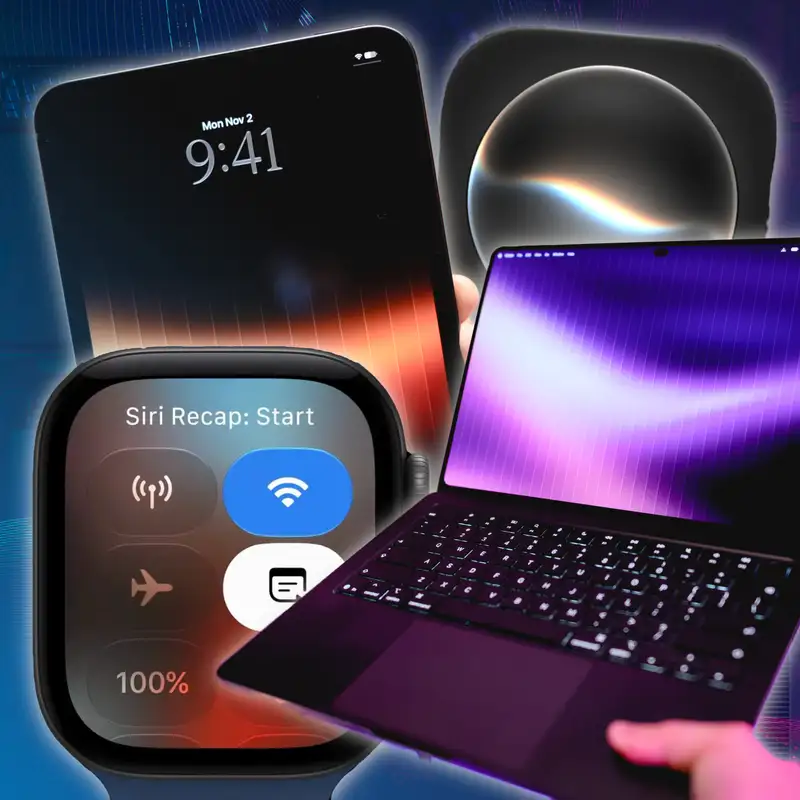
MacBook Pro PROLED Hands-On, Your Apple Watch is Listening, Siri AI Gets Superpowers
Download MP3Everyone is listening to you. Welcome to
Primary Technology,
the show about the tech news that matters.
Huge show this week. We have the MacBook
Pro with ProLit display in hand.
Me and Jason have that, plus the iPad
mini.
I've been running audio intelligence on my
Apple Watch and getting Siri recaps
of every conversation. Have a ton of
thoughts on that.
Plus, we have a lightning round with a ton
of news like DoorDash acquiring Instacart.
Siri AI is going to get way more powerful
and a ton more.
This episode is brought to you by Ramp,
SERP API, Coax, and you, the members who
support us directly.
I'm one of your hosts, Steven Robles,
joined by my award-winning co-host.
That's the last time I'll say it,
I promise. Jason HN. How's it going,
Jason? uh
You can keep saying it. I don't mind.
I'm fine with that.
I changed the quote. I'm asking you right
now because you were ragging on me that
I always forget the quote. So the actual
quote is everybody's watching you,
which is a is a little generic.
Uh it might be hard to
Together, but I thought with audio
intelligence,
I said everybody's listening to you.
Do you have any idea? Well, I might have
used this movie before.
Any idea what movie that might be for?
It's the Truman show. It's the Truman show
with Jim Carrey.
And so, you know, I I just thought I
thought it was applicable.
Anyway, uh, people were saying my opening
quote last week was uh unhinged.
She can't not touch it. She's got to touch
it from the lost world.
But listen, we have listen MacBook Pro
with ProLead.
Let me touch the screen so you can see.
This is for real.
It's really not impressive
when you touch it and there's nothing on
your screen.
But look, you can see the selection of the
thing.
That's
the most exciting part about the MacBook
Pro is that you can touch selections.
It's very exciting. And you can swipe
down for Siri AI. I have thoughts about
that in spotlight.
So anyway, we're gonna get to the MacBook
Pro.
All of that. I have to say, unfortunately,
people keep agreeing with Jason about what
hand they use their phone in,
which is it's very troubling.
It's just because
that's normal. That is just the default.
I don't wanna argue I'm Yeah,
Somebody tried to came in on a YouTube sh
thing and is like,
yeah.
No,
no, no, no, no Jason doesn't know what
he's talking about.
That everyone does it this way.
I'm like, did you read all of the
comments?
'Cause yours is the only
Some of them
one.
let me do the shout out. CJ Webb from the
USA.
Thank you for the five-star rating review
now podcast.
He's right-handed, holds the iPhone duo,
the first foldable same, in the right
hand,
places into right pocket with cameras
facing my butt.
So camera bump does not get caught.
Okay, so but that's on my side.
Right hand, right pocket. Ryan Boulac from
the USA thought he was literally the only
one that was right-handed and held their
phone in their left and their left pocket.
So that was point to you. Never puts their
phone in the right pocket.
And then DJ Skyhawk.
so been listening for the last few months.
Thank you for listening. Right hand
pocket,
right hand usage, if not both hands.
So there's been a couple. They're starting
to come out of the woodwork and come over
to my side if they're right hand.
I'm just saying. I'm just saying.
Jake Kempster Jr. from the USA,
battery percentage on right-handed,
but use iPhone with the left hand.
That was point for you and left pocket.
So we're still split down the middle.
Owed seven twelve. uh
No no no. We're not split down the middle.
I just wanna be clear. We are split so far
to the left,
I just wanna be
honest.
Like left
handed. Yeah, owned seven two from the
USA.
Battery percentage on long time listener.
Thank you for that. And then a couple
YouTube comments.
Future now on YouTube. Listening in the
car from Overcast,
but I had to leave a comment to say I
carry my iPhone in my right pocket
and use it mostly in my right hand.
Thank you for being safe and doing it out
of stoplight,
but another point for me. Apple I lovable,
love the show. just want you know I am
left handed and I hold my phone in my left
hand, but I do all my scrolling with my
right hand.
So yeah, maybe both.
Scrolling one or the other. Anyway,
and finally, Connor on YouTube,
fully on Steven's side, right handed,
and use my phone in my right hand.
I think we're split.
Yes.
I think we're split.
Did you want to read all of the ones from
last week again?
Anyway, let's move on.
Okay.
let's move on because we have a lot to we
have a lot to talk about.
Let's start with the iPad mini and then
we'll go to the ProLed MacBook
Pro and then Audio Intelligence.
Published my iPad mini review early this
week.
Jason also published his article.
And why don't you why don't you start,
Jason? Why don't you start? Because I want
to hear your thoughts.
We've not talked about any of this stuff
until right now.
About the Mac Mini. that's what I'm sorry.
About the iPad mini. I do I do have I d
did you listen to the MacPower users from
Yep. Well, sorry. I'm so confused.
this past Sunday, by the way?
Yes.
Did you hear me buy a Mac literally on the
show?
Yes. Also,
that was the most convoluted thing.
Like you did you could have just said you
did it,
we would have all believed you.
It's fine. You wanted to show but
I wanted to show I wanted to show the the
receipts.
not redox yourself. But show this and then
not do this.
Yeah. I showed the
It's like, hang on, I'll
be back, guys. I gotta use clean shot X
and blur out all the things.
No,
but it will say I I did anyway,
I bought a M6 Mac Mini live on the show at
Mac Power Users last week.
It's about time.
Anyway, I'm excited about that.
All right, but tell
Okay.
me, you've had the i the iPad mini.
What are your thoughts? Tell me about it.
My
main takeaway is that,
you know, I always try to think about like
w who is a product for?
Like, right? What does a product exist
for?
What why did Apple make this product?
And when you think about the other iPads,
the iPad Pro is for people who want like
the best Apple Pencil support plus like
the highest performance, you get the
tandemoled,
blah, blah, blah, blah, blah. The base
iPad is basically for parents that want
to hand something to their kids to watch
Disney Plus,
all that stuff, right?
I think the iPad Mini is the best iPad for
people who want an iPad mini.
Like, seriously, that is like why
Yeah, I get it. I get it. Yeah.
this product exists is for people who just
want that small form factor.
And I think it's fantastic that it's
thinner now,
it has a larger display while being the
same
Yes.
overall size. The OLED display is very,
very nice. I'd be interested to
So nice.
hear if it even bothers you that it's only
60 hertz,
because I don't think it matters at all,
like even a tiny bit.
It gets Apple Pencil Pro support,
which is really nice because I think the
previous iPad mini was using just the like
second gen app.
No,
I actually had I had took down my entire
review and reposted it because
I had two errors. One was the last
generation iPad mini did support Apple
Pencil, the Gen 7. The iPad Mini that was
Apple Pencil Pro,
Apple Pencil Pro, you mean? Yeah.
excuse me,
yes. The previous gen iPad Mini,
which looks exactly the same as the 7th
gen.
The 6th gen did not support it.
Which is the one that I have, so that's
why.
Okay. Gotcha.
Exactly.
And so anyway, I think it's great.
I think it's delightful. I really,
really like it. Um, I can't I mean,
I haven't used my iPad Pro very much since
I've had this.
The display
Okay.
is still better on the iPad Pro for sure.
Like it is incredible.
Yeah. Yeah, yeah.
And but the five versus the A twenty pro,
very, very few things that you
Yes.
need an five.
over an A twenty pro that you're going to
use in an iPad.
Let's be honest, right?
Yeah, well, and even is so in my review,
I'll link it below. I I also love it.
the OLAD display is beautiful.
You know, if you're an iPad mini person,
like and haven't updated it in a couple of
years,
man, it's great. You know, pilots love it,
all that kind of stuff. I did do one test
just because I was curious
how is the refresh rate or the
performance,
the speed performance.
And so I did a transcription test where I
did the A twenty iPad Mini with next
to my M5 iPad Pro, I used my own app
transcriber,
which uses the on device Apple
intelligence model.
So I knew it was happening on device.
But honestly, the iPad Mini A twenty
almost kept up with my M5 iPad Pro,
which was pretty shocking. But it makes
sense.
Like it's I think the A twenty is based on
the M6,
right? Because it's a two nanometer.
Yeah, I mean I'm I think that's probably
Juliet twenty
Yeah.
pro. Yeah.
So
it obviously beat the old iPad mini,
but performance is great. And again,
you're not using an iPad mini probably for
performance.
You're not gonna be editing videos on the
iPad mini,
although you could. Maybe you're doing
photo editing,
but performance is great. I agree about
the 60 hertz.
Now, listen, I'm a promotion lover.
I love promotion. And I like it on my iPad
Pro,
especially for you know editing podcasts
and all of that.
On the iPad mini size screen, I don't
think it's as
noticeable or a big deal. I know a lot of
reviewers,
even MKBHD, was like, this is crazy that
they didn't do a 120 hertz display.
But I I really don't know what use case
someone would have day in
and day out where promotion would be that
noticeable on the smaller screen
and in whatever use case. If you want the
iPad mini,
if you're a pilot, if you love reading on
the iPad Mini,
like all of those things don't really
benefit from the promotion.
I don't I'm not trying to glaze Apple,
I'm not trying to make an excuse for it.
Just in my use, you know
The jelly scrolling was a bigger problem,
and that has been solved from like iPad
mini six generation days where like
one side of the screen would not refresh
at the same rate as the other.
So you kind of get this like wave effect
if you were scrolling quickly.
That's all fixed. And I feel like the 60
hertz is fine.
I would it be nice to have one twenty
hertz promotion?
Absolutely. You have it on the iPhone duo
inner display,
which is we should talk about duo versus
mini in a second.
I think it's fine.
The one thing I wasn't crazy about,
how did you think it sounded compared to
the last iPad minute?
I mean honestly, my AirPods sound the same
when I plug in.
I didn't ru I didn't do like a test of the
speakers.
You didn't do test. Okay.
So the one thing is this is an acoustic
display,
and there's very tiny slits at the top and
bottom edge of the iPad mini,
the new one, for the speakers.
And it is facing you, which is nice.
The sound is coming directly towards you.
But I found it's a little muffled at high
volumes compared to the previous gen iPad
Mini that has literal holes for the
speakers,
Yeah.
which
Again, physics you can't y you can't argue
with physics.
And when you have a bunch of holes letting
the sound come out of the device,
I think you're just gonna get a better
sound than the actual small slits.
And so that was yeah.
Do you think it's
worth getting the I dropped it in the pool
piece of mind?
Well, and that's weird too, like the
iPhone has been IP sixty eight
and you can dunk it in the water for
minutes at a time and it's fine.
And it has a bunch of speaker holes.
Yeah.
And
I don't understand why the iPad mini could
not.
But I think for the use case again,
while movies and stuff look great on the
iPad Mini,
'cause it has this beautiful OLED display,
you're probably not using it for like your
entertainment device with the built
in speakers. If you're using iPad mini
it's probably 'cause you're on a plane.
And you put it on the tray table or
whatever,
and you're using AirPods with it.
You're at
Right.
outside or whatever. So I don't think it's
a huge deal.
I just do find it, it gets louder than the
older iPad mini,
oddly. Uh, but at those higher volumes,
especially if you're listening to
something very bassy,
the screen kind of vibrates a little bit
because it's coming through the screen,
basically. So that's just a trade-off.
But overall, if you love iPad mini,
like this is the one again, like it's the
best iPad mini ever,
obviously.
The screen is incredible. But the big
question is for me,
I have a little iPad mini in my pocket now
at all times.
And I would st I don't know I I don't have
room in my life for both devices.
The iPad mini.
For the pro and the mini.
For the iP well, for the iPad mini and the
iPhone Duo.
yeah, yeah, yeah.
You know, because I use the iPhone Duo m I
mean I've been using it a lot.
I love it. I did my full post my full
review last weekend and I do
a lot of stuff on here with the screen
open.
If I really wanted to edit a podcast in a
pinch with the Apple Pencil,
I'd do it on my iPhone Duo. And for my
iPad use,
which is I like building shortcuts on the
iPad and using windowing and you know,
maybe remoting into my Mac or whatever,
which I do for my duo as well.
But I think my life is big iPad with magic
keyboard and then iPhone
Duo. And then we'll see if the ProLed
MacBook Pro dis dismounts the iPad Pro.
in the portable computing category.
But and this was my thesis in the video.
If you're trying to decide between iPhone
Duo and iPhone 18 Pro and iPad mini,
which is almost the exact same price if
you get 256 gigs of everything,
$2,000 gets you an 18 Pro and an iPad mini
with OLED or uh iPhone Duo.
Same $2,000. My theory is if you're a
heavy Apple pencil user,
like you take
notes on the iPad, you like drawing on it,
you do whatever on the iPad all the time.
You love the pencil on the iPad.
I think you should go iPad Mini over
iPhone Duo because the pencil experience
is better on the iPad Mini. You get the
wireless charging,
the wireless pairing, you have Apple
Pencil Pro,
which has like the squeeze and haptic and
all of that.
And the Apple Pencil experience on the
iPhone Duo,
while really fun, is a little more
cumbersome because if it ever gets
unpaired,
You gotta find a USB C cable to connect it
to your iPhone Duo to repair it.
And if you wanna charge that pencil,
you gotta have a cable. It's a little
thing,
not a huge deal, but I think if you're a
heavy Apple pencil user,
OLED iPad Mini is the way to go.
And if you want a little iPad mini in your
pocket and you're not that big of a pencil
user, then iPhone Duo maybe. That was my
thought.
Hmm. The one exception I would say is that
the nice thing about the iPad Mini is that
I love it, but I could also hand it to my
kid to do something,
and I would never do that with the iPhone
Duo.
Sure.
Never
gonna hand over my phone and be like,
here, put your greasy fingers on this and
watch you know,
Disney Plus for a while.
Sure, but I would say like again,
this is a expensive iPad. You know,
it starts at seven hundred dollars.
Did you get a nanotexture one?
No, and I'm I'm I'm glad that I didn't.
I did not either, and I like the glossy
iPad mini.
I typically, while I still like
nanotexture in some places,
I still like glossy, and we'll get to the
ProLED MacBook Pro in a second.
I think if you were gonna go like if this
is your outside device,
your beach, your pool, your patio,
you know, get the nanotexture and you're
gonna have an incredible,
you're gonna love your experience with the
mini.
but for me, I I like the glossy,
and again, it is more expensive with the
nanotexture.
You're another hundred dollars.
So this quick and you can only get it on
the two fifty six version.
So you're very
No, the five
twelve version. Right?
The five twelve is the unbend dual neural
engine.
Okay, so
You
you just have to upgrade to the second
tier to get the nanotexture.
Correct.
Which is insane. Makes no sense.
Makes it makes no sense. Let's just be
real.
You gotta have that storage
in order to mi you know, take care of all
that nanotexture.
I d I listen, I don't get it. But if you
get the nanotexture and I just confirmed
on Apple's website, it can be the two
fifty six version.
You you're ver after tax, you're at a
thousand dollars.
This is a thousand dollar iPad.
And what I've said in my video,
like this is a luxury iPad. And if you got
the funds and you want a luxury iPad,
go all out. Get the cellular, get the five
twelve.
This is an awesome iPad. Uh, it is just
also expensive,
Yeah, it it just doesn't
and I think
make any sense though. That is the part
'cause I put it's delightfully confusing.
That's my headline.
Yeah, yeah, yeah.
I don't understand how this can possibly
be more expensive than an iPad Air.
W I mean it's like within
O Led.
f it's like w sh okay, OLED, but it's also
less OLED than the other one has screen,
right? Like
It's less battery, it is less processor,
it is I mean, I guess it's an M4 versus an
A20 Pro,
so that's probably pretty comparable.
But I just feel like it's very strange
that it is a you're mostly paying
the premium because it's always been this
way.
The the OLED is not what made this an
expensive device.
Yeah, I know. It was already more
expensive.
It's the fact
the word mini apparently on the iPads is
really expensive.
But that's not true on any the Mac.
Mini is not more expensive than the Macs
Studio? There's no nothing in between.
But it's just it's weird to me that it's
so expensive.
Yeah, I
people were saying, you know, the iPad
Mini,
it is noticeably thinner, less bezels,
all of that again, I think makes it a
great device,
luxury device. It would nice to see the
iPad Air updated soon to actually earn
the air moniker, because this iPad mini
being thinner and lighter is the most
air iPad. Like this is the most easy to
handle,
thin iPad, and I feel like bringing some
of that to the air.
And maybe maybe make it make make sense.
I don't know. But that's the iPad mini.
It's a beautiful device. It's a luxury
iPad.
If you get it and you want it,
this it's it's the one to get.
I'll I would jump on it. But we have to
talk to the ProLed MacBook Pro because
I think this is a hard this is not a jump
on decision because this is a three
thousand dollar computer. I have had like
twelve hours with this device.
So I've not used it like I got this
yesterday,
uh as a you've had more time with it.
I've had it for like a week.
You've
had it for like a week.
So you uh my initial impression
No, I'm sorry. I got mine on Monday.
I'm sorry, not quite a week.
Okay, so you have four days, but still way
more way more than me.
Like I was able to install some apps,
try a few things, see that the corners at
the bottom edges are now rounded instead
of square. And we're gonna get to the if
you watch my video,
which just published, did you get did you
publish your article by the way?
I did. I did.
Did you manually publish? Okay,
very good.
Okay, I'm happy for you. Uh the Jason was
distracted 'cause he d he doesn't trust
the scheduling of a C
Heck no, when you have
an embargo, I don't schedule things.
I just push push publish.
I scheduled it. No no problem.
I scheduled no problem. I in in the video,
I was texting you last night because I was
learning about the corner thing,
how the bottom left and right corners of
the new ProLED are rounded as opposed
to the previous MacBook Air and MacBook
Pro that have square bottom left and right
corners. And I kid you not, Jason,
as I was talking about it, your text came
in about it.
And I left it in. So if you go
Awesome.
watch my video, but not like the whole
details.
This is like a single frame of the video.
I'm talking about the pro lid and Jason's
text notifications in the top right
and says, Nope, that's new and I don't
like it.
That's what the whole text says.
Yeah. And then we decided
that those corners are really heavy,
so that's how they saved the weight.
They had to shave them off.
Thank you. I did ask you to to tell me
tell me that joke on the show.
I
was wishing that that was the text message
that would have come through,
but
Yeah, exactly. But so I want to hear your
your more your not is not hottest take.
Mine's a little more hot take,
but this this computer is a beautiful.
The display, but also the hardware,
because it is holding it next to my
MacBook Air it was a little surprising
because it was it felt closer to the air
than the old MacBook Pro.
And if I I had in my video I kind of stack
them on top of each other.
And it is it is surprising how thin.
This ProLed MacBook Pro is even compared
to the Air.
Footprint, weight. I've always,
you know, I've used MacBook Pro in the
past,
but in the last few years, I've just
defaulted to the Air because for my work,
it was plenty powerful, and I didn't need
to,
you know, I didn't I didn't want the
weight to I didn't want to carry it.
But man, using this ProLed MacBook Pro and
holding it side by side to my air,
I'm like, well.
This is now so close that I this would be
a daily carry for me.
Like when I travel, I am going to be using
the the ProLed MacBook Pro,
at least during this review period.
And it's so thin and light. It is great.
And that's comparing it side by side even
to the air.
And speakers sound great. I have thoughts
on the dynamic on the touch screen.
But anyway, you've been using it for a
longer time.
So tell me what what are some of your
impressions?
Yeah, I really like it. I think it's
great.
I think it's like again, we're living in
it's it's not that different than the iPad
mini story. It's kind of confusing,
right? Because essentially you can buy a
MacBook Pro with a mini LED,
and five Pro and five Max. You can buy a
MacBook Pro with a mini LED with an M6,
Yeah, you got a lot of options.
right? You can configure all these things,
Yeah.
and then
you can buy the M5 Pro and the five Max in
this slightly different form factor with
the rounded
Corners all the way around, and this
beautiful OLED display,
which is the best display I've ever used.
Like without question. And here's the
thing that makes it tr makes it difficult.
The other MacBook Pros have an amazing
display.
It's not an OLED,
Yeah, they're great.
but that that mini LED display on them is
fantastic.
And I even compared them. And yeah,
it's brighter, it the the blacks are
deeper,
but the mini LED is really, really good,
which actually makes it kind of difficult
to dis to like to decide.
It's like, is it worth $400? And the funny
thing is,
I was like, actually, the thing that
pushes it over the edge is that it's
a half pound lighter. Because now you have
Yeah, yeah.
an incredibly powerful device with this
incredibly beautiful display.
And it's only it is actually closer now in
weight to the MacBook Air.
The difference between the the current
MacBook Pro and the MacBook Air is less
than the difference between the this
MacBook Pro and the previous model,
right? It's 0.4 pounds.
away from the MacBook Air and it's point
five pounds away from the other MacBook
Pros,
Right. Yeah.
which is which
is interesting. Like it's it's more than
fifty percent of the weight toward
the MacBook Air, which is a which is
fantastic.
I don't think touch is the story.
Like I even put in here, I was like,
there's two highlights to this device.
One of them is the display, one of them is
the reduction in the weight.
And then then I was like, and I didn't
mention touch because it's not
one of the highlights. Like it's just
fine.
It you just you get touch.
It's fine.
I explained a couple of the scenarios
where I used touch.
I think the dynamic island is actually the
best use of touch because this little
thing just pops up and if you're playing
Spotify,
you can just tap it. If you hit the
button,
like if you hit the either the volume or
the uh brightness,
and then the thing pops up, you can just
drag your finger on it across the top.
And I actually the only thing that was
weird about it is it's like you get this
dynamic island when it's not plugged in
and then you plug it in and you it's back
to just normal old Mac OS, which is
Which is kind of weird. Things pop up the
same way that they normally would.
However,
interesting.
no one should buy this device and then
plug it into a studio display.
Even if it's a studio display XDR,
it's like, what
Yeah.
are you even doing? If you just want a
MacBook Pro to be your primary desktop
computer, but that you can grab and take
with you occasionally,
by all means just buy the previous mi mini
LED versions.
And the
Right. Yeah.
only thing I don't like, this is the very
first line of my review,
is that you're never gonna convince me
that MacBook Pro with ProLED XDR display
is a good name.
It's just it's like a weird marketing
speak for combining the words
pro and OLED. But as I told Steven in the
pre-show,
the word pro is already in the name.
They didn't have to put it there twice.
They didn't have to smush it together.
Yeah, yeah.
I don't think
Apple wants us calling this the ProLed
MacBook Pro,
but I even put in my display, if you're
gonna give it a stupid name,
you're just gonna have to deal with it.
Like I it's a terrible name. I hate it.
I know I d
I hate it.
I hate it.
they should have you know, there was a lot
of debate and Mark German I think even
said that they might call this the MacBook
Ultra and maybe because it didn't have
a new chip, you know, it's the same five
Pro and Macs,
they didn't want to do that. I felt like
that would have been a reasonable name.
Mm mm. This is a MacBook
No?
Pro. Everything about this is a MacBook
Pro with a better display.
It's got the same ports, it's the same
Sure.
size, same shape. It's like barely,
barely, barely, barely thinner.
Right? Like it is almost the exact same
case and everything.
There it would have been a terrible idea
to change the name of this because then
You think so? Okay.
you're yeah,
because w what you're gonna keep selling
MacBook Pros that are basically the same
but with a different display. Mm.
Okay, hear me out, hear me out,
hear me out. You ready? Oh
I will have none of it. Go ahead.
wait, wait, I got another I got another
name for you.
Okay. Ready? Jason is bracing.
I'm I'm go I'm going ahead. Go ahead.
MacBook Pro Max. Okay,
No. I really thought
anyway, let's move on.
you were gonna say MacBook ProLed,
and I was gonna just quit the show.
No no.
No, I mean
I d I understand, and I put this in the
review,
I understand that they have to have a some
kind of adjective associated with this
or whatever, you know, additional verbiage
because they are still selling
M5 Pro and five Max MacBook Pros along
with an M6 MacBook Pro.
It's all very confusing. And I guess this
is all just
the result of the fact that they decided
to skip the six Pro and six Max?
Do you think these the these Macs would
have had the six Pro and Macs in it?
I mean I don't it I guess the two
nanometer processor whatever is just
not w either wasn't ready at scale or for
the pro and the max.
I mean I think this time next year we'll
just have an seven Pro and Max and then
it'll be less confusing.
Yeah, and I guess
the rumors are that all the MacBook Pros
will just be this.
They'll stop selling. Maybe the base one
will have mini LED.
I right. I'm curious about that because I
think Ramageddon and SSD prices will have
more to say, like will be a deciding
factor.
Because if the MacBook Pro line starts at
three thousand dollars,
I think that that will be prohibitive.
Uh
No,
I think that the base one maybe won't have
this.
So they'll just have the base one,
Right. Right. Looks great.
which is a mini LED display, which is
incredible by the it's like I seriously,
it is really hard to talk positively about
this new display without losing sight
of the fact that the MacBook Pro,
as it existed a week ago, has an amazing
display.
Right, right, right.
And in fact, it
makes it absurd to me that people were
clamoring for OLED because the mini
LED was so good. Right?
So good, yeah. So good.
It is yeah. So I know it sounds like it
sounds like we're doing a lot of glazing,
as the kids say on this episode.
I don't even know what that word means.
Really? It's basically means like just
saying a really lot of nice things just
I did you hear me say the name is stupid?
over the top. I know I know I know that.
Just to be clear. Okay, I I'm bringing
balance for our audience.
I
do but I do think like there's so many
devices that were released this fall that
Apple just did the things that people have
wanted for years.
People have wanted an OLED iPad mini for
years.
People have been talking about an OLED
MacBook for at least the last couple
years. The touch screen has been rumored.
I don't know if people actually wanted
that,
but like Apple's just like putting the
things out there that people have wanted.
Folding phone. She just have like I just
want to step just for a second to step
back and realize like the lineup that
Apple has right now is what people have
asked for for years. And that's wild.
And I think that's fun. And I think maybe
that's why it sounds like there's some
glazing happening.
But it is also just an incredible display.
I want to talk about the touch though,
because the display looks amazing and you
never have to touch it,
but you can touch it. A couple weird
things that I discovered just in the last
twelve hours, if you invoke spotlight,
which is command space, and the little
bubble comes down,
it's very high up on the new ProLed
MacBook Pro.
You can move it. And so if you didn't know
this,
uh you could do this even on your current
MacBook Air,
MacBook Pro or whatever.
You can move it by holding the command key
when the spotlight window is open
and dragging it down. So you can move
spotlight down,
and on the ProLED MacBook Pro,
the next time you invoke it with Command
Space,
it will reappear in the exact same place
that you play put it,
like in the middle of the screen,
where I find it more comfortable to look
at.
But if you choose to swipe down from the
dynamic island to bring spotlight back
and then invoke it again with command
space,
it snaps back up to the top again and it's
just there.
So there's just some interesting
behaviors.
And again, this is pre release,
you know, this is not it comes out
tomorrow.
Uh but little things like that,
maybe it will be fixed. Also the Dynamic
Island.
hold on. You said fixed.
I think that that's the expected behavior,
Steven. It remembers the
Really?
last place it was and it reopens there.
And it's always gonna come out of the
dynamic island if that's what you do.
So then the next time it's going to come
from like I feel like that's actually this
is I'm sorry to interrupt you,
but this is actually
Yeah, yeah, yeah.
a good point because, and I asked about
this in the briefing because I had a weird
experience where if you use Safari and you
open a YouTube video and you tap.
To the left or the right of the center on
on an iPad in Safari or in the app,
if you do that, it'll advance or go back
five seconds every time you tap.
Yeah, yeah, yeah.
That's what the iPad
does. If you do that on the SmackBook Pro,
it just goes to full screen because that's
what happens if you click in those areas
with a mouse, and all it's doing is
converting a touch to a click.
So everything a click would do is what a
touch would do.
The touches don't do anything special or
different or like whatever.
Right. Right.
So I
think that that's
You can just imagine the ki the the the
challenge that Apple faced of trying
to cause Apple does this very well.
Because m thing that's always been
wonderful about using a Mac,
and this is also true of the iPad and the
in the iPhone,
is what would someone expect in this
situation?
Make sure it does that. And I think that
you like you described it kind of as like
a quirk. I don't think that's gonna
change.
Because I think that that is for most
people the expected behavior.
If I swipe it down, it's going to appear
there.
If I move it, fine. And then the next time
I invoke it with like a keyboard shortcut,
it's going to pop to that same spot.
But if you go back up to the dynamic
island and you swipe down and the thing
appeared in the middle of your screen,
that would be weird.
Well, but I think there was you might have
misunderstood.
If I move it and then swipe down,
it comes out from Dynamic Island.
Spotlight goes away. If I invoke it with
command space again,
it pops out of the dynamic island again.
It does
Mm.
not reappear to where I moved it manually.
Mm.
So how'd you get it to move there?
I command space and drag it down,
and if then if if you drag spotlight down
from the dynamic island to the middle
of your screen and then only ever do
command space going forward,
it will always reappear in the center of
the screen no matter what.
But if you ever swipe down from the
dynamic island again and it comes
out of dynamic island, now command space
defaults back to the top position.
Yeah,
so I'm sorry. I that is what I was trying
to say.
I may not have explained I think that is
the expected behavior because it's just
remembering that interaction and it wants
it to be consistent for you.
I get it. It's kind of weird because your
brain is like,
No, I wanted this to be where it was
before the command space,
but yeah.
Well, I'm and and I'm just saying I would
this might be weird,
but if I move it for my command space
invocation,
I would want command space to always be
where I have moved it to and swiping down
from the dynamic island to always be
swiped down from the dynamic island.
And give me two positions. Like give me
the command space position and give
me the swipe down position. Again,
this is like the first time we've ever had
a touch Mac ever.
And so these little behaviors are
interesting.
And like you said, it is just mimicking
cursor.
movements and gestures. Track
Clicks. Mm trackpad clicks, yeah.
that and there's really no accommodations
for touch aside from the stoplight buttons
on the window. So if you tap the red,
yellow, green button at the top left of a
window,
they will expand briefly and then you can
tap them again to actually take action.
That is the only thing that I've
discovered uh changes with the touch
as far as the UI, because everything else
is exactly the same.
Like swiping down or tapping the control
center.
Exactly like you would expect.
And I thought, you know, the menu bar
items,
which are pretty small tap targets,
they don't enlarge, they don't change,
but I also find it extremely accurate.
Like I never miss tapped just in my last
twelve hours of using it,
the control center, the Wi-Fi,
the battery, or notification center,
everything hit a hundred percent of the
time.
So it is very accurate, but there are no
other accommodations aside from those
red yellow the red, yellow, green stop
light buttons.
And I don't think it needs to.
And also, I don't know how much I would be
touching the screen personally.
Like as I use this computer going forward
and I'll do a full review,
I'm not sure what use cases I will have to
touch the screen.
I don't know what like scrolling along the
final cut timeline is fun.
Pinching and zooming in a pixel mater
thumbnail is cool,
but I don't I don't think I'll prefer that
over just the trackpad motion.
Is there anything that you've actually
used touch for that you're like,
I'm glad it has touch right here?
Just the dynamic
island, but I did want to correct one
thing.
If you tap any of the menu items in the
menu bar,
those do expand differently. So instead of
Really?
a click, yeah, there's more space between
like if you just tap file versus clicking
on file, there's definitely more space in
the tap.
So it it does accommodate your touch that
way.
Do they actually move though?
They're different. They don't like move,
but if you if you click on it,
there's one spacing, right? And then if
you tap on it,
there's a different spacing. So if you t
Honestly, that's
strange 'cause I don't have that.
Like it it doesn't
What do you mean?
actually change.
You don't see it change. I'm saying click
on a menu and look at how what the spacing
is. Then get away from the menu.
And then tap on the same menu and they're
definitely farther apart.
I'm I'm just saying that's not what that's
not what I'm seeing.
and that's what everybody was reporting
too.
So you're saying you tap on it and it
doesn't it's not they're not farther
apart?
Like no, 'cause here in my video,
like so I open can do, I swipe across the
Kanban boards or whatever.
But when you see me actually tap the menu
items in the top left,
nothing changes for me. Like it the file,
edit, view, like the stoplight buttons
grow,
like I was saying, but if I tap the like
file menu stuff,
it's the same size everywhere.
Mm.
That's probably just 'cause it's your your
app.
But it does it for Finder. Like Finder
right now,
they don't change. Like look look at my
finger touching the the menu bar.
Like, does that look like how it looks for
you?
Yes, that's expanded. Absolutely.
But
it does that for the mouse too.
Like at least in my on my MacBook Pro.
I think they're different. I think they're
different.
I think I think you're gaslighting
yourself.
I'm almost positive No, I'm trust me.
I don't know. Like,
I'm clicking with the mouse right here in
the Finder preferences.
Yeah.
And there's a little rounded bubble
underneath each menu thing.
Yep, yep. And I'll go and tap one of
those.
And then if I tap one.
It does the exact same thing.
It's way
wider. Look at that. Those it they're way
spread out.
Are you talking about the actual menu or
the controls in the menu bar?
I'm talking about what drops down.
Oh, okay, never mind. I gotcha.
I thought you were talking about the
actual I thought you were talking about
No, no, no, no, no. The menus that drop
down are way spread out compared
the actual menu items in the top.
Okay.
to if you click.
This is great radio. I'm so sorry.
This is yeah, you're right. Those columns
are slightly larger.
Wait, say that again. Yeah, you're right.
This is great radio. Yeah,
That's the part. That's the part I wanna
hear.
yeah, yeah. So the menus themselves get
wider,
Yes. No, yeah. No no
but the actual menu items in the menu bar
don't change.
no, I mean yeah.
Those
are cheap but those are the smallest tap
targets,
is what I'm saying. Like of all the tap
targets in macOS,
menu bar icons are probably the smallest.
Well,
but I think the reason is, think about it
this way.
What they did is they made an affordance
for the areas that when you tap on them,
they might take an action. If you just tap
on a menu,
all you do is get another get a menu,
right? But if you but the same but just
like the stoplights,
you don't want to accidentally tap the red
one when you meant to tap the yellow
one or whatever.
Right, exactly.
When you get a menu like you pull down the
file menu and it's like,
you know, a new finder window or paste an
item,
it's like, wait.
I better make it so that they can pick the
exact thing that they actually want.
So
Yeah, that that that makes sense.
And no, I do notice that difference now.
So the Dynamic Island, uh this is my
theory,
and I tell David this on my power users
too.
Those who might be all into like keyboard
maestro and hyper keys and raycast
and special launchers, I think the touch
screen will be less used by them
as opposed to maybe people who are not in
that world,
and it will be faster and easier for them
to just reach out and touch something
on the screen.
And even just like for selecting multiple
items,
there is a world of people who don't know
command A.
Or that you can click one item,
hold the shift key, and click a bottom
item and select the entire list.
Something might have just learned that
right now.
Or that you can hold the command key and
click multiple items and they all stay
selected. Those little things,
which you know, you could argue,
well, this is a MacBook Pro and Pro users
know that stuff.
Maybe, maybe not. You know, someone who
you know, might be in the creative space,
but not just into like that kind of file
management stuff.
And so I do think being able to tap and
hold your finger and select a bunch
of items visually on screen will help a
segment of Mac users.
But those who are probably more like power
users as far as the macros and keyboard
shortcuts, maybe we less useful.
But also like we said in last episode in
the Wired interview with Joswiak,
Turnus, and Suruji, the next generation of
people,
like I think of my son, who
has used his iPad for Logic Pro and all
this kind of stuff.
I think the touch screen for that next
generation,
it's gonna be just a natural input method
and they will prefer having it.
And you can argue how useful it is.
I think it remains to be seen.
Apps have to I'm we might get a whole new
wave of apps in the next couple years that
really utilize touch on the Mac.
But we'll see. Because, you know,
the Steve Jobs quote has been going around
the last two weeks.
You don't want to be holding your arm out
touching the screen for hours.
You know what I mean? And you're not going
to be doing that.
You're gonna be using the keyboard and
trackpad.
But like I played around in Logic,
it's kinda fun to pull up a piano and play
multiple keys.
Yeah.
Or,
you know, be able to select tracks quickly
or even layers in pixel mater to be able
to like flick through the layers really
fast.
Like, yeah, I could do that with my mouse,
but sometimes it's just kind of fun to do
it with your finger and maybe even like
moving things a certain way. You know,
I don't know if you've I'm sure you've
worked with documents that have
a ton of layers. Sometimes like
If you want to move this layer way up to
the top and it's way down on the list,
sometimes clicking and holding with the
mouse and trying to drag it on that very
top edge can be a little precarious.
And sometimes like, you know, to get it to
scroll so you can go to the top.
Whereas if I can tap and hold with one
finger and pr you know with my other
finger to go to the very top of the
layers,
maybe that's useful. Have to see.
You know, I've only had this thing for
twelve hours,
but that's my thought. It's a beautiful
screen though.
The one
the one thing I wish you could do it with
touch is basically I guess what is it,
mission control or ex was a because on
your iPad if you just swipe up,
you know, you can go into the where you
see all the windows.
Yeah, yeah.
I really
wish you could do that on the mat.
Like that would be so useful. But again,
that's not a click command. So that's why
that doesn't work.
You can move windows around, just drag
them around if you grab them by like
the menu bar.
But if I s just swipe up from the bottom
on mine it just brings up the menu
bar or the dock because I hide my doc
because I'm a normal person.
Um yeah, I know, but I don't think your
I have my dog. Wait.
Mac Power Users co host does.
If you do the three fingers up,
I get mission control.
Three
fingers up, but I don't have to use three
fingers on the iPad.
I can just swipe up from the base and
it'll do that.
like s gotcha, gotcha.
And I'm just saying I wanna be able to
just do that because that's so yeah.
Yeah.
But you're right, you can do a three swip
fingers up swipe because that's the same
thing as what the track pad does.
Right, right. And and three fingers left
and right can do the move between spaces
and stuff. But you know, it's fun.
Like listen, it's fun. and I should
mention too.
There's been a thousand embargoes.
Creator Studio apps, the embargo lifted
this morning also,
so I show that in my video. Like
PixelMater Pro now generative fill.
So I show that. I just wanna here's me
flicking layers in PixelMater.
Logic Pro, there's the uh one thing I'll
say about the Creator Studio apps.
The little assistant chat bot
Which is now in things like Keynote,
Logic Pro. You can just prompt at things,
which is wild. And it actually works.
In my video, I was trying to show off
Logic Pro on the Pro Led MacBook Pro.
And I was like, I just want to bring up a
full keyboard so I can play a chord.
I didn't know where to look for it in
Logic.
So I just asked the chatbot in Logic Pro,
can you bring up a full piano so I can
play it?
And it just did it. Like it was kind of
wild to have Logic Pro.
Pro do something like that. And Keynote,
surprisingly good. And also, well,
okay, I'll do generative fill because I
want to share this.
Generative fill in PixelMater,
you can circle something, which again you
can do with the cursor on your trackpad,
but it's also kind of fun to actually just
circle something on the screen
of the MacBook Pro. You can do the
generative fill,
describe a change. It sends it to Google
Cloud,
which it actually specifies in this little
window,
and I asked it to change the watch face,
and it did it.
It actually put a battery percentage on
the watch face,
which I was very offended by. Uh,
but you know, just changing the watch
face,
got all the text right. Generative fill is
cool.
Keynote, way better at generating slides
from an outline.
That feature was in a previous version of
Keynote,
and if you tried it, it was not good.
It did not make good slides. Now I gave it
like a fifteen slide outline,
just the text, and I gave it to the chat
bot that just lives there in Keynote.
I said, Hey, make a bunch of slides.
And it did it and it was actually pretty
good.
And the slides looked decent. Then you
could just describe changes.
You know, if I want to say add a photo,
only make this three bullet points,
make a chart. It is much better at that.
I think it's actually a useful assistant.
And the Logic Pro stuff, like to show the
keyboard,
I can tell it like just put a loop,
like put a synth loop or put like a sci-fi
soundscape type loop,
and then to just put a piano on screen.
Like it's pretty wild. So when these
Creator Studio apps
The updates come out, highly recommend
trying it.
If you had a poor experience, especially
with the keynote one in the past,
it is much improved. I I recommend.
Yeah. The
So
other thing I'll say about the touch is it
is a really useful thing in final cut,
or I did this in audition. Final cut is
actually maybe it's not,
maybe 'cause you use it all the time.
It is a incredibly confusing to me how to
expand
the what do you call it?
The timeline.
Right. If I wanna just expand the timeline
either left or right or vertically,
same thing in in logic. Sometimes you want
to see more of the waveforms,
Yeah, yeah.
right? And that kind
of thing. But just being able to just
reach up in touch and do that is so nice
to be able to that's like a incredibly
useful thing.
You don't have to remember a keyboard
shortcut,
you don't have to use a slider.
You can literally just do that.
I was doing it in audition because I
needed to find a really precise cut point.
And I just made the the waveform bigger.
And and Adobe has done nothing to audition
to to make it.
I mean you could understand on Apple's
apps,
well yeah, they're thinking about this.
Adobe is not thinking about this,
but anything you might do, it just worked.
Just it just it just did it. And I'm like,
that's a nice use of touch. I don't know
if it's worth four hundred dollars.
But maybe if you do that all the time,
having that if it's something you like did
four times a day,
probably four hundred dollars becomes
worth it.
So Ethan on YouTube asked us this
question.
If you need to buy a new MacBook,
do you get the MacBook Pro six?
Do you get the base model with ProLED
screen?
And you know, the base model starts at one
terabyte.
Do we have thoughts? So I I'm curious your
how you would reason this to someone.
If someone has to and is getting a MacBook
Pro today and presumably has the budget,
should they go pro led? Should they go
mini LED,
six versus five?
How how would you advise someone?
For me, listen, if you if this is the
computer you take with you all the time,
like Jason said earlier, I honestly think
the weight difference makes the ProLED
MacBook Pro, that alone might be worth it.
Again, depending on your use case and if
you have the funds,
like that is amazing. but this screen is
incredible too.
Even if you never touch it, it is an
incredible looking screen.
And so if you have the budget
I would I think I would go pro lid,
but Jason, what how how would you advise
them?
Well, the question doesn't say MacBook
Pro,
but fine. Cause I mean my answer to this
was
Well he said six, you know.
he just said if you need to buy a MacBook,
do I get the MacBook Pro M6 or to get the
Mace?
And I would
Yeah yeah.
actually say no, just get out just buy a
Mac style MacBook Air still.
That's probably the best value deal
Really?
you're gonna get. Yeah. But if I was going
to recommend to somebody which one should
I get for the m like if you're asking a
question you don't automatically know
you should get the pro like, you need to
know that you want the pro led.
Like I cannot recommend anyone into the
ProLED or to the touch.
So if you're not sure and if you're
considering the M6,
I think the sweet spot is the the mini LED
MacBook Pro with the M5 Pro,
48 gigs of memory, and a one terabyte hard
drive.
I think that's like the sweet spot.
Like that machine will last you for
absolute ever.
It'll be great five, six, seven years from
now.
It'll be affordable. I even said in my
review.
If you have four to six hundred dollars
you're willing to spend on top of whatever
you're gonna buy, I would put that in
either a memory or a SSD upgrade before
I bought the pro led display.
Yeah, and that that is the unfortunate
question everyone must ask themselves
No, but I think
is like
that's like a no brainer going from twenty
four to forty eight or thirty two to sixty
four. Like I would I would spend I mean,
the one terabyte is probably okay for most
people for an SSD,
right? Because external SSDs are so fat,
like whatever. Getting them like upping
the memory is a big deal.
And I probably would recommend you do that
before you splurge for the the OLED.
I think in the long run it will be way
more useful to you and it future proofs
your your machine. I don't think Apple's
gonna make macOS anymore.
Touchy, right? Like I think you'll be able
to use this
Right.
forever and not worry about it.
But in five years, you might wish you had
48 gigs of memory.
Jason had the much more level headed
recommendation.
I mean, this is why I'm here. I mean,
And that's that is very reasonable.
I think it's listen, I love it.
It's gorgeous. It I said this
Yeah, yeah, yeah.
in the review. It is the one that I want
to use.
I don't know if it's the one I'd recommend
anyone buy because there are so many other
considerations. I actually think,
I mean, like, listen, if if you were my
friend and you're like,
I have thirty five hundred dollars to
spend on a MacBook Pro,
I would probably say buy a refurbished M5
Pro with 48 gigs and a terabyte
Okay. Sure, sure.
or two terabytes of storage. That's
probably what
I would say.
Or buy a maxed out MacBook Air and you'll
be so happy with it forever.
And yeah, and to be fair, like our proleds
are review units,
so like we didn't have to buy these.
Yeah, I didn't buy this.
And
I have bought a lot of things this fall.
Some some to review, s some live on the
air,
Some of them live on the air.
some just for the heck of it. And if Apple
had not sent me the ProLed,
I don't think I would have bought it.
Uh one, I try not to just buy things to
return it.
And I also feel like uh when I buy things
specifically to review and make a video
of,
I think it's because it's a product that
people should consider.
And I think you should consider this,
but the price was prohibited enough where
if I had not gotten a review unit,
I probably would not have bought this
personally.
And in my uses, I have my Mac Studio,
which M4 Max. So glad I it wasn't
foresight.
It was just dumb luck that I got 128 gigs
of RAM.
And an eight terabyte SSD before that cost
a million dollars.
And I bought this last year and gonna keep
this through RAM again.
This this boy's gonna get me through it.
Yeah.
And I would not trade that for a ProLED
MacBook Pro.
And the trading value, like I could,
you know, if I really wanted to have a
personal device.
But if I if I had not been sent the ProLED
as a review unit,
I would I would not buy right now because
my use is I benefit more from a desktop
Mac.
that's powerful that I can remote into for
my iPhone Duo or my iPad Pro
and do my work there. But if your use
cases are more portable or budget
is not a question or whatever,
I mean it's a beautiful computer.
And it's I think one of the titles that I
may be testing on my videos like,
I think this is the future of Macs.
I think clearly. You know, I was on
MacBreak Weekly earlier this week.
I probably should not have agreed.
I, you know, I agreed to MacBreak Weekly
and I was like,
I'm probably not gonna get a bunch of
review units,
will I? Turns out it was like the worst
time.
But I was so glad to be on it.
I enjoyed it. It was my first time
podcasting with Christina Warren,
who's now a regular host on Mac Break
Weekly.
So glad to be on. But on Mac Break Weekly,
we were talking about you know what?
I actually forgot what I was gonna say.
I was like I totally forgot. Uh but
anyway,
it's a beautiful computer.
Ha ha ha.
And yeah, if you can get it, get it.
Man.
It was gonna be a really good point and
maybe it'll come back to me.
We still have so much to get to.
We're like
Yeah.
fifty minutes in the show. We have to talk
about audio intelligence and still
do the lightning round and Siri AI.
There's a bunch of changes there.
So before we get to that, we have a bunch
of friends to thank.
And we want to thank our first one,
a new sponsor for the first time,
Coax. If you are like me and you've kind
of do one of your own like Plex server
type things, you like having some content
locally on a home media server,
you have got to try Coex.
You can start flipping through
automatically created channels in seconds.
If you have any nostalgia for like the TV
guide channel or a TiVo or whatever,
Coax can combine your home media server
and it can be like the old days.
Super fun. It has metadata you already
have set up.
There's zero setup required. Uh,
channel changes are really fast.
It's nostalgic, which honestly it's a big
feature.
You can tinker with your channels to your
heart's content.
Use the Plex collections to make fully
custom channels.
And if you're like me, I've
you know, invested a bunch of time in
making Plex channels and all of that
so you can use it with Coax. It's also
family friendly.
You got parental controls that allow you
to decide what gets scheduled.
Autoplay you can actually trust.
There's a custom video playback built on
top of A V Player.
It works on all your devices by the way,
iOS, Mac OS, TV OS, Vision OS,
but Apple TV is really, I think,
where it shines. Closed captioning
supports the system settings.
You can triple click, triple click the
left button,
you know, turn on those captions.
Family sharing is enabled.
Coax is a super fun. You have got to try
it.
If you have a home media server or have
even thought about it,
I've had lots of listeners also reach out
that they use Coax and they've been
telling me to try it. It is so cool.
So here's the offer. You can get a $75
lifetime unlock.
Those kinds of lifetime unlocks are
unheard of now.
If you try to do one of the other guys,
it is way more than that now. So you can
unlock it lifetime for $75.
Or they also have monthly and annual
subscriptions.
You can try it. There's also free trials,
you can try it out.
$30 a month or $30 a year or $3 a month.
So $3 a month or $30 a year or that $75
Lifetime Unlock.
CoaxTheapp.com. And there's a link in the
show notes that'll let them know you came
to Coax from Primary Technology.
So go try Coax, try the free trial,
$3 a month or $30 a year, or $75 Lifetime
Unlock.
That's coaxheapp.com. But click the link
down in the show notes.
Let them know you came from primary
technology.
So our thanks to Coax for sponsoring this
episode and our friends at SERP API.
I love that they sponsor the show because
I talk to them all about shortcuts.
I've talked about SERP API in my shortcuts
community.
I've built shortcuts with SERP API.
And what it does is that it is a web
search API that gives developers
real-time, structured access to search
engine results.
So if you wanted to, let's say,
create a shortcut or an automation that
parses things like Google search results.
It is very difficult to do that from the
raw HTML.
Google basically blocks you from doing
that.
Well, SERP API can give you that access.
It can power AI agents and assistants,
market intelligence platforms,
research tools, and a ton more.
And you can receive the results from web
search as clean structured markdown using
roughly 50% fewer tokens than JSON on
average.
And again, it even works in shortcuts,
which is super fun. So instead of building
and maintaining scraping infrastructure
yourself,
SERP API handles the complexity and
delivers search results as structured
data. SERP API offers 100 plus APIs with
access to search data from Google,
Bing, Amazon, Walmart, YouTube,
and many other sources. You can even use
it with YouTube and Amazon.
And it's enterprise grade security and
compliance.
SOC 2 Type 2, SOC3, and ISO 27001
certified.
And you can get started for free with 200
searches every month.
So here's what you do: you go to SERP API,
that's S E R P API.com.
slash primary tech and you can get those
250 searches free every month.
So that's SERPAPI.com slash primary tech.
The link is also in the show notes.
Check it out there. Thanks to SERP API for
sponsoring the show.
And finally our friends at ramp.
Jason didn't you say you use ramp,
right?
Yep, sure do.
Use ramp. I've actually used ramp in
business settings before.
And one, it's super useful for things like
you know creating temporary cards so your
employees and people in your team can
Even do things like Apple Pay,
but using the company card and all of
that.
It's great for that. But also,
most companies are spending more on AI
than they realize,
that AI token spend is growing faster than
any other category of business spend.
There's actually news this week that Apple
is limiting the spend for their own Apple
employees because it's it's getting to be
a lot.
Well, this is where Ramp can help too.
Ramp is the financial operations platform
used by more than 70,000 businesses
to manage and control spend.
And now RAMP is bringing the same
visibility and control to AI.
With RAMP, you can see spending across AI
providers,
set real-time controls and guardrails by
team and model,
and understand what spend is actually
moving the needle for your business.
And Ramp is the only company that works
with you to ensure your AI spend is going
to the highest ROI areas. And if your
business is spending on AI,
you should be using token spend management
by RAMP.
Again, even Apple is watching the spend
for their employees.
And so you've got to try ramp.
So here's what you do. Stop guessing where
your AI spend is going.
Get started with ramp. And if you're new
to ramp,
you can get $250 off at ramp.com slash
primary.
That's $250 off at ramp.com slash primary.
That link is also in the show notes.
You can click it there. Ramp.com slash
primary.
Our thanks to ramp for sponsoring this
episode.
All right, Jason, I think we've done about
10% of today's episode.
I think we're about that far in.
Buckle up. All right. Get
I'm here.
thank you for your enthusiasm.
27.3. Developer Beta One came out uh a
couple days ago.
And with it, a bunch of stuff.
Siri AI has more capabilities,
which is wild. You have reachability on
the duo,
so you can swipe left and right on the
outer screen and make it easier to reach
your apps or whatever. But the biggest
thing is audio intelligence.
On your Apple Watch, if you have the devo
at 27.3 Developer Beta 1 on your iPhone
and your Apple Watch, has to be Series 12
or Ultra 4,
you now get Live Rewind and Siri recaps.
Live Rewind is a super fast demo,
and so I'll show it here. I have on my
Apple Watch,
if I double click the crown, live rewind,
it makes a little sound, pings my wrist,
and now I get a little transcript right on
my watch of the last 15 seconds of audio
that it was hearing. And I can save that
to the Siri app.
on my iPhone. So you can actually save the
live rewind 15 second transcripts
to the Siri app. I can also ask Siri about
the live rewind that I just did.
Uh but yeah if you missed the specials
from the wait staff,
you can uh do that. That was the example
that Apple gave during the event.
So so that's there. You
Couldn't you just ask the server to repeat
it?
gonna say something? No, Jason,
That's what I'm not Okay. Listen,
you cannot. You cannot
hold on. I'm not suggesting that this
feature is entirely unuseful.
I know, I know.
I'm just saying
they didn't find the right use cases
because if it's only fifteen seconds,
typically you're still within,
hey, could you repeat that distance of
whoever said something?
I will say my wife and I were actually in
a classroom setting last night and my wife
turned to me and she said, What did they
say?
Like the teacher up the front.
And I did not hear it either. I did not
think of using live rewind.
I totally should have, but that would have
been a perfect use case.
So I I kind of have to remember that it's
there.
So that's live rewind. But I think the
more fascinating feature is Siri recaps.
So if you update, you go to the Apple
Watch app on your iPhone.
And this is in my 27.3 video. I'll link
this down in the show notes as well.
You can go to Siri Recap, you can enable
it.
It is off by default, so you do have to
enable it.
This is not just like on as soon as you
update to 27.3.
So once you update, you turn this on.
You can then choose to have Siri Recaps
triggered manually only.
You can also set location and time,
basically focuses, foci, to say only
recap.
at work or don't recap at home.
So you can have both options. You can say
start to recap at this location at this
time or stop recapping at this location in
this time.
So you can omit your home from any recaps
if you don't want any recaps from your
home. Or if you only want them at work,
you can set that. So you have lots of
flexibility on how it's being recapped.
And on the Apple Watch, once you update,
there's a new control in the control
center and
Which is the little blue icon that looks
like it like a menu with a little arrow
kind of underlining it. That is the Siri
recap control on the Apple Watch that
you can manually enable and disable even
after you set the scheduling.
So if you just want to turn it off from
your watch quickly,
you can do that or you can turn it on.
Now I have had this going
twenty-four-seven for the last three days.
I cannot wait for the two-hour recap of
this podcast.
f from one side because
'Cause it can't hear me.
it can't hear me. It is actually recapping
and this has just been such a fascinating
experience. So this is my in the Siri app
you now get a recaps tab.
So you have Siri conversations and then
you have the recaps tab.
And recaps are then separated by day and
time of day.
So I have Tuesday, Wednesday morning,
afternoon evening
And now you'll actually see there's a
progress for a recap that's been happening
for the past hour and a half. And that has
been my side of the conversation of this
podcast. A couple interesting tidbits
here.
Number one, it is dependent on the iPhone
to process these recaps
and do the summary. And yesterday,
my iPhone duo was getting warm.
A lot of people asked about battery life
with the Siri recaps on.
Apple Watch, I've not noticed a lot of
battery issues.
The phone, I think, is taking a hit
because I see it processing a lot.
And at one point yesterday, I had just
come from a meeting with somebody
and I got a recapping paused notification.
And it said recapping paused until iPhone
cools down.
And so there is a there must be a decent
amount of processing.
And Apple said this in their
documentation.
There's a lot of processing happening on
your iPhone specifically.
And then some to private cloud compute.
So it is going from the watch to the
iPhone,
private cloud compute to generate these
recaps.
I also wanted to mention Tim Chatten from
the iPad Pros podcast.
I was I've been tweeting about Siri recaps
everywhere for the last couple of days
because it's just fascinating.
He also updated his devices. And one of
the things that uh we said on this
podcast, and it wasn't clear until now,
is will you ever get Siri recaps?
If you are not near your phone,
because though it is the the watch phone
connection is required for these Siri
recaps to be generated. And I thought,
well, if your phone is not around,
you will get no recaps. Tim said he had an
experience where he was away from
his iPhone for two hours, just had his
watch.
And if you are away from your iPhone,
let's say you go for a walk, but you're
having a conversation on the walk with
somebody, and all you have is your Apple
Watch.
Series 12 or Ultra 4, there is apparently
enough buffer on the watch that
depending on its battery life and status,
it will hold the conversation on the watch
until you get back to your iPhone
and then offload it for processing.
So it is unclear the exact amount of time
that will happen,
but you can get Siri recaps.
For a certain amount of time, even if you
only have your watch with you.
Very interesting.
Do you know what that sounds a lot like?
What's that?
A recording.
Okay, Jason. I'm glad you said that.
I'm glad you said that. oh
This what I'm here. This is why I'm an
award winning co host,
Steven.
Because here's the thing. Apple went to
great lengths in the event,
in their documentation, in their press
releases,
to be very clear that this is not a
recording.
Because there is no speaker attribution,
so you never see who was speaking.
That's not what makes it not a recording,
just to be clear. Okay.
Okay, I know I know, but hold on.
Hold
on. They say, and it is true, there is no
full transcript.
Like, even I have recaps, which it tells
you the amount of time the recap was.
And I have recaps, like, oh, I just got
the recap for our podcast.
Apple Hardware and Podcast Production.
Are we are we done? Okay.
Apparently we're done. Apparently we're
done.
See ya.
minutes, it was like, you're done.
Okay. Uh one, they disappear after seven
days unless you manually save it.
And I've been saving every recap,
just for the record.
Uh here's our Siri recap for our the
one-sided conversation we've been having.
It is longer than my other recaps.
It does it has a good amount of
information.
But so it doesn't, there's no full
transcript.
You can't just see a full transcript of
what was processed,
and there is no audio recording.
There is no audio file accessible to you
or anyone else.
So there is no audio file, no full
transcript.
And that is why Apple says there is no
recording.
No audio recording, which is technically
accurate.
But this is a big but. After I now have 18
Siri recaps
from the last three days. And sometimes I
forgot it was even running.
And I've had personal conversations,
conversations with my spouse, with my
kids,
uh uh
All the conversations and to see the level
of detail and information that
it processes and saves is wild.
And while it does not name speakers,
so you can't tell who was in the
conversation.
Obviously, I am one of them in every
conversation because I'm wearing
the watch, but it can't know who you're
speaking to.
Apple says it will r omit certain um.
sensitive information like bank account
numbers,
whatever, it is not omitting names right
now.
So if names were mentioned in the
conversation,
I said someone's name, someone else said
someone's name,
those names are right in all the recaps,
very clearly. And it has nailed every name
that uh that we have said.
So that's interesting. And it has pulled
even brief conversations,
details that are both useful and wild.
that had picked this up that clearly.
And for one example, I was talking to my
oldest son Jordan.
He had mentioned he had found some game uh
mentioned about space for the Oculus,
and we just had a quick conversation.
And would I remember the name of that
game?
Maybe not. I did not write anything down.
I asked him to text it text it to me.
But I got a Siri recap of that entire
conversation.
The name of the game
The cost of the game, where to buy it,
little details about the game that he was
telling me,
all in that Siri recap. And I tested this
yesterday.
It could Siri AI, if I ask it,
it indexes these recaps so it can pull
that information from it,
from me, like all these recaps.
So I could say something like,
What was that game that we talked about
about space the other day?
You know, no context. I didn't even tell
it to look at my text messages or email.
It worked the last time I asked Siri AI
this yesterday,
so we'll see how it does this time.
But it pulled it up.
So it nailed it. It got it. So it is
pulling from those Siri recaps
and indexing it just like it does all your
other personal context.
It's fascinating. I totally see this could
be really,
really useful.
I met with a guy yesterday to sell my
eighteen pro max,
which eventually we'll get to in this
episode.
And I was telling him about the features.
He actually watches the channel.
It was kind of a cool thing. Anyway.
I was telling him about the features and
he was like,
you know, I'm a lawyer. I have a lot of
meetings with clients.
This would be really, really useful to
have recaps and be able to refer to this
information after the fact. Obviously in
the legal sense,
you have to be able to disclose all this
stuff,
and we'll get to the disclosing part in a
minute.
But it could be really, really useful.
We have also had some private
conversations.
Private conversations I had with my
spouse,
with my kids, sometimes talking about
issues happening wherever.
I got recaps of all that stuff too.
Like it is if you tell it to recap twenty
four seven,
it is gonna recap twenty four seven.
And I have a recap of pretty much every
conversation I've had with every person
in the last three days. They didn't know
that.
They don't know that.
They do now, if any of listen to the show.
They not have the listen the show.
That is feels weird. And that's where I
feel like all the distinctions that Apple
was explaining about how it's not
recording,
you don't get a transcript, you don't get
autophile.
If I showed someone these recaps of our
conversation,
they'd be creeped out, I think.
I think they'd be creeped
Yeah, n
they would be super creeped out,
but ca I'm sorry, go ahead, you can
finish.
No, no, no. I
I I will just the last thing I'll say,
and then I want to hear your thoughts.
There is 100% going to be umteen examples
of couples
arguing and referring to the Siri recap
later to prove themselves right or wrong.
And it is gonna be super awkward.
And let me just say, if you're out there,
and I'm say if you're a dude out there,
because it's probably gonna be a dude
doing it,
if you refer to a Siri recap.
To prove your partner or spouse wrong,
not good. Don't do that. You
You got whatever's coming to you at that
point.
got whatever's coming to you and I would
not recommend.
So, like, just in the last three days
seeing these serial recaps,
I see the ramifications, I see the use
cases,
and I don't even know what I think about
it yet.
How do you feel?
Well,
I already wrote an article about how I
feel,
but I do want to back and I will get to
that in a second,
but I want to back up. Just because Apple
says there's no transcript or speaker
identification, it does not mean there's
not a recording.
And they went to great pains to say there
is not a recording.
But then you just described a recording.
The per if it is saving the Well,
Listen, it is semantics. It's semantics.
I get it.
no, but this
is actually more than semantics.
It is going to become an incredi,
incredibly important thing.
Because now it may not be a user
accessible recording,
but if it is storing information and maybe
it's just immediately converting
it to bits, like you know, whatever,
Right. Ones and zeros.
fine, maybe that's the case. But those
things could still be like there
is you know, we've already seen Apple get
pressured to provide a backdoor into
iOS, we've seen this multiple times and
Apple refused to do that,
and that's great. And I under and I
respect the way that they have built these
features. But the reality is if you're I
if you're if you can use this feature,
even if your Apple Watch is away from your
phone for a while and then it will sync
the data up later, your Apple Watch is
storing the data,
which is different than what Apple has
said is happening in this scenario.
And so that I think is an important
distinction.
I'm not saying Apple's lying. That's not
my point at all.
My point
Yeah.
is
That is a different story than the one
Apple wants to craft around this
particular feature. And I think that
that's in some ways problematic because
even if that information is not accessible
to someone,
meaning you they can't just high fix it,
can't crack open your Apple watch and pull
out the ones and zeros,
like that's not a thing that can happen.
There will be pressure for Apple.
Hm.
To expose that stored data in situations
if people are walking around with watches
that are literally listening all of the
time,
right? I think that's important thing to
acknowledge.
And I I'm gonna link this again.
This is Apple's privacy document,
and it shows the step by step process for
Siri recaps.
Number one, audio stream during speech
detection.
It says accessible to no one. Raw audio is
processed on device and discarded in real
time. Seemingly the watch.
But that's not the case.
Number two, well, number two.
It
it stored it though.
But here's the thing. Step number two,
buffered audio on Apple Watch,
where it's processed, the secure exclave,
accessible to no one. Raw audio is
isolated in secure compartment.
Then step three, buffered audio on iPhone.
Secure exclave on iPhone after being
transmitted,
encrypted from Apple Watch. This is still
accessible to no one.
Raw audio is isolated in secure
compartment.
Then it goes to a condensed text.
version that is transferred from the
iPhone to private cloud compute.
And that again only accessible to you
because that becomes the recap.
So Apple is not hiding the fact like there
is an audio stream and there is an audio
file, for lack of a better word,
always in the secure exclave, from the
secure exclave on Apple Watch
to the secure exclave on iPhone.
And there it is condensed and processed by
iPhone to private cloud compute.
So to your point, on the watch,
yes, there lives audio.
And that audio is then streamed to your
phone.
Yeah, I fe yeah, streamed.
Well, it is sent to your phone.
Mr what I mean
I I feel like it's important
to state like it can't be intercepted
because it is encrypted.
You know, it's not like
Well, that's
d not to be not to be semantics here,
but like that d that's not the same thing.
It can be it hypothetically could be
intercepted if it's we're going over
Bluetooth. It just would be gibberish.
Right. So it would not be readable.
Someone could not see the or hear the
audio that it was cap that captured.
Yeah. So, okay. But
It was captured. Yeah.
Apple has spent I just texted you my
article from when they announced this
feature. You can just put it in the links.
We don't have to go over too much,
Yeah, yeah, I will, yeah.
except for
Apple has spent years fighting against the
impression that your devices are listening
to you and now they just made it a
feature.
And I don't think, Steven, that if the
solution to yes,
I'm just getting these recaps of my
meetings,
but it's totally fine. Here's a support
article,
I don't think that that's going to work.
Because w only thing anyone is going to
know is on Steven's iPhone Duo,
there's a recap of the conversation that
we just had.
And it is in this is I that means there's
a recording.
That means there's a trance. All of those
things may not be true.
I don't think that that matters,
Steven. You were telling us in the
pre-show about how much you're looking
forward to explaining what's happening to
your spouse,
the person who in this world loves you the
most.
Imagine explaining that to your boss or to
a colleague or to a coworker
or to the soccer coach that you get out a
Siri recap because they were yelling
at all the players. Like, I don't think
that this is a good idea.
It may be super useful, but I don't think
it's a I don't think I think it's going
to be very hard for Apple and for users to
get over the perception of what
is actually happening here. And you're
gonna talk about it.
It's a it's it's I think it's incredibly
problematic that it's not disclosed.
Because and people are like, Well,
your phone could do this forever.
Yes. But when it when I'm using my phone
to do this,
I'm setting my phone out on the counter,
there's at least a visual signal to
someone that this is being recorded.
Or every time I interview someone,
the first thing I say is, Are you okay if
I record this for my own purposes?
I'm not gonna release the recording,
and then they just have to trust me on
that.
But these are like PR professionals and
CEOs who are very used to these kinds
of things.
The random person you're having a
conversation with,
they're gonna be like, You're gonna what?
So just as an example, I'm looking at the
recap of our conversation right now,
which again is only one sided because it
can only hear me.
You know, it can't hear anything Jason's
saying.
It did like even our pre-show for our
members,
the unedited feed, we talked about the
store stockchecker.com to get an iPhone.
Like it picked that up. Like I have that
domain right here and it's tappable.
Like it is very good at picking up key
details and giving them to me in this
recap.
Unlike the live rewind feature,
which has an audible ding, and we can
argue that that's really not a f great
disclosure. It's 15 seconds, whatever.
The Siri recap, I mean, I forgot at times
that it was doing it.
Like I
Yeah.
was talking to my wife last night,
and it was only after we stopped our
conversation I was like,
I'm gonna get a Siri recap of that.
That's weird. Like, that's weird.
And yes, you can set it to do whatever,
but you like this will eventually be.
on everyone's Apple Watch. And you will
not know who has it running twenty four
seven. And like to your point,
there are a lot of paranoid corporate type
managers that are gonna be like,
show me your Apple Watch. Show me your
control center on your Apple Watch
and turn off the recaps. Like
Well, they're just gonna make you leave it
outside the room.
Yeah, they might they might just make you
take off the Apple Watch.
I mean that's easier than
show me your control center. Like people
no one's gonna go through
No Apple watches.
that extent. They're just gonna be like,
You gotta leave that outside.
Yeah. And that is a new problem.
That is a new issue. And like I get
there's a bunch of devices,
AI wearables, that have come on the market
the last couple of years,
plawed Amazon's B, whatever. Like this is
a category of product,
but it's been a category of product.
And now the Apple Watch has added this
capability.
on a category of product that not
previously had it.
The Apple Watch was never a AI recap type
device,
but but now it is. And a lot of people
wear Apple Watches.
And it's going to be interesting.
There's also, it conflates conversations.
So there's been times where I was
listening to a podcast in the car and then
got out of the car and started having a
conversation with someone and it will
recap
Both the podcast and the conversation in
one and give me like a recap as if it were
Yeah. Yeah, 'cause it's just listening to
audio.
one conversation.
And it's just grouping it by time.
So if it happened within 30 minutes,
me in the car getting out and then,
you know, doing something else,
like it will just show you. And if you
played a podcast
or uh any music, you'll actually see what
podcasts and music
you listen to during that time.
Which is interesting. That's interesting.
you know, it would be cool if this kind of
played into journaling.
Actually, you know, put some of that
information automatically in a journal,
maybe. But that also means like,
I don't know, you could journal some of
that stuff automatically and that might
be weird. I don't know. I don't know,
man. I'm interested I'm interested.
I wanted to show you. Here was the um at
the bottom of this series recap
of a conversation I had at lunch,
it shows both a YouTube video and
a podcast and or two podcasts uh played
during this conversation.
And then I was sitting in my car at my
daughter's recital or not uh dance
rehearsal and the uh I was watching Snazzy
Lab's iPhone Duo video,
Quinn's video in my sc on my screen in the
car,
and it was just playing in the car
loudspeakers.
I got a full series recap on his on his
video.
Because it's just, you know, it just hears
the audio going on in the room.
And if it sounds like talking,
it's going to capture it. And
It is it is weird and interesting.
I'm gonna be keeping it on for a long term
thing.
I will eventually, I think, turn it off
after a certain time.
I think and maybe not at home.
But also like the little conversation I
have with my son about the game that
I would want to refer to later.
I'm thinking maybe like starting at ten
PM,
no more recaps, and then only starting
again till like seven AM and seeing
how that feels. But it is a fascinating
new wrinkle.
in this stuff. And I don't know.
I don't know. I'd be curious how people in
your like real people outside the tech
bubble in your space react to this and how
other everybody reacts.
I think it's gonna be it's gonna be
interesting.
Yeah, I mean again, I think it could be
super useful.
I also just am
yeah.
not sure it should exist. And I feel like
it is one of those things where people
were in a room and they're like,
What are some AI features we could roll
out?
Hey, here's the thing we could do without
really considering d that's gonna cost
you. Do you really want to pay that cost?
'Cause you've literally spent a decade
trying to convince people that their phone
isn't listening to them. And now all you
did is make it easier for them to think,
Yeah.
Well, my
watch is
Yeah. And there's gonna be a bunch of like
local news stories probably of you know,
there's a lot of I I forget what it's
called,
but like I feel like local news they'll do
like the seven on your side type stories
where they try to, you know, talk about
businesses that might have poor practices
or whatever. And, you know, people get
real defensive when you hold up your phone
and start taking a video. But I imagine,
you know, a year from now there's gonna be
a bunch of
You know, people who had a bad experience
at a store or restaurant and
go to the local news with their Siri recap
and it will be used as social proof.
You know what I mean?
Well, except for this is interesting,
and I think that this is this is sort of
the dilemma that Apple is in,
because you cannot verify any of it.
You can we already know the prevailing
expectation
of all AI tools is that they hallucinate
and make up stuff.
And so there is yes, your memory might be
honey,
this is what you said, and the Siri recap
might be this is what you said,
but it's pretty easy to dismiss and be
like,
No, what are you talking about?
And it's one thing when it's just the two
of you having an argument.
I'm not suggesting you argue with your
wife a lot.
That's not my point. It's a totally
different thing when you go to
the the man the general manager at the
restaurant and you're like,
Can you believe that this is what the
server said?
And it's like, What do you what even is
this?
I don't know what you're talking about.
Well, my watch recorded it. Get out of my
restaurant and never come back.
Yeah. That's me. Yeah.
So I don't know, like you can't this isn't
gonna be something I don't think that
could be possibly admissible in court
because what is the fundamentals
No, no.
behind all of this? There there's it's
none of it.
Like it's just unless you're willing to
expose the raw audio
and the raw transcript, there's no way to
verify if the summary is accurate.
Right. This is gonna be fascinating.
You I had people in my shortcuts community
during a live stream,
I was doing kind of an in depth look at
this and for people who would like
to augment their memory, maybe they
struggle to remember things.
I think this could be really positive,
really useful. someone, you know,
maybe on the early stages of some
diseases,
this could be useful, but there is a cost.
Like there's a cost to it. And I I'm I'm
just very curious.
You know, this might come out publicly in
December.
27.3 with these features. We'll see.
This this is gonna be an ongoing uh we'll
return to this topic again,
I am sure.
Yeah.
Wild. Have a have a fake argument with
your wife.
Let us know how it goes.
Have a fake. No.
Just see what the recap is. So all right,
the other thing in 27.3 that's huge is
Siri AI is getting more superpowers.
Apple posted this news for a developer
preview,
but Siri AI can now it's introducing
skills.
So if you're accustomed to like AI and
LLMs having like skills and instructions
for things, third-party app developers can
now give Siri AI skills even
for multi-step actions so users can use it
with Siri AI and surface
any entity to spotlight and the semantic
index.
You know, we had uh Ryan on from the Food
Noms app on a special episode a couple
months ago, and he talked about Siri AI
had to
Put apps in one of like 12 boxes and you
have to fit the schema of like a task
app or a journaling app. And there are
many apps out there that don't fit those
boxes cleanly. Well, Apple is opening it
up and saying,
if it doesn't fit an existing schema,
you can dictate the entities, the
information.
And this is gonna make Siri AI way more
powerful.
Even right now in the 27.3 beta,
with Apple's own apps, there's way more
capabilities.
You can just ask it.
Organize the files in my downloads folder
and it will just do it.
Yes, that is a thing that Cloud Cowork and
ChatGPT Codex could do for a long time,
but now the built-in assistant on your
phone can do it on a folder,
which is wild. I'm going to link this Mac
Stories article because Federico Vittici
goes into detail uh both about what the
skills look like for Siri behind
the scenes and also some of the multi-step
things you could do with Siri AI right
now. You can even schedule a
Text message, you can have it say,
take this song from Spotify and message it
to this person in WhatsApp.
Like those are the kind of things Siri I
will be able to do once developers build
this in come twenty-seven dot three.
I think this is wild. And you wrote a
thing about this might be the end of apps.
Well, yeah, though
if you think about it that well,
first we should say my take is that it is
probably the biggest thing to happen
to the iPhone since the app store.
So, because that fundamentally changed the
way we interact with our apps with
our mean with our iPhones. most of our
many of our listeners probably don't
remember a time before the app store.
But there was a time for a year when
There was a time.
you had an iPhone and it had sixteen apps
on it and that was it.
And they're like, No, we don't need
anything else.
Use the internet and then they're like,
Wait, but we could make money if we
charged anyway,
so
Yeah, yeah.
Um,
th there are two things super interesting.
One, developers have to do some work here,
right? In order for Siri to be able to do
this.
But the question is, if I'm a developer,
which I guess technically you and I
pretend to be developers,
Pr thank you. I I'm comfortable with that.
would I do this?
Would I do this? Because do I want like
isn't it Nei who on the VerchCast that
talk about like the DoorDash problem?
Like, do these app developers want to be
disintermediated from their customers?
And if you're
Business model depends on subscriptions or
advertisement.
You need people in your app for the most
part,
right? You don't necessarily just want
them interacting with the data within
their app. So that's interesting.
Also, I don't know if you've heard of this
company in Cupertina who
has a lot invested in the success of apps
in the app store because they make a whole
lot of money charging 30%, 15%,
whatever commission on purchases,
subscriptions, whatever.
I just think this is fascinating.
You think the Siri recap stuff is
fascinating.
I think that this is incredibly
fascinating because essentially what Apple
is doing is giving you an agent on your
phone that can take action
Yeah.
on your s on your behalf. So you never
have to use the apps.
And I actually think that's amazing.
I would love to just shout at my phone,
right? And be like, 'cause
Yeah.
this is what we're doing with like Claude
Duet or whatever.
You just like tell it to do a thing and it
just goes off on its little computer
somewhere in the cloud and does a thing
for you.
Imagine if you could just have Siri do
that and it could interact with the app.
So it'll be interesting to see.
what developers do with this, whether they
buy into it,
whether they're willing to make their
stuff.
I'm going to contextly will be available.
I already added the Siri intent stuff
because it's a notes app.
So it was very easy to do. And when I say
it was very easy to do,
I said just Claude do it. Like it was
fine.
That's it. I did the same with Kandu,
Right? And I sent you the markdown file to
explain what to do.
yeah. Just do it. Yeah, you sent me the
instructions,
yeah. Yeah.
Yep.
And so I'm also gonna be like,
Claude, whatever I need to do for this,
do it. And it and 'cause I want that
information to be available.
But I like we'll f we'll
Flighty, will Ryan Jones want to do this?
Like, will other people want to do this?
I think maybe, but like the example was
like you have an Uber,
a live it can look at your screen,
it can take action based on what it sees.
You could have a live activity for an
Uber,
you realize that you're at the wrong
terminal at the airport,
and you can just say to Siri, Hey,
uh, I need to change up change my pickup
location to terminal three pillar fifteen,
and it'll just go into the app and do
that.
Is Uber going to do that?
So here's the big difference, I think,
with all the AI agent stuff that's been
happening up till now,
even like to Muse and Claude Duet,
it's trying to use these services in a
browser in the cloud and just not even
have the user need the app on their phone.
And the fundamental difference here is in
order for Siri AI to work with these
things, the app does need to be on your
phone.
So at that, at least, you know,
developers who want to adopt this,
like DoorDash is gonna have to be on your
phone,
like the app will have to be on your
phone.
This is not Siri AI using the DoorDash
website in the cloud.
So, you know, it is not replacing the need
for the app.
It is replacing the need to go into the
app.
Is is that a distinction without a
difference?
Well, because DoorDash's
Maybe.
business model is based on the idea that
you go and you order something from
Culver's and it also says, Would you also
like something from the ice cream place
and something from the grocery store and
something else and you end up spending
more money because it can show you all of
those things in the interface,
Right. Right.
you're
still waiting on your burger that you
ordered with your Rabbit R one.
Still Rabbit R1. But
here's the this was gonna be in the
lightning round,
but I'll say it now. What is interesting,
DoorDash just acquired Instacart.
And so we have some consolidation in the
uh delivery business here,
groceries and food or whatever.
But honestly, like yes, the upsells in the
app would be is advantageous to DoorDash.
But also, if I could tell my voice
assistant,
order me the burger I never got for my
rabbit R1 and pick up some groceries with
Instacart.
That's still money in DoorDash's pocket
because I am paying more for those items.
And if it's easier to order, yes,
upsells, but if it's easier to order,
then more people just might do it.
So I I do think app developers will adopt
this.
It was I think Greg R the drafts developer
of the drafts app,
he's already kind of showing what is
possible with it.
I I'm I'm inclined to say like this is
going to be uh adopted pretty quick.
You know, Flighty, yes, they would want
you to go to the app.
But also, you're probably gonna have to be
on the subscription for some of those
requests anyway. And so if asking the
voice assistant to do it,
and then Flight E is like, sure,
just sign up for the subscription,
double-click right here. And if you could
do that like all in the voice assistant
interface, it might be better for Flighty
too.
And knowing that it's possible through the
voice assistant might encourage people
to be like, okay, yeah, I'll start paying
for Flight E or pay for the week.
And maybe Flighty
is not the best example because I don't
actually take a lot of action in Flighty
because I just get
Right.
an email from Delta saying here's your
flight.
I f I just forward that email to Tripit,
which is
Right?
this weird in between that I'm now paying
for literally for the purpose of getting
things into Flighty. I could probably
avoid that fifty dollars a year by just
f sending I think I could send them
straight to Flight E.
And then Flight E just shows me all the
information that I need,
but it's not like I'm ever gonna be like,
Hey, Siri.
Switch my flight and flighty? Like I
that's not gonna happen so that
But you can
but you'll be able to tell it add this
flight to Flighty.
So you won't even need Trippet anymore.
You can not even be in your email and you
could say
That's that's true.
you could say add my add tomorrow's flight
to Flighty or add the flight I flight
email confirmation I just got to Flighty.
That's useful. Yeah. Okay,
That's true. No, that'd be great.
Okay, I'm I'm sold. Do it, Ryan,
thank you.
do it.
So it's exciting though. And you know,
the Mac Stories article and Jason's I
would read them both because
it kind of sh the whole picture about what
this could mean.
But it's ex I think it's exciting.
All right. We actually need to do a a real
lightning round.
Apple had earnings. Yep. Record earnings
again.
Uh you have wrote an article. I keep
sharing this article by accident.
For that quarter, for fourth quarter,
just to be clear. This was not a that is
the right article.
Why do I sorry? I keep
that was it was. Why do I s I see a
different one when I pop it up.
Sorry, I was share Jason's article.
That's weird. Yeah, well no,
Apple had a record quarter. Tell me about
it.
You got it.
my I just thought it was amazing that
Apple just keeps selling iPhones and even
though they didn't release an iPhone
eighteen,
Right, right.
th they'd still
they still sold as more iPhones than
they've sold in the fourth quarter.
It's their fourth quarter, right?
Yeah, 'cause the first quarter is the
Yeah, their fourth quarter.
next yeah. Um, they had their best
September quarter ever.
They had strong iPhone sales. Their stock
actually went down because like
RAM and their margin was lower and their
forecasting lower margin because,
you know, RAM and all
Right.
that kind of stuff. I just think it's
Because all of these tech companies are
releasing their earnings at roughly
the same time, because that's how the
calendar works,
it was just shocking. You have like Google
stocks tank because they're spending like
a hundred and whatever billion dollars on
AI build out.
And Apple's just over here selling iPhones
that people
Selling iPhones.
are running all of this AI stuff on.
And when I say running it, I mean they
have the Claude app or the duet app on it,
Right, on their Mac Mini. Yeah.
right? And someone else is paying for all
of that cloud compute,
Yeah. Right.
all
of that build out.
And Apple is just riding along selling
more and more and more iPhones.
And it's like that's and people kept
saying forever,
Well, Apple's so far behind. I'm like,
but people are still buying iPhones.
Still buying iPhones, you people are still
using Apple devices to run frontier
models, and now Siri AI is gonna be
probably one of the best assistants that
you can, you know.
I mean the running the Frontier models is
mostly marketing.
There's not that many people doing that.
They're not gonna sell that many of those
Mac studios.
No, no, I mean like running the Claude app
with Fable.
yeah, yeah, yeah. Okay, yeah, yeah,
yeah. Yep, yep, yep. You're right.
You know what I mean? Like
that. That's that's what I'm getting an M6
Mac Mini to do.
Um Markdown is just taking over the world.
Amazing, something made so many years ago
and has,
you know, been used by a lot of nerds and
popular people,
like it is just the language that
everything is spoken in now.
As far as like LLMs are in Markdown,
and now Apple is like, yeah, Markdown
support in Quick Look.
So in twenty seven dot three, like on the
Mac,
if you
have a markdown file and hit spacebar to
do the quick look,
it's just gonna format the markdown
nicely.
Like it's just everywhere.
Made by friend of the show, John Gruber.
That's right. Just wild that that's that's
a thing.
Uh also a new support are just it's just
the fact that Markdown is just after
so many years just has a whole second
wind,
even more more than the first.
But anyway. Also, twenty seven dot three,
Apple's gonna start checking iCloud links
for harmful content.
Meaning if you share an Apple note with an
iCloud link,
or presumably a shortcut, because that's
Or just a
file in your iCloud drive, right?
Right,
or just a file on iCloud Drive,
they're gonna be checking for quote
harmful content and might do something
about it. The actual quote for the some
the support document says when you share
content that's stored in iCloud,
such as a photo or file, you can choose to
share a link or send a copy.
If you choose share a link, you can either
share the item with people you choose
or anyone with the link, which makes it
accessible to anyone on the internet.
Starting with the new operating systems,
items shared using anyone with the link
will be checked by Apple for harmful
content.
Yeah, so the notes thing if I just shared
a note with you would not be checked.
Correct, a collaborative thing.
Yeah, collaboration type thing.
So that's interesting, you know,
s Apple never followed through with the
CSAM stuff and I'm curious like dribbling
these kinds of little features.
I th they didn't say this is C SAM related
or anything like and harmful content
is very generic. It's kind of,
I mean, photos in
you know.
iCloud Photos is a pretty clear link about
what we're what we're talking about here.
Yeah, but f yeah, I know, but files on
iCloud Drive,
like
Same
thing. What do you think people like
sure, a photo, but I mean, are they gonna
sk like text?
Like if I have a text file, is there any
kind of harmful content that could
be in text that they're gonna check?
I think this is just a blanket thing we're
saying we're going to do.
And it's a very the difference between the
CSAM scanning from before,
which they did not want to call scanning,
that's fine. But
Yeah, yeah.
was that that was a passive thing that was
h was happening if you were sh if you were
basically sp taking photos from your
computer and backing them up in iCloud,
right? It was just gonna happen.
Right, right, right.
This
is I took a series of things that most
people probably don't even you can do,
which is make this available to quote
anyone with the link,
because what they have to do is remove the
encryption.
Right.
And
in order for it to be available to anyone
with the link,
the person who's receiving it isn't going
to have the key to decrypt
Right.
it, so it has to be unencrypted anyway and
so.
Right. That's that. Yeah. All right,
and also Apple, I mentioned this before,
is putting employees on an AI budget.
So Apple, this is from Bloomberg,
uh journalist Mark German saying Apple
limited some engineers to two hundred
dollars per day for AI spending,
down from three hundred dollars.
Two hundred dollars a day, I wouldn't mind
that budget.
That's pretty nice. I mean
Yeah.
I play for uh Cloud U what is it,
Ultra now? Cloud Max Ultra. I think
they've renamed it.
I don't know, but I
think someone said that like an anthropic
employee costs the company a hundred
thousand dollars a month because of all of
the anthropic
That's wild. That's wild. This was sad,
Jason. Squarespace to lay off almost 20%
of its employees.
They are reducing its global workforce,
representing about 300 people.
They said the AI boom, including Vive
coding website builders,
I'm sorry, Squarespace, is causing this.
Here's the thing. I still pay and use
Squarespace personally.
Like if you go to beard.fm, that's my
Squarespace site.
But
My webpage about iPhone Duo apps and all
my Vive Coded apps,
that webpage is all clawed and it's hosted
on Cloudflare.
And so yeah, it is a different landscape.
I am of all the things that affects us,
we've we've never been sponsored by
Squarespace on this podcast.
And Jason, I don't know if we ever will
now,
honestly. You know what I mean?
If they're gonna be reducing spending,
I mean, they've always been a long
supporter of all the podcasts.
And even if they never sponsor another
podcast again in the future.
Thanks to Squarespace for literally
decades of keeping podcasting afloat
as sometimes the only sponsor for many
shows.
But this is a it's a sad day, you know,
that that might change going in the
future.
I did
feel like we will have we would have made
it if we got Squarespace as a sponsor.
Chasing the same. Squarespace.
Listen, I still have like 100 websites
that I've built on Squarespace that
are still live. I pay for Squarespace.
Beard.fm is Squarespace. Sponsor us at
least once so we can say you did it before
you stop sponsoring podcasts. That is my
plea.
Sponsor an award winning podcast.
All right, last thing, there's tons of
other news.
Reddit is making everything a logged in
experience because of all the bots
and scraping. That's crazy. It's uh
Annoying enough to have to go to any
Instagram or Facebook link,
like you have to log in to see it.
Reddit's gonna be like that too,
because of all of this. But the one story
I want to make sure we cover,
and you wrote about this, I'll put your
link in the show notes.
For schools, Google, this
So stupid.
is so dumb. Google is telling schools if
you turn
off AI overviews, you can't have search.
WTF, Jason.
Yeah, well what they're actually saying is
if you turn off if you want to not have
AI, you can't have search. And their
explanation is that search that AI is just
so intertwined now with search.
My point is that's just a product
decision.
Like there's no magic happening here.
Like search is a thing that has existed
for what,
twenty some years, twenty
More, more, thirty years, thirty years.
thirty years, thirty years? And
so there's no reason why you can't just
have a non-AI overview version of search.
It's totally possible. Just you're
choosing not to do it.
You're choosing to build this into your
product in a way.
So it begs the question like, is that
really raises the question,
whatever, is that really the reason?
Or do you just want to hook the kids on
the cigarettes now so they'll keep buying
them later?
And it's like for schools specifically,
it seems really frustrating because I'm
like,
that's where they are learning to do
research.
That's where you find trusted sources and
look at scholarly articles and like you're
gonna force AI overviews in schools?
Right. Yeah. Well, and
If I was Brian Tong, I would say bad
apple,
but it's cool.
here's the thing. This is what would this
is what annoyed me,
and I put this in the article.
I can't find my article now, but it
doesn't matter.
I'm showing it, yeah.
It's not that
important. Uh I mean it is. You should all
go read it.
But
That's right, that's right.
is
that Google's response to this is
essentially yes,
but we have this guided learning thing,
which is essentially a chatbot that
doesn't give you the answer but walks
you through the steps that you should take
to learn a thing,
but it still doesn't.
tell you the most important thing which is
like go to the primary sources,
which is what we want to be teaching kids
to do is just go
Right.
and that's what you get if you Google
something.
You say, What are dinosaurs? And then you
get like fifteen artic you know,
articles on the front page about dinosaurs
and you can go to the you know,
the Smithsonian and you can go to National
Geographic whatever,
you can go to these websites and you can
read about dinosaurs and you can learn
and and what you're learning is how to
learn about a thing.
Whereas this is not that. And I just think
it's kind of annoying
That Google thinks that it should be
telling teachers what they should be doing
in their classroom and how they should be
teaching things.
Yeah.
And my argument is do you know who spends
a lot of time thinking about what
to do in a classroom? Teachers.
Teachers. Yes. Right.
Teachers think about this all the time.
And I just don't think it should be up to
Google to determine
how to teach children about things.
Unless what you really want is just a
bunch of kids to be addicted to cigarettes
again, so they buy them.
I just googled what are dinosaurs.
I'm so glad you did that. Except for I
hate that there's an AI overview that
takes up everything above the fold.
And here's the thing. Everything above the
fold is the AI overview.
They are making
And then there's a chat window.
they are making Google search a chat bot,
basically. Like they just want you to
chat.
It it a hundred percent is, yes.
They just
want you to chat to Gemini. In the right
hand column,
there are three websites linked.
One is we're Reddit, one is Wikipedia,
and the third one is the Science Museum of
Virginia.
Whatever, kudos, Virginia. Scroll down,
more AI overview. It's a long AI overview,
Jason.
And then finally, a couple scrolls down,
we have the Natural History Museum,
we have Google Images, we have Wikipedia
again,
YouTube videos, National Park Service,
and then Reddit again.
then
Reddit slash R slash dinosaurs.
I didn't know there was a Reddit,
a subreddit for dinosaurs,
I didn't know either.
but I love that there's a subreddit for
dinosaurs.
Of course there's a subreddit.
And here's the thing, if I try to go to
that Reddit link,
well I'm not logged ins. I'm gonna have to
log in soon.
Yeah, you wrote about that too.
I'm not bad bad robot on Google.
Bad robot. Not the film production
company,
but you know, Android. That's not good.
All right. Personal tech real quick.
I sold my eighteen pro. I'm on Pro Max.
I've been on the duo train. You know,
the two week window for returns for people
who bought the iPhone Duo on launch
day is fast approaching. It's like
Today or tomorrow, depending, you know,
on when you bought it. And I've you I've
already started seeing some people
on social media being like, returning the
duo.
It's not really for me. And it's like,
okay, were you doing this for the views?
But nope, no judgment, whatever.
But for me, I'm all in. I'm all in on the
duo train.
I'm keeping my duo. My eighteen pro Max
was basically just sitting here
and I was clearing notifications once a
day and doing nothing else with it.
And I was like, it needs to go.
And so, as you do.
I asked me used to put it Facebook
Marketplace.
And I did it. And I it was I tried,
you know, I bought a one terabyte version,
which is expensive. But Facebook
Marketplace doesn't care what you paid
for a device. There's just a uh you know,
they just there's an idea of what
something costs and they just don't want
to pay more. But very nice guy.
Uh actually recognized me, watches me on
YouTube sometimes.
He reached out and he was like,
Hey, I'd like to buy it. And so I met this
guy yesterday,
his name.
Get this. Also, Steven also spells it with
a PH.
And some people on social media were
saying,
Is there a resemblance? And maybe there
is.
uh That's great.
And maybe there maybe there is.
I love that.
Yeah. So yeah, sold in my 18 Pro Max,
and I'm all in on the duo. Full
disclosure,
I still have an 18 Pro review unit from
Apple.
It's not really set up with my stuff.
It's just sitting there, and this will
probably be my beta device for the year.
Although with the audio intelligence I
just put the beta straight on my iPhone
duo. So I'm running it like that.
But but yeah, I'm all in. I'm sticking
with the duo.
That's me.
I love
that for you. Listen, if our li if any of
our listeners want to buy a seventeen pro,
email the other guy at primary check dot
fm because I've I am so tired of dealing
with f Facebook marketplace. I think
Facebook marketplace is the best
way to sell an iPhone. It is
Yeah.
also the worst experience of all of
humanity.
Both things are true.
It is just oooh, I hate this so much.
That's why I asked Muse to do it 'cause I
like,
Yeah.
I just
don't even want to deal with figuring out
how to do this again and
I need
Muse to be able to figure out though how
to deal with the fact that one,
a bunch of people will respond and be
like,
Cool, bro, are you selling it for real?
And I'm like, Yes, it's real. Could you
take pictures of this,
this, this, and this? I'm like,
I've already re-for like it's a re-race.
I cannot take photos of any of those
Right.
things that you're asking me to do.
You're welcome to come and take a look at
it.
Okay, cool. Well, can I set it up first?
I'm like, no, you can't put your iCloud
email into this thing because now I have
No. No. It's locked.
no, yeah, I have nothing I can do.
It's unlocked at you.
And also they're like,
Wow.
Well, will you take four hundred for it?
I'm like, For a seventeen pro?
No, I won't. Come on, man.
Apple will give you more than that.
Come on, I need like I I don't have a lot
of money.
I'm in college. I'm like, I don't have a
lot of money either.
I'm a journalist and I need that's why I'm
selling this in the first place.
You know what's the problem? They're ho
they're hooked on those AI overview
cigarettes. That's the problem.
Yes. They they talk to me
They're trying to get money for that.
They're trying to they their gym and
like I'm a chat bot. You cannot abuse
Claude and you cannot abuse me.
I think we should pick at that.
We should pick at that.
So listen, for real,
any of you wanna buy a seventeen pro,
y email me. We'll work it out.
I thought about
selling it online and I was just a little
worried about the size audience and like
dealing with that and shipping it.
It's it listen, it's
So I wanted to sell it locally,
but.
fine. My email you guys all know my email
address anyway.
The other guy at primary tech dot fm.
The other the other guy at primary tech
dot fm.
It literally works. It actually works.
Yeah, it
does.
you you put smoke detectors in personal
tech.
What is that?
We can talk about it next time.
I have to buy new
Okay.
smoke doctors. Mine are all twenty six
years old,
which is fifteen years past their
expiration date.
Okay, very good. Very good. Uh okay,
well we gotta go record a bonus episode.
My son got hacked and scammed and I was a
part of it.
And I I just I have to explain what
happened 'cause I was so mad.
And maybe you could tell me uh some of the
things you've been trying to teach your
kids about getting hacked and scammed and
and maybe we can prevent it.
But anyway, you can listen to our bonus
episode,
get our unedited feed, which is probably
near three hours this week,
and y support the show. That link is in
the show notes.
You can go to join dot primary tech dot
fm,
become a member, you get
The ad free version, extended,
raw feed, primary tech daily, all of that.
And you can watch us on YouTube.
Thanks for everyone who does that.
Leave a comment, subscribe, and a five
star rating and review in Apple Podcasts.
Let us know. ProLed, Duo, did you buy
anything this season or did you make
it unscathed this Apple season?
What are we gonna say?
I have not bought anything.
You've not bought anything. See,
but you get review units though.
I'm talking about people who don't get
review units.
Have you made it through unscathed?
That's what that's what I want to know.
Let us know. And we're gonna go record a
bonus episode.
Thanks for watching and listening.
We'll catch you next time.