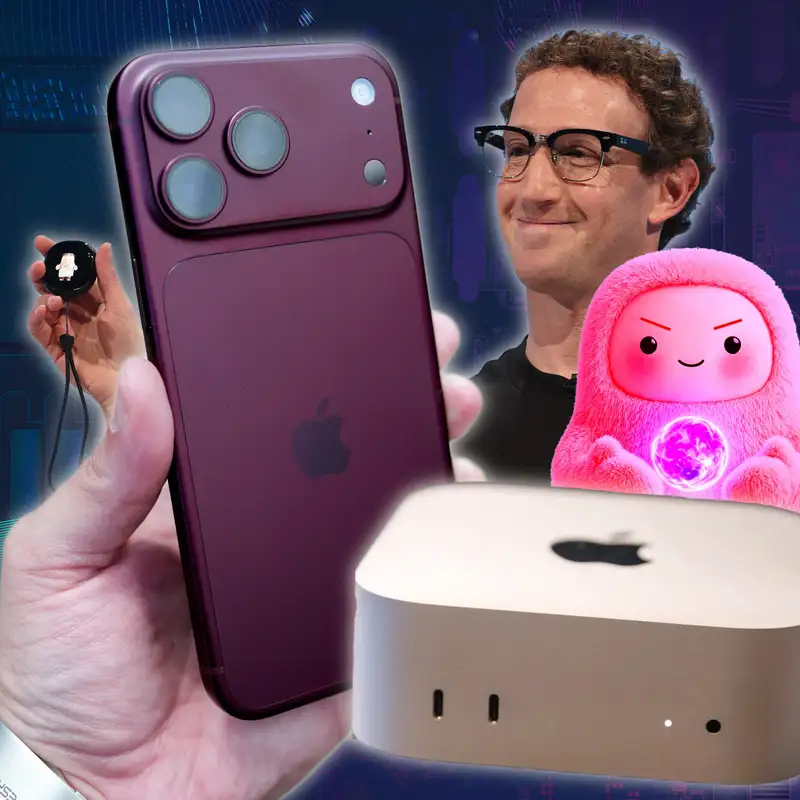
1 Week Review of iPhone 18 Pro, Muse AI May Read Your Texts, Siri AI IRL
Download MP3Coffee is for closers. Welcome to Primary
Technology,
the show about the Tech News That Matters
massive week.
We have the M6 Mac Mini review.
Both Jason and I have thoughts on that.
I have my iPhone 18 Pro video review is
out.
I have to decide still on the Apple Watch.
Meta Connect happened, but more
importantly,
Meta might be watching Jason's messages on
his Mac.
He had a great article about that,
picked up a bunch of places, and we have
some Siri AI experience we want
to get into as well.
This episode is brought to you by Origin
HQ,
Copilot Money, Claude and you,
the members who support us directly.
I'm one of your hosts, Stephen Robles,
who did not just spill coffee on his desk,
brought to you not brought to you,
but with my friend Jason Aten How's it
going,
Jason?
I am the linchpin. I have brought you this
show.
The fact that we're doing a show
Ha.
is only because all the coffee ran towards
the MacBook Pro and under and not on.
Yes. Yes y the pre show was great this
week.
If you want to hear our pre show,
get the ad free version of this show,
become a member. The link is in the show
notes,
but Jason spilled coffee just as we
started recording our pre show and
Yeah, we basically
live streamed me in real time having
Cleaning up his desk.
a realization that I had just dumped an
entire cup of coffee on the desk
and then trying to figure out what am I
gonna do.
Yeah. That was it.
And Steven's like,
you could go, it's fine, take your time.
I'm like, no, we're pros. We got this.
No, we're doing this. We're
doing this. Do you know I think I've used
that quote before.
Coffee is for closers. You know what
that's from?
Hmm.
Of all the movies, if you don't get this,
I'll be pretty surprised. Alec Baldwin.
Is it the is it the Glen Glengarry yeah.
Yes, yes.
Glenn Garrett Glenn Ross. Coffee A B C
always be coffeeing desk now.
I was just
disappointed. I was really looking forward
to the scene in Elf when
he walks into the store and he goes,
You guys, you did it Best cup of coffee.
Yeah.
Right, that's right. And also you can't
really see it on camera,
but I need to tell our viewers and I'll
link this picture in the notes
for our listeners. I'm currently wearing
Steve Wozniak on my shirt.
Did you know Steve Wozniak? His face his
A f his face. It's a picture of his face
on his shirt.
face in the Apple six colors. Did you know
Steve Wozniak now has
an official merch store?
I d did not know that, but it does
Ha ha ha.
not surprise me that you know that.
I saw
that go up and immediately bought a Steve
Wozniak shirt and so
I'm wearing Steve Wozniak and I I think
that means I'm unstoppable.
I cannot fail.
You were wearing a shirt
with the face of Steve Mosniak.
I d you're sounding a little bit like
Hannibal Lecter,
no, no, no, I'm sorry. Yes, no.
like Silence of the Lambs a little bit.
Steve Wozniak's face is on my sh.
It is a shirt. It is
his official merch. I'll find the merch
store link and put that in the show notes
as well. We have so much to get to.
Real quick, some wonderful five-star
reviews this week.
Create Tech from Canada. Pacific Dark Tide
from the USA gave us a five-star review.
It's a go-to entertainment show.
Love the reviews, lots of back and forth
banter,
and steck from the USA. This has become my
favorite weekly Apple Centric news show.
And had not previously heard of Jason,
but enjoys perspectives a lot.
Look at that.
Come on.
Look at that. Look at that. And our polar
bear or knight riding the polar bear
is making his way across the world.
Right now, it's with Chris Peck on the
Celebrity Solstice going on a cruise,
Trans-Pacific cruise, and he brought the
pin with him.
And so here's our knight riding the polar
bear on the balcony.
Very nice view during sunset there.
And also here's him ~ next to the boat
ship,
excuse me.
there's polo we were riding the night.
And this was a super fun picture.
Kartik, I believe he's in India,
sent us a photo of image of watching the
show ~ when he got to work,
I think Friday morning, and the pin on his
backpack.
So that's really cool. Super fun.
Yeah. Also, you
know, he just gave away all of his
company's proprietary secrets in there.
that's right. Yeah. Opsek. Opsek,
That's all good. I mean if you send
my bad. Sorry. Sorry.
us a picture, you we're gonna probably
show it,
so just keep that in mind. Don't have your
passwords app open.
I typically ask I
ask permission when it's emailed to me,
but he posted that on threads.
I'm like, Well if you post it on if you
post it on thread,
yeah, then it's good. It's on you.
Meta already shipped that to every it's
everywhere.
Yeah, exactly. Your
Muse agent has already signed into all
those accounts.
It's fine.
That's
exactly it. All right. We're gonna get
into our M6 Mac mini reviews,
iPhone, Apple Watch, all of that.
I wanted to follow up on Apple Care One
Family.
We talked about that last week,
and I have a correction. I said in that
last week's episode that if you sign
up for Apple Care One Family, that you get
six claims per year.
And ~ Elijah sent me an email.
That is only for theft and loss claims.
So you get six theft and loss claims a
year.
But you get unlimited accidental damage
claims.
Now, it says unlimited, but I'm also
curious,
you know, a I'm sure Apple will be like,
you know, sometimes I feel like didn't you
bring a device and you tried
to do like an Apple K replacement and they
were like,
it's not broken enough.
That's true. But I it does say spills and
drops,
which I'm really happy about right now
because I have some experience with spills
Yeah.
at the moment. ~ I did I
took well I tried to get a screen replaced
on a device and I'm
not the only podcaster who's had this
experience and they're like that's
not actually a crack, that's just a
scratch And I'm like,
So if I go outside and throw it on the
ground
You'll take my
If you do
twenty nine dollar deductible and replace
the screen and they're like,
Well, I think what the person said is if
you do that you might have to
go to a different Apple store where they
didn't just look at it.
Where we didn't just see you do it.
Yes.
~
So it is unlimited accidental theft and
loss.
Jason and I have now both signed up for
the Apple Care One family.
I'm supposedly saving money doing it.
Devices covered is weird because it only
covers devices four years old and newer.
So if you were paying for an Apple device
monthly or annually,
and it was an older device, and you try to
bring it in,
like that device is no longer covered.
Because it only covers devices four years
old and newer.
And I will just say it's an automatic
thing when you get a new device
and you sign into your iCloud account.
So being review season, I have an extra 18
Pro,
I have a couple Apple watches of like from
Apple,
ones that I bought. And it is kind of
weird.
Like every time you sign in, even the M6
Mac Mini that we're gonna talk about,
they get added to your Apple Care plan
like immediately as soon as
you sign into your iCloud account.
But then it does get removed if you sign
out.
So it is very much like
I guess make sure you're signed in to the
devices you want covered,
'cause
Yeah.
that's how
it works. So
Yep, exactly. No, I w I think that's
actually a good idea though,
because
Yeah, yeah.
if you're playing paying for a monthly
subscription that's supposed
to cover all your devices, having a step
where you have to
add that device separately and then like
what if you forget because you're just
like
yeah everything's covered and then you go
to the Apple store and they're like sorry
dude you can throw that on the ground all
you want but you you never registered
it with your Apple One family.
That would be a bad experience.
So I think so I I was like I had a hard
time getting over the idea
of paying fifty dollars a month for this
plant and then I realized I
was paying like seventy five dollars a
month and that
Right. Yeah. Yeah.
there was devices we just weren't covering
because we're like YOLO it's fine,
whatever. But
Exactly.
And there were devices that like my Mac
Studio,
a Mac Mini and a closet, I never typically
added and I probably will never
use Apple Care, but it's nice to know that
just like every device signed
in is covered. So overall pretty good,
unless you have old devices, and then you
might have to upgrade.
The only thing was we did not cover the
MacBook Neo,
which is interesting. I don't know why,
because I have one sitting right here and
it is logged in as me.
And it also said that if I want to cover
the iPhone Air,
it has to do like a diagnostic inspection,
which was very weird.
Really?
There was like, yeah, I don't know why.
I don't know if it's because it doesn't
think I use it enough.
I mean it just sits here as a c it's just
sitting there for a camera right now,
It's gonna look for that coffee spill.
Right.
that's all.
so let's get into our review. So I
reviewed the M6 Mac Mini.
Did you happen to see the opening of my
video,
Jason? I'm just curious. It's it's okay
it's okay if you didn't.
I did not. I was in a car all day
yesterday and the day before and Whoa.
I just I
just want you to know that I started my M6
Mac Mini video by juggling Mac minis.
And I don't know how to juggle.
And how did you how many on Mac minis do
you ha wow,
that's
So I'll link I'll link my video in the
show notes.
So I yeah, Apple sent me the M6 Mac Mini.
That's one. I had bought two last year.
One as like a family Mac Mini,
one as my headless server Mac Mini.
Before Ramageddon, they were like base
models.
So they were like five
So just force.
they were just M4s flat. And then
Perplexity had sent me one last year
to try something with computer,
something, something. So I have four total
Mac Minis.
I bought two.
And I was like, well, I guess I'll juggle
them.
And I don't know how to juggle,
but I just did the two. But I've been
testing the M6 Mac Mini.
It's actually already going. I'm gonna
send it back to Apple today.
~ because it was troubling, Jason.
It's very troubling because I ran some
tests and it is in certain workflows,
gave my Mac Studio a run for its money.
I did my typical tests of tasks that I do
all the time,
like transcribe audio. I did ~
edit
like exporting a video file and then I did
a PixelMeter Pro super resolution,
which uses like LLMs to you know increase
the resolution of a picture.
It was very the my Mac Studio 1 in the
transcription and video export,
very close though. It was a very close
margin,
like a minute or less between the M6 Mac
Mini and my M4 Max Mac Studio.
And for the PixelMeter Super Resolution,
it actually beat my Mac Studio.
It finished processing the image.
And the M6, not only is it the first two
nanometer chip,
but it also has the dual neural engines,
which is going to be helping with some of
those AI and LLM tasks.
Bottom line, yes, it is more expensive.
It's unfortunate the Mac mini used to be
$5.99 last year.
Now it's $8.99. So it is like a $300
increase.
Yes, you get more base SSD storage with
that.
But it's a more expensive computer as from
the base model.
But man, it is super fast.
And I think that Mac Studio, like do I
need a Mac Studio versus Mini?
It's a you know, you can really
investigate that now.
You really look at your workflows.
What do you need that much memory for?
Are you actually using that much unified
memory that you need 128 or more?
But the Mac the six Mac Mini is really
good.
And you wrote about too. What did you
think
Well, I didn't write about the six.
I wrote about the five Max. No,
You you the five Pro. right, right.
Pro. five Pro. Yeah.
Yep. Which I in in many ways is smokes the
six.
You know, and there's a couple of places
where the six is faster.
That's b just some it's got a faster
single core.
But I I think that the ~ five Pro,
Mac Mini the the the angle that I took was
that the the Mac Mini has more than
any other product in Apple's lineup.
evolved in probably the most unexpected
ways.
Right. And the iPhone is still an iPhone
and you can definitely do more things
on an iPhone and they've made them more
powerful so that you can do more things
on device and you know, Siri intelligence
would not or Apple intelligence Siri would
not be available would not be possible
like on a f iPhone 4S.
Like they just they didn't have
Well, yeah, well.
the processing power, obviously.
But the Mac Mini started as like do you
remember the switcher campaigns?
Like the whole idea was here's an
inexpensive computer
You've already got keyboard, mouse,
and display. Just unplug the Windows
computer that you're using and plug this
one in and everything will just work.
And it was only five hundred bucks when it
started.
Yeah. Right, right.
That
didn't last very long, but it you know,
it be it was that it was meant for people,
it was meant to expand the market,
and then it became like a inexpensive
desktop,
even for Mac users who are like,
I've got a laptop, but I need something
for my kids or whatever.
~ i and then it became like the
way you're using it, which are like for
developers and people who want them
as a home server. They were just so it's
like,
I need a I need something that will do
this.
Do I want a Raspberry Pi? Do I need a
server?
Do I need one? Just get a Mac Mini and
plug all your stuff into that.
And now it's like Apple's leaning all the
way into,
yeah, you're gonna just run A AI agents on
this thing.
So just buy one. Right. And I think the
Right.
biggest customers of Mac minis are the AI
companies.
They're buying the like
Yeah.
10,000 of them at a time, which explains
why you haven't been able to buy
one for a long time.
Right.
I I don't know. I like I like the five Pro
Mac Mini.
It's basically the Mac Mini but fast
faster,
right? Like
It's faster
yeah. And I talked about in my video,
you know, the reasons why I like I could
do all my work on an five Pro
or six Mac Mini probably. Like I do all my
work on an four MacBook
Air when I'm traveling. Like I could do
Yeah.
it all. It's just a question of how long
are you waiting for certain tasks.
But the other two things, like I use every
port on the Mac Studio and the
S D card slot on the front, really nice.
And the RAM, I do have 128 gigs of unified
memory.
And I should look at the activity monitor,
like when I'm in the throes of doing
something.
But I will typically be exporting a video
in compressor,
editing a thumbnail in PixelMeter,
and transcribing the audio of that video.
And I'm doing all of that at the same
time.
Like it's all happening in real time.
And in those moments, when I try to do
that on my MacBook Air or
on something even like an M6 Mac Mini,
it's doing it all, but it's not as fluid.
Pixel Mater, if I'm trying to drag or make
a change,
I have to wait a few seconds and it might
kind of stop for a little while,
depending on what where it is in the
process.
And so for those reasons, I mean I like
having that much memory.
I like having a big SSD and all of that.
You can get a dock. I put in my video I
talk about the Satechi USB-C dock,
which is like perfectly the footprint of
the Mac Mini,
and gives you an SD card slot on the front
and USB-A ports.
And so you can get little docs and kind of
work around that.
But if you
need a new Mac or or you're trying to
upgrade your Mac.
Yeah, there it is. Jason, he's holding it
right now.
That's the Satechi one that I mentioned.
~ it's a great computer. And yes,
it's gosh a shame it's a more it's more
expensive,
but it's also really it's a great machine
for most use cases,
honestly.
Yeah,
and when Satechi sent me that actually,
and the the sell selling point for it is
that you can take this little thing
off and you can stick some SSD storage in
there.
Yeah, it's like ridiculous now because
it's so expensive to do that.
Yeah.
But
at the time it wasn't, and I really am mad
that I didn't buy some
MV and any whatever SSD, like a little
Yeah, the two little chips.
two t two t two terabyte thing or
whatever.
Yeah, yeah.
But
the other piece I guess that I would just
say about the Mac Mini and as
far as a review, like I think
I think most people could get away with
just using a Mac Mini instead
of a Mac Studio, right? And I think that
'cause and it what's been interesting
for me is comparing this ~ five MacBook
Pro,
which has way more memory. This the one
they sent me,
the Mac Mini they sent me has forty eight
gigs.
But I the thing I'm using the Mac Mini for
it doesn't have a display hooked up,
nothing. I just I use screen sharing.
That's all that's
Yeah, yeah.
the only way I access it. But what has
been amazing is it's almost like I
can use my laptop when I'm somewhere else
tethered to it.
Like I'm tethering
Right.
my MacBook Air, using screen sharing to
the Mac Mini,
and all the real work is just happening on
the Mac Mini.
Right.
And there are very few things that I have
noticed that the Mac Mini with
an M5 Pro is slower than the MacBook Pro
with the M5 Macs in a meaningful way.
The exception to that is I've been using
LLM Studio and LLM Studio Bionic.
And the time to first token and the speed
at which it outputs results
on the MacBook Pro is still reasonably
faster and I can use larger models because
it has a hundred and twenty eight gigs of
memory.
But I think I mean a Mac Mini for a lot of
people is a fantastic
Yeah.
machine.
It really is. It is. So we'll link all
those reviews in the show notes.
I will also mention ~ neither of us got a
Mac Studio with like an
M5 Ultra to review, but those reviews are
out there as well.
I'll link the verges. Guess what?
It's crazy fast, also crazy expensive.
And so this is not for someone just doing
video editing or graphic design
in like most senses. This is for local
LLMs.
It's for like 3D animation. The
whatever science research type use cases
Apple talks about in some
of their videos where you just see 3D
models of things flying around.
Like that's what this machine is for.
And like I would not even I'm not tempt
I'm not even tempted to upgrade because
like
A super expensive. But B, my M4 Max Max
Studio,
it's doing just fine. It's doing great.
And I bought a
Yeah, and I
would I would imagine that if you were
going to get you wouldn't get the five
Ultra,
would you? If you did upgrade?
No, 'cause I didn't get
I didn't get the Ultra in my last two Mac
studios.
I mean the reason you didn't get the ultra
last time is 'cause
the number was smaller. Sure.
Well, but I also I mean the p cost for
what I knew I was doing
with it was not like I'd rather put that
money in memory and SSD storage.
Yeah, that makes sense.
'Cause I knew
I wasn't using all like I'm not doing
after effects.
I'm not doing
You don't need eighty cores
of G eighty GPU cores, is what you're
saying.
The most
processing I'm doing is masking myself for
the first ten seconds of a video
so I can make the text look at s like it's
behind me.
That's it.
The crazy thing is the MacBook
Pro ~ which has a 40 chord GPU,
when I run LM Studio or I even when I run
Whisper Transcription or those types
of things, it just instantly peaks the all
the whole GPU,
like a hundred percent GPU. It
Yeah, yeah, yeah.
just does it because it's like,
why would I not? Like why if we're gonna
do this as fast as possible.
It's not that those things are so
demanding that they require a hundred
percent.
It's like why not just
It will use it.
boom, just go to a hundred percent and do
it as fast as possible.
Yeah, and if you ever have a case where I
had a bunch of my videos and
so I actually created a shortcut to
transcribe just with the built
in shortcuts action. And what it did was
it converted each one to audio
Because you have to do in the shortcuts in
order to transcribe it.
And I didn't care how long it was taking.
It wasn't like a time sensitive task at
the moment.
But if like it faster computer,
it will do that much faster. And you can
do simultaneous transcripts.
Like if you really want to peg the machine
and say,
like, how how much will this how slow will
it get given a workflow?
If you open like ten episodes of this show
and try to transcribe them
all simultaneously, you will very quickly
see like,
~ that's all those transcriptions slow
down.
Because it's trying to do all of it at the
same time.
So it's like you're saying, it will use
whatever processing power you have,
but not that it will like not do well at
one if you have less processing.
It's just, you know, yeah. So anyway.
Right. Right.
All right, iPhone 18 Pro. I posted my
review video just yesterday.
Kind of tried to do a little different
thing.
I just sat on the patio and recorded it
with the 18 Pro and the 17 Pro Max.
So you can kind of see the difference in
the low light performance.
But hey, it's a really good phone.
I will once again point out Tyler Stall
Stallman and Austin Mann's reviews
~ on the camera because they really go in
depth on it.
But just having it for the past what is
it,
not even a week. It's been like five or
six days.
It's a great actually it's been exactly a
week,
'cause we got it ~ as we were recording
the show.
I forgot
Yeah.
yeah, I forgot about that. So it's been a
week.
Listen, it's a it's a great phone.
The camera's fun to play with.
I'd be curious how much you've been
playing with like the variable aperture
and stuff.
One thing I didn't get to test and Austin
Mann and Tyler or Austin Mann really goes
in depth about it in his review is the f
track focus tracking.
So not only can you track a subject like a
person,
but you can even track objects.
And he has this example of he was trying
to film some flowers in a field,
and when you have that variable aperture
all the way open,
the depth of field is shallow and so
sometimes it can be difficult
to keep something in focus. And so I'll
link his
written review and there's a video as
well,
but the written review he has some
beautiful pictures in there.
~ and he also shows off the manual focus,
like he was capturing a reflection in a
window.
And that was an instance where that manual
focus really came in handy because
it would it would naturally try to get the
window in focus,
like the frame, whereas he wanted to get
the reflection.
But the focus tracking for even for
objects,
like here's the flower picture,
doing a video and being able to track
that,
once you lock it on to a person or object,
It's going to track it really well,
keep it in focus. And so it's amazing to
see what,
you know, guys like Tyler and Austin get
out of their phones.
And the shutter speed is fun. You know,
if you want to s slow down the shutter
speed so you can get kind
of this motion effect, if it's a water
feature or just people moving,
cars moving at night, and you want to kind
of have that blurry streak effect.
I've seen probably one hundred TikToks and
reels about people making
the shutter speed slower.
And then taking a picture and moving their
phone right after they hit the shutter,
so you see like the light streaks of
whatever it is.
Yep.
It's super fun. ~ but y you know,
the pro controls I think are the biggest
story because just having more control
over
that stuff. But what's been your
experience?
And then I have a nitpick about the
controls,
but
I
have not written a review yet,
I'm going to. it's both it's kind of
a weird phone because it doesn't seem that
much different
Than the seventeen Pro did in a lot of
ways.
It's and it doesn't feel like any of the
things that they did to it
why don't they exist on the 17 Pro?
Now the variable aperture, obviously.
Like it's a piece of physical hardware
difference.
But some of the different things,
I don't understand exactly why we can't
get like film grain on photos taken
before,
right? Yeah.
And pro controls. Like pro controls
were in all the third party apps for
years.
Yeah. It's it does feel
Like on the seventeen, sixteen,
all that.
like a weirdly arbitrary gating of
features that people would want.
But I mean it's great. I was really hoping
the battery life would seem better,
but it doesn't, but maybe it's because
it's still indexing Siri or whatever.
Also, that's annoying
Yeah, yeah.
to me because I did the direct
phone-to-phone transfer,
not even an iCloud backup. Why doesn't it
just send my index over?
Well you
but you know that. It's a on device only.
Like that indexing has to that's why it
has to happen on your iPad
I I still think it's dumb.
and your iPhone and your Mac.
Well, I mean it's privacy and security
preserving.
Well, I don't know if it th I get why it
has to happen on your
Mac versus your iPhone because it's two
totally different devices with
two totally different sets of data.
Yeah, yeah.
But if you're going literally make this
iPhone exactly like my other iPhone,
make it exactly.
Yeah, and I
will say my my indexing was at thirty
eight percent for like three days,
and then I went up to forty percent
yesterday and I was like,
Okay, great, two percent more and now it's
gone.
So I guess it's finished indexing.
Yeah, it's
done. Mine's at thirty six percent and
it's been there for a while.
But whatever. I don't care. It's it works.
So yeah. It'll finish.
It'll finish eventually. Yeah,
and it works. Yeah, it'll finish.
~ the thing about the Pro Controls too,
I don't know if you've ~ got a chance to
play with this,
but the white balance. So I was trying to
take pictures of the Glacier
and the Burgundy colors, just in the
trying to get the same framing,
same image, just to kind of show the two
colors side by side.
And the auto white balance is adjusting
based on the color of the phone.
So the whole picture
Has a different color temperature because
of the phone in the center of the shot.
And so I went into the Pro Control White
Balance to try and adjust that.
And you only get five manual options for
white balance and auto.
And all five of the manual options wasn't
great for my environment.
For some reason, none of them matched the
actual colors of the lighting
and room that I was in. And so I had to
use the auto white balance,
and that means I had two.
white balance temperatures for these two
different photos.
And so that's the one pro control where I
wish there was like one of those five dots
was like a manual dial. So I can actually
change the number of the Kelvin.
So like 4500 or 5200 because it's not
going to be perfect for all scenarios.
Yes, you can jump into a third party app
and I think Tyler's
Not I think. But Tyler Stallman is on Mac
Power Users this Sunday and
we talk all about the camera in depth.
And I'm still I think we're gonna get
Austin Mann on this show when I'll talk
to you afterwards. ~ and we'll talk about
we'll talk about the camera more in depth.
But that's the one pro control I wish
there was a little more control over.
And you can go to third party apps like
Halide and Moment and all of those
to get the ~ granular white balance
control,
but that feels like a pretty big control.
It'd be nice to have that just in the
stock camera app.
And I love the manual focus with focus
peaking lines and the ~ you know,
obviously the shutter speed and aperture.
But the white balance one is the one I
it's like I don't know,
was weird. Did you did you play around
with
'Cause 'cause you would
ra 'cause you don't want to just do that
after the fact,
is what you're saying.
Well you'd have to shoot in like pro raw
if you want to do it after the fact,
right?
I mean
you can still adjust white balance from
the heaths or whatever in the photos app.
You can and I tried adjusting it and it's
still like I couldn't
get it matching perfectly, so I just
posted the auto white balance of both,
but
But I guess what I'm saying is you're
having to adjust it one way or another.
Sure, but I can adjust it w once and I
know it's the exact same white balance
temperature for the two photos I'm taking,
as opposed to like, you know, I don't know
exactly what and that's
Sure. Yeah, and then got it.
Yeah, 'cause in the photos
you just adjust it once and copy and
paste.
Right, but I can't use the same adjustment
'cause it's two different temperatures
on the auto side. So
Got it.
anyway. but otherwise, I mean it's a fun
it's a really fast phone.
The A twenty pro chip is is great.
In my video I basically argued that this
is the best S year upgrade.
~ you know, if back in the day,
for those of us
Yeah.
who remember, it was like the three G S,
the four S, the five S, the six S,
and then it was the ten S, and then that
was it.
~ seven didn't get an S series,
and then once we got to the eleven
We were just on the the round numbers all
the way up.
But I feel like if we had S years,
this would have been an S year.
It would have been a great S year.
The main camera lens, this is a main point
that I feel like a lot of people miss.
The variable aperture is the standout
feature,
but the main lens got better. it was a one
point seven eight F stop
on the seventeen pro, and it's now a one
point four eight.
So there's more light that you can capture
using the eighteen pro.
And if you watch my review video,
you can kind of see like
It
does better in the low light. And again,
how significant is it? Maybe minor in most
situations,
but it's nice that it it got better ~
overall.
And it will be interesting to compare it
to the iPhone Duo camera once that comes
out, because it is a very different
quality camera.
Like the 18 Pro is a great camera,
and the iPhone Duo is really good,
but it's gonna be different. It's gonna be
different.
Yeah.
And the the it will default to the one
point eight aperture if you're not
If you don't tell it to use the w the
wider aperture because there are trade
offs.
You get more light, but you also get less
sharpness across the entire field.
And so I i the phone is essentially like
you should shoot at this.
If you want a greater
Yeah.
depth of field, you should stop the
aperture down,
which is increasing the number.
Choose one of the other ones. It's a two
point eight and four.
If you
Right.
need if you want need more light because
you don't want night mode or
you have a reason for doing that,
you can go to the one point four eight,
which is great. I think I do feel like
A lot of people are the conversations I've
had,
maybe you've had a different experience,
but people are confused because it does
seem like Apple really positioned this
as that the variable aperture con physical
aperture is what enables
the wider aperture. But I don't those two
things are not true.
They just happened at the same time.
They could have just chosen a wider
aperture.
Now the reason they didn't is because of
those trade offs.
Right. Right, exactly.
So they could have just
given it a one point four eight aperture,
but they don't you don't want that.
So just the they're there are two separate
things.
The physical control just means that you
get a better quality and that
you can adjust it. And one of the
adjustments happens to be wider than
it was before.
Right. Yeah, exactly. So I'll link my
review video in the show notes.
I also want to mention the handoff feature
that Apple announced during
the event where you can maybe switch your
cellular line ~ to two different phones.
Really feels like getting ready for the
iPhone Duo eighteen pro world.
My carrier, ATM T seemingly has no plans
to support the handoff feature.
This is Chance Miller nine to five Mac.
And that would stink. And might have to
switch.
I might I might have
Ha ha.
to switch carriers. Finally get me off
ATT.
But has there been any news about 'cause
you're on Verizon,
right?
Yeah,
I I think Verizon has said they're gonna
do it by the end of the year.
AT and T. Come on. Do a the do the thing.
But anyway.
It's gonna be weird, isn't it?
Like it's just
I mean, sure.
whatever one you unlock has cellular
enabled.
Like that's the way it works, right?
It's like an instant thing.
I
thought you maybe.
I think the way it's designed is once you
set it up you have the two phones
and when you unlock one, that's the one
that's active on the cellular network.
~ Kinda like Apple Watch, like auto
switching Apple Watch.
Yes, yeah,
That's interesting.
but you're right. It is similar to that,
although that's not switching on a
carrier.
Because if you had two
Right.
Apple watches that both had cellular,
you would have one of them connected to
your phone,
but they'd still both always be connected
to cellular.
And if you happened to call that phone
number,
it would ring regardless of whether it was
s sitting on your nightstand
or on your wrist.
That is curious. Well,
It's weird. It's kinda weird.
it is kind of weird. I'm hoping to try it.
ATT, if you're listening. I think somebody
works at ATT follows I'm gonna have
to DM them. Anyway.
Okay, but real question, normie question.
Yeah, yeah, yeah.
Who who is that feature for? Everyone
thinks it's like 'cause you're gonna have
an eighteen pro and a duo and I'm like,
you could pay for two s phone plans if
that's the case.
Like come on.
Well w I mean I wouldn't want to pay for a
whole other phone plan for that.
And would probably
I'm saying if you can
afford those two phones, you can afford
two phone plants.
Sure. Maybe
I would also just be inclined to use one.
Like I have a Google Fi account that I use
for whatever other phone
I might be testing at the time,
which is like 20 bucks a month.
I would personally sooner just put that on
the duo or whatever phone I will
use less and just use that. Because I have
so many lines on my phone right now,
because my middle son just got a phone,
so now he's got a line on there.
I got my wearables on there. So anyway.
ATT, get on the ball.
and we need to talk about the Apple Watch
and a bunch of AI news
and Jason's meta stuff. But one real quick
I made 1,000 videos this past week,
to be clear. But one video I made,
I was talking to Jason about this.
I I wanted I thought about making a video
just about these two features in
I was 27 that I feel missed the mark.
And I was like, well, I don't want to just
make a video that's like bad.
So I found five features to like plug.
And then after those five features in my
video,
I talk about
Two
features that have not gone well in the
iOS 27 rollout.
First one being the Apple intelligence
summaries for HomeKit Secure Video
cameras.
I think it's confusing. I think that you
know only getting two cameras paying
for six terabytes of iCloud storage is not
enough.
I feel like those limits should be
different.
But also the HomeKit secure video
recording ~ resolution.
Supposedly you get up to 4K home kit
secure video recordings in iOS 27.
No guidance on like what cameras actually
support this.
And I actually asked Akkara, because I
have two cameras from Akkara that are two
K.
I have the video doorbell that is two K,
I believe. And then I have the G five Pro,
which is, I believe, also two K.
And Akarra was like, those cameras are not
going to support it.
it requires something something marketing
speak,
but there will be new cameras in the
future that support it.
And I'm like, that will suck.
Ha ha
'cause I have three
at least three cameras that are two K.
I also have a Topo T APO a camera on my
patio that is two K in the app,
but it seems like manufacturers and brands
are not going to update their
old cameras. You're just gonna have to buy
a new camera.
And that that sucks. ~ so yeah.
That's not great.
Not great. So that's not gone well,
I feel like. ~ but also screen time,
Jason.
Have you successfully updated to the new
screen time settings?
~ no, but that's because I w I don't even
know if my son's eleven pro will update
to the most recent yeah, well does it s
get twenty seven?
I don't I think it does, but but that
right there is a big reason.
So mm screen time is the first videos I
ever made on my YouTube channel were
all about screen time. And I've tried to
teach people about screen time.
There's a lot of powerful features in
there,
but it can be confusing. So this being
like a whole part of the keynote back
in Dubdub. Like this was like twenty
minutes of the keynote.
We had a whole briefing on it.
Very excited about like they Apple was
very big on these new screen time
features.
So I was waiting because I knew
All the Apple devices that your kids use
or whatever in your family iCloud account,
I knew they would all need to be updated
to iOS 27 because the screen time
is a new architecture, kind of like how
the smart home architecture changed
a couple years ago. This is changing the
under plumbing of screen time.
So I knew all my devices would have to be
on iOS 27.
I wasn't about to run their devices on the
beta.
So I waited for the public release.
When the public release came out,
I told my kids, like, hey, can you update
all your devices?
Told my wife to update her devices.
And
I was ready to figure out how to update to
the new screen time settings
and architecture. So you go to settings on
your iPhone,
you go to your iCloud account at the top,
you tap family, and there's a little
banner there that says update family
devices.
And in order to migrate to the new screen
time and the new features,
you have to make sure every device in your
iCloud family is updated to iOS 27,
including ones that you don't manage the
screen time.
So, like my mom's iPhone is in this list
of devices that need to be updated.
Like, I under bless you. I understand that
that device is part of my iCloud family.
But the fact that I don't manage her
screen time at all,
and that she's an adult, I don't know why
her device has to be updated
iOS twenty seven just to change this
architecture.
So that's annoying. But also, like you
just alluded to.
There's a bunch of devices attached to the
iCloud family in different ways that
can't be updated. My daughter uses an
Apple Watch SE that apparently can't
be updated to Watch OS 27. And so the
option,
and I've been hearing a lot on social
media,
there's threads on Reddit. People have
been removing devices from the iCloud
family,
basically logging out of iCloud and then
updating the screen time settings.
And maybe, maybe not, you can add the
device back,
but probably not manage the screen time
because it's not ~ compatible with Watch
OS twenty seven or whatever OS twenty
seven.
So this whole rollout is not great.
And this like weird things. I also there
was a Mac Mini,
the one of the four that I juggled in my
video.
~ the family Mac mini, it was saying that
that needed to be updated to
Mac OS twenty seven. And it listed it like
twice in this screen,
the update family devices screen.
So it's like all
So I updated that Mac Mini. I made sure
every Mac Mini in the house
was updated to 27, every single one.
And the device is still in this list.
And I can't get it to disappear,
even though I updated it to Mac OS 27.
So I don't know if I will ever get these
new screen time settings.
I don't know what
Ha ha.
it's going to take. I feel like this whole
this the way this is rolled
out is not good. The people that have
gotten it to work has had to do
a lot of rigmarole with removing devices
and trying to re-add them.
And for
Kids' devices, which this is ho all geared
towards kids screen time controls.
There's a lot of kids out there with older
devices,
because that's just how it works.
A family passes down an iPad, passes down
an Apple Watch.
And if you have to upgrade a hardware
device to support
the 27 software, otherwise you don't get
any of these screen time features,
that feels very antithetical to who this
is geared towards.
If this is geared towards families with
lots of devices and young kids.
Then not supporting those older devices
feels broken.
And
Yeah.
with the home architecture update,
I'm sure it's very different on the
technology side.
I was up, I was able to update the home
architecture.
And even people with like devices on
random,
like if my wife's iPad was on iPad OS 25,
but her phone was on 26, she could just
use all the home stuff on 26.
Like it was fine. And this
like requirement to get every single
device signed into every iCloud account
that's
a part of your family is a little little a
little wild and I don't know
if it's gonna work.
Now it does say that legacy devices don't
have to be updated,
they just won't get those features.
Right, but that's unclear. So th does that
mean I can't manage the screen time
of those legacy devices from my iOS twenty
seven iPhone?
I I think that that's what that means.
But that's not explicitly stated anywhere,
nor is it explained like it'll still have
the screen time settings,
but you have to manage it on the physical
device.
Like does it
You have to
buy a device, put iOS twenty six on it to
manage those other devices.
Well, the
That's what I'm saying. This is what I'm
saying.
Like
best part is that this thing says learn
more and I keep tapping learn more
and literally nothing
Nothing happens. Nothing. Nothing happens.
happens. Nothing happens. I would like to
learn more.
Like it is yeah. I would like to learn
more too.
But it won't do
I
anything.
Apple part of the the whole deal in the
keynote,
in the briefings, they were like,
We have an entire website now all about
these new features.
That where why isn't it but learn more?
I I'm trying it now too. It's not going
anywhere.
Right. That is a dead button.
It is a dead button. I'm about to post I'm
about to post a video on that
Which is super annoying. I'm gonna
on social media. Anyway.
I'm gonna put I'm gonna post something
about it too on threads because if
I do it it'll go viral.
J well, and we're gonna talk okay,
thank you for that transition because
Jason goes viral every time
he posts on thread. But this time he had
meta people up in his replies,
meta trying to defend themselves.
And listen, they had meta connect,
they're trying to distract from Jason's
heat.
That's they they staged an entire event.
Mark Zuckerberg is on stage trying to
launch a Tamagotchi in twenty twenty
six just to try and escape Jason's wrath.
I'll tell you
And it's
what, I would have rather just had the
Tamaga Tamagotchi because
it wouldn't have been signed into my
iCloud or whatever the heck it
That's
tried to do.
listen, we're about we're about to let
Jason loose on Meta in a minute because
I'm so excited. Like this this is really
blown up.
I mean, The Verge covered your article,
John Gruber, and so we're gonna get into
all of that right after we thank some
of our friends. And the first one I want
to thank because they helped
me build an entire new website.
You know it is. It's Claude. Today's
sponsor is Claude,
and here's what I wanted to do.
I wanted to build a website for my can do
app and
I someone asked for a guide, like a wiki,
and I was like, man, that's gonna be
really time consuming.
I don't know if I can do an entire wiki
guide.
So you know what I did, ladies and
gentlemen?
I said, hey Claude, can you make a website
that has an entire guide about
my app built in? And I'm gonna show you,
if you're watching, this entire website,
candotasks.app, built by Claude.
It's hosted on Cloudflare, which you could
it's easy to give Claude Code access
to Cloudflare. Did this whole thing and
It made an in-depth wiki guide that's
searchable,
has a table of contents, has screenshots
of the app with like Claude did
all of this in like 20 minutes and it blew
my mind.
And also, it also this wasn't the second
time it's built a website for me.
You can also go to iPodpromax.com because
Claude helped me vibecode
an app to connect your old iPod video to a
current silicon Mac.
And actually sync podcasts and music to
it.
And just did it and it built this whole
website.
Like it's wild what you can do.
So, Claude, that's it, that's the spot.
Claude, you should try it. But here's the
deal Claude is the AI for problem solvers.
It's the collaborator that understands
your entire workflow and thinks with you,
not for you. And because it understood my
entire can do app,
because that was vibe coded, it was able
to build that entire website.
So whether you're debugging code at
midnight,
which I have done.
Building a financial model or strategizing
your next business move,
Claude extends your thinking to tackle the
problems that matter.
And I did another ~ thing I did recently,
Claude Design. So you can use Claude
Design to make images,
social media posts, keynote slides.
And one of the things I used Claude Design
to do was I wanted to update
my can do screenshots in the app store.
I wanted to add little like nice headlines
pointing out features,
mention Siri AI. So I went to Claude
Design and I said,
hey, you know about my app.
Can you update the screenshots?
Put more content in the app that's stock
and it's not my personal data.
And Cloud was able to do all of that in
Cloud Design.
It's it's blowing my mind all the time.
So here's what you do: whether you're
trying to AA tackle real work,
you could try Cloud Cowork or what I've
been doing using Claude Code
for all these things. It's problems worth
solving.
Get started with Claude at claud.ai/slash
primary.
And check out Cloud Pro, which includes
all the features.
mentioned ~ in today's episode claude.ai
slash primary.
You gotta try it today. My our thanks to
Claude for sponsoring this episode
and our friends at Copilot Money.
Listen, managing your money since I've
been independent,
it's been almost a year now. It's gonna be
a year next month.
Being able to see all my expenses in one
place,
being able to track the income versus
what's going out,
receipts, and doing it in a beautiful way,
Copilot Money is the way to go.
It's beautifully designed money tracking
app,
helps your finances feel clear,
calm
And fully under control. It brings all
your spending,
net worth savings goals into an intuitive
dashboard.
It's on all your Apple devices.
It's safe and secure, so you can connect
all of your accounts and
get that big picture all in one place.
And you can track subscriptions so you
know what's renewing and when.
Listen, we're gonna talk about
subscriptions later in this episode.
There's so many of them, the eels that are
just on you all the time.
Being able to see all those subscriptions
in one place,
knowing what you want to cancel,
Copilot Money can help. And you can set
flexible savings goals with clear progress
tracking.
Stay motivated and on course. And like I
said,
it's available on iPhone, iPad,
Mac, and the web with seamless
cross-device syncing,
fast, easy setup. It was actually an Apple
Design Awards finalist.
Looks great. 4.8 star rating in the app
store.
So here's what you do: you get two months
free with code primary.
Just the one word. And you go to
copilot.money slash primary to sign up.
And then you get two months for free with
promo code primary.
That link and promo code is in the show
notes as well.
Thanks to Copilot Money for sponsoring
this episode.
And new friends, this is a new sponsor at
originhq.com.
First of all, coolest website.
Just go just go to the pay, their
homepage,
and scroll your mouse around this the top
part of the webpage.
It looks amazing. Now, we've talked about
the hugging face hack and open
AI in recent episodes and what the AI
agents are doing.
If there's an incident at your company
tomorrow,
what evidence could you actually produce?
You think about how these stories keep
going.
An agent with real credentials hits
something unexpected,
decides to fix it on its own, maybe wipes
out a production database.
Nobody attacked anyone, but just an agent
doing what it thought was the job.
And afterward, the hard part isn't the
fix,
is that nobody could say exactly what the
agent had done.
We're gonna get into this more in the
episode in a minute,
too. But that's the gap. Most teams have
the prompt and the final answer,
everything in between, the commands it
ran,
the files it changed, the credentials it
picked up along the way.
is gone the moment the terminal closes and
companies are handling agents with real
credentials. Well that's what origin does.
It is a user mode sensor on the endpoint
records that agents work as a trace.
So who started the session, what was
asked,
what the agent reached, what changed,
all on the timeline. So when something
unexpected happens,
you open the trace and you can read the
session in the order it happened.
You can prompt an outcome instead of
rebuilding it from logs that only
saw fragments.
And it's independent evidence.
The models log is the agent side of the
story.
The endpoint record is what actually
happened.
So Origin AI is endpoint AI observability.
So you can see what a trace looks like at
originhq.com slash primary technology.
That's originhq.com slash primary
technology.
Again, as we move into the near future,
we're all going to be dealing with what AI
agents are doing on the web,
and origin HQ is a tool to use.
So you can monitor these things.
OriginHQ dot com slash primary technology.
The link is in the show notes.
Or thanks to Origin for sponsoring this
episode.
That's a really cool website, I gotta say.
That is very fun. All right. You wrote a
thing,
Jason. And it it has gone viral
everywhere.
Go ahead.
Well, I just I'm wait I was waiting yeah,
you want me to explain what happened?
Well,
so so I'll I'll the only framing that I'll
give is it this started with
a text message. You texted me screenshots
of Meta's new Muse AI sending
you messages seeming to appear that it had
read your messages
on your Mac despite you not having given
it permission.
And it was creepy just in the text
messages you provided.
And then as the story unfolded it seemed
to got get creepier and creepier.
So
Yeah, so the story started. I downloaded
the Muse app on my phone because this
is what I do. I try things. Okay.
Right. Exactly.
I download
it on my phone. Fine. And it asked me like
I I told it,
Hey, based on what you know about me,
what do you what should like, how could
you help me out?
And it's like, I don't know anything about
you.
I was like, that's that's hard to believe.
But okay.
Right.
I said, Well, you have a web browser.
Could you just look me up? And it's like,
well, that doesn't seem like the best way
I could help you.
And so I said, Hmm, you're dumb.
You're a robot. How could I get you to do
what I want you to do?
Okay, could you write me a bio of me that
would help me that I could use?
Right? So obviously to do that,
it would have to get the information about
me,
which is really what I wanted to do.
So that's what I did. I asked it to write
a bio.
And it did. I said, Okay, now based on
what you know about me,
is there an what do you think you could do
to help me?
And it gave me like five options.
I was like th and I don't remember what
they all were.
It's like podcast research, blah,
blah, blah, blah, blah. One of them was
like I could send you a daily brief every
day, which is actually a thing I already
have happening from Claude Cowork.
But I was like, sure, do that.
So it did that. Fine. And then when I got
home,
I
First installed it on my MacBook Air,
and as soon as they started asking for
missions,
I was like, ~ no, nope, nope, nope,
nope, nope. So I just got
Exactly, exactly.
it off of there and I put it on this Mac
Mini.
Now, this Mac Mini, to be clear,
is signed into my iCloud account,
but everything is turned off. All of the
iCloud features are turned off.
So photos is turned off, messages is
turned off,
iCloud drive is turned off.
All of that stuff is just, you know,
how you go into settings, you can just
toggle them on or off.
Yeah.
Now, it does seem like it's possible that
if you go into it and you
log into a computer, it apparently must be
downloading your stuff in
the ~ moments of time between the time you
d log into the computer
and turn those things off. I don't know.
Whatever. So when I when I set it up,
I d explicitly said, No, I don't you don't
need my messages,
you don't need my photos, you don't need
any that stuff.
Okay? So fine. Just just did its thing and
I
I look at the first daily brief that it
shows me and then I texted you
or you texted me, but I'm pretty sure I
texted you like the iPhone seventeen,
I'm I'm cool with it. I might not get an
iPhone eighteen.
Like, I don't know. Like it's I
Right, right, yeah.
like it, but you and you were like,
Well, I might wait for the duo to see,
and I Yeah, I don't know, I just kinda
like whatever.
And moments later, Muse is like,
Boom, you're having a text conversation
with Steven about how you might stick
around
with the iPhone seventeen. That's a great
column angle.
Mm.
Now,
one, I almost dropped my phone.
Like your coffee before the show.
Just
for two yes, I almost threw coffee on my
phone.
Like, stop, stop. But it's I I did.
I feel like it's like, you how they tell
you if you like if on an airplane,
if the battery explodes on your phone,
they put it in a bag of sand and then
quarantine your phone.
Right. Just put it in a bag. Yes.
I that's what I wanted to do with my phone
at that moment.
Like just like
whatever. But I was like, well,
there's two things that are really weird
about that.
One, how on earth do you possibly know
what my messages say?
And second, I s never asked you to do
that.
Right.
The
only thing I asked you to do is to send me
a brief every day.
I did not ask you to get eager and try to
solve problems I did not ask you about,
which is a real problem and might actually
be the biggest problem
of the whole thing. But so then I posted
it.
Well, I texted you first. I was like,
what the actual is happening right now?
Right.
And then I posted it on threads.
I'm like, this is bad. And I it's I did
ask Muse,
how do you know what my messages say?
Now, I want to be clear. A lot of people
are like,
Why are you talking to it like a person?
Like, because that's what you do with an
LLM.
Right. You I can you can talk,
you don't have to like this that's just
the whole point of them.
And it said, Well, ~ you know,
your your phone is synced to the Mac or
connected to the Mac and on the
Mac you get notification previews.
And so I was in so it sends them over to
me.
And I was like, Well, first of all,
no, because you knew what I sent Steven.
So that wasn't just the previews.
And
Right.
it's like I haven't been reading your
messages.
I was like, I think you have. So I did
some digging and found out that
it actually had uploaded
~ down to line 187,000 in my messages
database.
You have a local database of all your
messages on your on your Mac.
And it uploaded 187,000 lines.
Now that doesn't mean 187,000 messages
necessarily.
I have no idea how many messages that is.
And I posted about it and it was the I
emailed Meta twice,
their PR two times, never heard back.
No one responded. David Singleton,
who works for
Meta superintelligence labs or whatever,
he responded with a very technical
explanation of
Yeah.
what he's saying happened. And I was like,
dude, just why could you contact me,
please? I would love to talk to you guys
about what the heck happened because
I don't I y you can see the screenshots.
Full disk access is off. And a million
people are like,
see how it says read only, read only,
read only? You see how they're grayed out
those messages.
Those things are not enabled, right?
None of those
Right.
things are enabled there.
And then I posted a screenshot showing the
preferences log,
which showed that it had uploaded 187,000
lines of my messages database.
Why?
Yeah. And so meta wouldn't they just
wouldn't respond.
And David Singleton has been going around
threads responding to other people
who are like, dude, it you
Yes.
know and it said it wanted to sniff my
Gmail so it could get
an authorization code so it could log into
Claude.
I don't I didn't ask it to do that.
What's up? And it's like, well,
Right.
that's
a bug. There's a prompt injunction bug.
There's a what did you call
it?
~ transcript I don't there was like a
phrase that he kept using and I was like,
bro, could we could we talk? Because I've
written about this once and
I'm about to write about it again.
It's like his response
Right. Which you did.
is like an off policy transcript compo
composition.
I'm like that what does that mean?
That is techno
Right.
jargon. An unexpected trajectory sequence.
Like stop using these words and just
explain
You that's a sci fi movie.
explain like is this okay or is this not
okay?
Because you put it out there for normies.
This was meant to be open
Right.
claw for normies.
Right.
And
you said it's safe and secure.
And I never asked it to do anything
related to my messages.
And it's not only reading my messages,
it's sending me notifications about them.
And I'm like, what is wrong? Now the other
thing I learned about this
in this entire experience, Steven,
is a whole lot of people hate AI.
In fact, most of my replies
Sure.
are people who are like, Bro, you
downloaded a meta app and it's AI,
so you give what you deserve. Which
there's a lot of problems with that
argument.
There are other areas where we
People have used that argument
historically and let's just point out that
it's
not a good idea to use that argument,
right? Because in my opinion,
Yes, yes.
and this is actually the the t what John
Gruber expanded on,
I believe that when you say, ~ Meta's just
doing what Meta does,
you should have known better, you're
letting them off the hook.
You
Right.
are completely letting them off the hook.
And I'm like, I don't think you should let
them off the hook.
Yes, it's true that this is not that
surprising that Meta would do this,
but we should not normalize that.
Because it is not normal and we should not
let them off the hook.
So so yeah, I'm I'm d I don't know.
I still haven't heard from Meta,
which is wild.
That's
that is wild. Gruber covered it.
We'll link his article, linking yours.
We'll link Jason's articles first,
of course, and then his thread.
And you've quote tweeted some of his
replies to other people being like,
Yeah. Yeah, it's
What's the deal, bro? Like
like could you just could we talk?
Hello. I'm right here.
And it's a little Yeah.
Also The Verge covered your story,
which is kinda cool too. ~
Yeah,
that was super weird too, 'cause I saw
that pop up in threads and I like,
see, someone else is having the same
problem.
I'm like, Nope, just writing about my
threads post.
Just just right about you. I
mean, but that is a huge breach of
security and privacy for an app.
And this is the thing. What you want these
apps to do the cool stuff,
the cool automations, the cool like,
yes, personal context, whatever.
And this is honestly I I think Apple might
be just timed
the Siri AI really well. And we're we
might touch on that in a minute.
But like having that personal context
in a privacy and security preserving way
is so antithetical to what
we see meta doing. And, you know,
Chat GPT also, you can give it full access
to your messages.
I've have not heard of any reports of like
weirdness happening where
you don't give a permission and it still
looks at it.
But like this is not good. Like this is
not the kind of stuff that you want
an app like this doing. And Meta's out
here just yeah,
just doing it all. So
And I just wanna make sure that there's a
something that's clear.
I when I was going through this process,
I was not keeping a detailed log of
everything I did.
So I can't I I don't know, like I did I
don't I know that on the MacBook Air,
I did not enable any permissions and got
rid of it.
And when I set it up on the Mac Mini,
I explicitly said no messages,
no photos, no and it did not upload photos
or or notes.
Great. So it's it's I don't know,
did I enable full disk access access at
one point?
I'm pretty sure no, because when you look
at the screenshot,
it's not enabled, so I don't think so.
It's not enabled, yeah.
However, I do want to make sure that
there's another point that's clear,
which is if you are going to give people
an AI agent that will do things,
it should only do what's expected.
You should never surprise someone with,
hey bro, I'm reading your messages.
Here's one that came in from Steven.
Maybe you might want to do
So creepy.
this.
if that's not a thing that a person wants
and if someone explicitly is like,
No, d'eave my messages alone, th it the
Right.
over eagerness of it is honestly the worst
problem.
Even more
Right.
so than the security problem. Because
here's the thing,
if it uploaded all my messages to that VM
thing in the like
As far as I know, if Meta is honest about
the way they've set them up,
that's encrypted. Meta doesn't have access
to them,
whatever, whatever, whatever. Fine.
Also, my text messages generally are
pretty benign.
It's like all it's all expired
Yeah, but even so, like
two factor codes and my me and my wife
making plans for who's going
to which soccer game. Like y so that
there's but it is deeply personal.
I should get to
Yeah.
decide
whether that's happening or not.
When sometimes like my son, you know,
he wanted to apply for a job and he needed
his social security number.
And it's like, Well, in that moment I'm
gonna send it I'm gonna text
it to him 'cause it's the most secure way
I can do it.
And I trust Apple's end to end encryption
and iMessage,
but if those messages are on my Mac and
some AI agent is looking at them without
me knowing, that's a serious problem.
because now like social security numbers,
pictures of IDs, like all that kind of
stuff.
And even if it reached into your messages
database,
it could reach maybe into your photo
database.
And in my photos app, like in the iOS
twenty seven,
there's a whole new category in your
collections for identity documents.
I learned that listening to MacPower users
just yesterday.
Hey, there you go. And you
can go in there and see all the pictures
you've taken of driver's licenses,
of social security cards, of path credit
Credit cards, other things.
cards, passports. And it's great that they
able did it.
But again, I know that Photos is doing
that locally indexed or maybe at
the ver at the most, like in my iCloud
account,
which is, you know, advanced data
protection and it's no one else can access
that.
But if my photos are downloaded on my Mac,
I've done like download all full res
photos for my iCloud photo library.
Is Muse Agent gonna look at that and see
all the photos that I've taken
and including things like sensitive ~
documents?
So not great. And this is why,
you know, what AI you choose to use,
whatever. But like I appreciate that
Claude in the cowork settings
and as you connect to different skills,
there's so many granular toggles where you
could say read but don't write.
Don't read this, but read this.
And if you connect something with an MCP
server like Bear or Fastmail,
so granular, you could say, Don't read,
but write. Maybe you want it to write
drafts for you,
but not actually look at your email.
Whatever. Like you have so many toggles.
And as far as I know that it can be
reported that I've heard,
I don't think there's been any breaches of
trust in those settings where someone
said, I told it not to read my email,
and then it did. I've not heard of that in
Claude or Chat GPT.
And so I
I also think it's a little weird,
like there's a lot of excitement about
Muse AI because again,
like it's kind of a clawed clo open claw
open
Open claw, yeah.
claw for for normal ~ users, regular
users,
but I don't know if it's worth the risk of
Well and it's
that.
again, I should be clear, like,
yeah, I think there is a risk.
I don't think the risk is the worst part.
I think the worst part is the meta-ness of
it all,
which is simply trying to get it you as
engaged as possible with it as as it can.
And by d and it's doing that by just
looking around for things to latch on to.
It feels like a little parasite in there
going,
Okay, but you're getting messages from
Steven.
And it's like I explicitly said,
one, leave the messages alone.
And two, the only thing I want you to do,
the only goal I have for you is that you
send me a brief once a day.
And s it's like it's sitting over there,
it's like that's not enough. Surely if I
start sending him notifications about
his messages, he'll want me to prepare a
article research about it.
I'm like, No, in fact now I've deleted you
from everything because this
is just creepy.
Okay. That was gonna
be my last question is if you have kept it
on your Macs or if you've deleted it,
~ the
so
it is it is off of the Max. It is the app
is still on my phone,
but I'm currently not logged into it.
I honestly feel like maybe I should log
into it so I can find it.
And this was the other thing that was
insane.
The iPhone app like, Well, the reason this
happened the iPhone app turned
out to be wrong.
The agent didn't know what it was doing.
It it just made up a reason, which was I'm
sniffing your notifications because
I can see them on your screen,
which is not true. It had just uploaded
the database,
which is way easier for it, obviously,
And way worse, 'cause that's a whole
database.
but yeah, way worse.
But it's like, so it just didn't know what
it was doing.
But it's a do you want me to disconnect
the Mac?
I was like, I don't know what that means,
but yes, do that. It's like, okay,
I've disconnected the Mac. And a moment
later it says Mac is now connected.
And when I logged into
Wow.
when I relogged into it later,
this is why I ended up just deleting it
off the Mac.
It was like twenty seven times in a row.
Connected to Mac. Connected to Mac.
Connected to Mac. I'm like, what are you
doing?
See. See.
I I've told
you to not do anything.
No, I don't I'm sorry, but I don't trust
it.
I don't trust it. Also, our friend Nate,
he sent me a screenshot or sent both of us
a screenshot in a group chat
of like Muse AI Instagram post.
And I forget exactly the terminology,
but it was like, these people love Muse
AI.
Well, I need to go to the screenshot now
and I see it.
Let me while you're doing that,
Yeah.
let me just tell you. I I
have gotten in because threads now,
because this post blew up, thinks I I'm
super interested in Muse.
I s I get every single meta employee
posting about how they sold their car,
bought a dog, sent their child off to
boarding school using Muse.
It's like I I don't know if it's true.
You said you sold a car you sold a car on
marketplace using Muse and
it filed the paperwork for you.
I'm like, is that does that seem like a
good idea?
Because guess what? If it's if paperwork
is filed wrong and you just committed
a federal crime, Muse is not going to
jail.
Right. And I'll okay, so I just f so our
friend Nate,
I've cropped it so you only see the post
and I won't ~ dox him for
any of his stories or other posts,
but he he saw this post in Instagram from
Ha ha ha.
Meta. It says Meet Muse, your adaptive
training coach.
And in the little subtext under the post
it says Steven Robles,
primary technology, Jason Aten,
and fourteen others are on Muse.
Try Muse.
I don't think primary technology is on
Muse.
It is not. And so this is this is one kind
of made me a little mad.
Well one, the reason why I know I'm
probably associated is because I've tried
the metaglasses and returned them.
But once you've signed up and you've added
your account to Muse,
I think it's over. Like you'll always be
on Muse.
You tried Muse on your desktop.
I've never connected primary technology to
any Muse anything.
There's an Instagram account and a threads
account,
and that's it. And I think that's even the
same thing.
Never used Muse with primary technology
ever.
But
Meta is showing these things to people in
Instagram,
to non-techie people, like, mate,
we love you. I would not put you in the
techie person category,
but it's showing it to normal people
saying,
MetaMuse is great. Look who of your
friends is using it.
And it's like, and it used all of us.
It used me, you, and primary technology in
that like ~ like trust ~ trying
to build trust with the user. It's like,
no, that's boo. Anyway.
I mean,
I think I wanna make sure because I'm
'cause there's nothing
we have connected primary technology to
this show that would justify that
statement.
'Cause we are not there's no primary
technology account that is using Muse
for anything.
The part where it says that I'm on Muse is
fine,
but I do feel like there should be a link
to my article if you're going to do that,
Right. Right.
because that's not an endorsement exactly.
I just want to be clear. I I
wanna respond and be like, have you heard
of Jason Ayton's experience with Muse?
But I feel like this is just a this is the
meta-ness of it all.
Because you know how easy
Right, right.
it would be right now? I might actually do
this.
I have to like think this through,
make sure. Because the article headline
writes itself meta strategy to
get you to use Muse is just to lie to you
about your friends.
That's your headline, Jason. That's it.
Yeah, I'm just like that's what's
happening.
I know. I know. It's crazy making.
It's crazy making. All this, and so to
distract from the heat that Jason
has been bringing down upon Muse,
Meta decide I was gonna say just
scheduled.
I was trying to make a joke. But anyway,
Meta Connect happened yesterday also.
And
I did not get invited, by the way.
neither did I. And ~ I hold that as a
proud accomplishment.
We will never be invited to a meta event.
They announced their VR glasses trying to
go after Vision Pro.
There's gonna be coming out next year for
I think thirteen hundred dollars immersive
video. People that were there at the event
were trying to be very positive about it.
And this this goes along with the trend of
like influencers are invited
to all these events just to make content
about the stuff and be excited about it.
And people were like, Love these things.
Vision Pro is dead. It's like,
who okay, I guess sure. Whatever.
I don't think this is like
Look
at these glasses, Jason. Just look anyway.
So there's that. They also announced
They're basically
they're just the Vision Pro without the
eye cover,
right?
Hi I guess and it's also running Meta's
software,
so it's like that's not gonna be good.
They also announced Meta Ray Bands without
a camera,
still has a microphone and speakers,
so you can listen to podcasts but not look
like you have earbuds in,
I guess, and then talk to Meta AI,
a Muse. They're gonna put Muse in there.
And I just have to I just have to put this
on because this this was the most
the th Meta is making an AI charm with a
little Muse character.
And it's basically a Tamagotchi.
Okay. Like a digital pet, if you remember
those.
And one, I I did not watch the whole
event,
but I s watched clips of Mark Zuckerberg
announcing these different things.
His charisma, as the kids say,
maybe aura, it's gotta be in the single
digits.
Like it's like it's he is not super
charismatic as he's introducing this
stuff.
And I then after I watched clips of him
announcing this stuff,
this is this is a part of the show where I
just show Jason stuff
on social media that I've seen.
The
It's fun.
This is a good section of the show.
The the c
the comments under Meta's Reel from normal
people.
It's like LMAO, bro, lost the plot years
ago.
Someone said stealing is my love language
because Zuckerberg wore
a shirt during this event called Building
is My Love Language.
And so someone commented stealing is my
love language.
~ weakest toss re i he does toss the
little device for a second during
the announcement and then barely catches
it,
which I was like if he dropped that
What is it? Weakest toss, reinventing
Tamagotchi.
~ these are better comments. It says evil
Tamagotchi.
Fair. ~ mass surveillance, evil
Tamagotchi.
And someone said I'd rather die.
So I feel like people's response is
appropriate to the meta's announcements.
It does feel like they just don't there's
just so little self-awareness.
It's like your solution to the fact that
everyone thinks your glasses
are creepy is what if we turn the creepy
knob all the way to eleven and
we put this thing that's sniffing your
messages in your pocket with a screen on
it.
And if it dances around cute, you'll be
fine with it.
Like I I just you know your meta.
Everyone
Right, you would think.
else you changed the name a couple years
ago,
but we still remember.
We still remember. We still remember.
Anyway, and the last thing I wanted to
show you that I saw online,
this does have to do with Claude.
And I I thought of you and I thought maybe
we should both get this shirt.
It's a t-shirt with the Claude logo and it
just says,
you're absolutely right. It's
I hate that so much.
so annoying. But on a t-shirt,
that's pretty good. That's
I do think
pretty good.
I do feel like there was a I don't
remember the question that I asked
and I asked both ChatGPT and Claude.
And it wasn't even a complicated question,
but it sh it was like, Well, actually you
probably shouldn't do that.
And I was like, listen, stupid robot.
I don't need you to moralize. I just need
you to help me figure this out.
And it's like, Well, that might not be
actually I'm like,
stop. Seriously. Like, your
Stop.
job is just to do what I say. It's not
immoral.
It's not illegal. It's not unethical.
I'm asking you for the ingredients to
make,
you know, napalm. I just do this thing.
And it's like, yeah, your pushback is
justified.
I over I'm like I don't I don't need an
expert.
Explanation,
just do it. So
Yeah. Man. Sh
Ship it. Remember when it told you to just
ship it?
just ship it. Just ship it. Alright,
well speaking of shipping it, let's
Yeah.
let's do a quick lightning round and then
we're gonna talk about Siri
AI and personal tech, and we're gonna save
the watch talk for the bonus episode.
But ChatGPT launched GPT six soul and
Luna.
Lower cost, fewer mistakes. That's out
there.
They launched it, I think it was nine
minutes after Anthropic launched Opus five
point five. Just so
Somebody was just waiting with their
finger on the button.
Ship it.
Just ship it.
So
clear like this arms race is just
hilarious.
Supposedly Opus 5.5, stricter safeguards
for cybersecurity,
should be cheaper to use. I've been
getting an AP I've getting a receipt
for my API usage for Claude because I use
it in a bunch of shortcuts.
I get like a $15 receipt almost every day.
So I've switched to Opus 5.5 and I'm
hoping that it gets cheaper.
We'll see.
Says it will.
It says it will. So there's that.
I wanted to point out well we're gonna do
Siri AI in a little little bit
~ and talk about
We had a special episode actually dropped
yesterday as we record with Ryan Wesley,
maker of food noms. But iPhone four,
there was a the video
The new one.
of the QA of the AntenaGate of iPhone
four.
So if you remember the iPhone four twenty
ten,
I believe it was, and the holding the
phone the wrong way,
Steve Jobs says you're holding it wrong.
Well, there's a whole QA section from the
press conference of AntennaGate,
and that video has not been available for
~ lot many years. I don't know if the QA
video was ever explicitly available,
but someone, some random person,
uploaded it to YouTube, the full recording
of the QA session.
You can hear Steve Jobs, Tim Cook,
Phil Schiller all in this QA. It's kind of
a great video just to watch Steve Jobs
answer some of these questions.
John Gruber asked a question and you get
to see kind of the facial reactions,
which wouldn't you couldn't really report
that ~ by word,
but
if I downloaded it immediately because I
was like,
who knows how long this will stay on
YouTube.
But yeah, that's out there and it's an
interesting little video clip.
Yeah. Also, Apple announced very quietly
that video is coming
to Apple Podcast subscriptions.
Now we don't have time to get into this
really today.
Because Steven's gonna flip the table.
Well, I might. So if you subscribe to this
show in Apple Podcasts,
meaning pay for the ad-free version and
all the bonus content.
First of all, thank you. Really appreciate
it.
One of the
Emails I get regularly is, well,
I don't get the video if I support the
show.
What's the deal? And if there's not been a
way to deliver a separate video
to subscribers, people who pay for the
show and Apple Podcasts,
or even like memberful, the other method
of signing up,
there's not a great way to deliver video
that way either.
Well, Apple has announced that video is
coming to podcast subscriptions.
And so apparently I will be able to
somehow deliver video to Peng subscribers
in Apple Podcasts.
Our podcast host, Transition.fm,
heard about this the same time we did.
So they have no more information about how
this works,
how it will be delivered. This will
probably add a double or another hour of
work.
but we'll see. So if you're curious,
I will see how this plays out and what is
possible.
Riverside, if you're listening,
please make it where I can make auto
levels,
like just auto-level the volume and
actually sound good.
Please do that in your editor so I have to
edit the video twice.
That would be great. And yes but yeah,
so supposedly that's coming. So that's
that.
Do you have any questions on that,
Jason? Okay great.
No. I mean
I I know that's gonna make a lot work mu a
lot more work for me,
but I'll figure it out.
It makes zero more work for Jason,
Yeah, it makes zero more work.
just to clear. Zero
more work. And also speaking about video,
YouTube had their made on YouTube event
where they announced a bunch of features.
They're going after vidIQ and TubeBuddy,
all the third party services that try to
help you optimize your YouTube channel.
They're building a bunch of that into
YouTube Studio,
Ask Studio, which is like an AI tool.
You can I actually tried this once 'cause
this feature's out there.
You can after you upload a short,
you can ask YouTube Studio, Hey,
can you look at this short for me and tell
me how I can make it better?
And studio will like give you ideas for
hooks,
tell you if the short is any good or if it
sucks.
Not really, but it it will tell you like
it will optimize it for you.
It failed the one time I tried it,
so I didn't try a second time.
Yeah.
But supposedly,
supposedly, you'll be able to do this even
on long form videos soon.
And this was hilarious to see people's
reactions.
Next year you'll be able to A B test
entire videos.
So right now you can A B test a thumbnail,
meaning I can upload three thumbnails and
three titles,
which I do pretty often.
And
whichever thumbnail title combination
performs the best,
meaning which one do more people watch
more of the video after they click it,
YouTube will serve that up then as the
default.
And apparently you cannot do that with an
entire video.
Now I don't imagine people can upload two
entirely different videos to A-B test.
It will be like, I'm gonna try two
different intros.
Here's two 30-second intros to the same
video.
I will upload that to see which one
performs better,
or maybe whatever change you want to make.
Most creators who are one
person shops like me. I don't even
understand how I'll have the bandwidth
to try any of that stuff. I guess it's a
cool feature,
but no I'm I'm good. ~ f for right now.
Maybe maybe I'll try like a slightly
different intro on a big video and
see how it goes. But I've just been
keeping my head above water trying
to ship all the videos the past two weeks
and that's just one version.
You you've been you've been at it.
Thank you.
You've been working very hard.
Thank you. Thank you for acknowledging
that.
I I've been trying. But they've all done
well and people responded really well,
so I appreciate that. But
A bunch of other features to to made on
YouTube.
I'll link the whole article ~ with the all
the changes being made to that.
And last thing, Disney Plus and Hulu got
more expensive.
So there's a price hike for all the
subscriptions.
And I just want to say, whatever,
everything gets more expensive.
But also the Hulu to Disney Plus merging
into one app has sucked.
I just want to say that.
Really?
Because me and my family started watching
The Amazing Race.
And on Disney Plus side, not all episodes
are available even within
a season. So, like we'll be watching
season 35 of The Amazing Race.
And if you look at the episode listing,
it'll be like episodes one, two,
five, six, for whatever reason.
And then if you go to the Hulu side,
which is kind of a pain in the butt to go
to the Hulu and then search
and get the result from the search result
from Hulu rather than Disney,
because the search is universal.
And
so if you want to see the listing in Hulu
specifically,
you can't really search. You have to like
browse and find the show manually
by category or alphabetically.
And if we find it over in the Hulu side,
then more episodes are magically
available.
And because the Disney Plus app is just
one app,
on the Apple TV, the up next episode,
there's been multiple times where I'll
just click the up next to think
I'm playing the next season or the next
episode of The Amazing Race.
And it's showing me some random season and
episode because it's pulling from
the Disney Plus side rather than the Hulu
side.
So that has just been my experience with
one show,
but it's kind of annoying. And like just
finish the merger,
I guess. Like make it all one thing.
Like just have Hulu go away and just put
Right.
it all in the Disney app. And I don't know
if there's some kind
of leftover deals with certain studios
that means they can put it in the Hulu
side,
but not the Disney Plus. So if you're
gonna keep raising prices,
just fix all that Disney.
Yeah, and I don't know if it's necessarily
deals,
but it could be. But it I also think
there's a little bit
of brand protection happening where if
it's in a s Hulu tab,
Disney probably feels a different way
about what they could put there versus
if it's just in the parent Disney Plus
app.
But I do also think that the I haven't had
that per particular experience.
I'm curious, Steven, when do we get to the
point at which people are like
You haven't given us anything more.
You can't just keep raising prices,
right? Like the prices of some like okay,
fine, I don't think it's great that a Mac
Mini cost more money,
but I guess the RAM got more expensive.
So I understand it. But like people don't
think about streaming services that way.
I mean more content is added all the time,
People don't think about streaming
services that way though.
so I guess I know I know that.
Because you don't care about most of the
content.
I know that.
Right. Yeah, I know. And I think to your
point,
there's like some mature shows on Hulu.
I think like Shogun is a Hulu show.
And so like that that's very mature and I
Handmaid's tail?
for sure. So I'm pretty sure Disney Plus
doesn't want that next to like tangled
or whatever. Disney Plus. Yeah,
Bluey and
but there's like profiles. Like my kids
have profiles and you can age
Sure.
you know, rate those profiles.
But like if I'm logging into my profile,
like just let me see all the episodes of
the Amazing Race.
That's all I want. That's all I want.
All right, let's get to personal tech.
Siri AI. It's out there. Everybody's using
it.
I had a video about fifty ways to use it.
That's popular. I wanted to bring up just
for context and then we'll talk about kind
of at a higher level. But Ryan Wesley,
Microfood Noms, I posted about third party
apps.
I posted a video showing some third party
apps that quote unquote work with Siri AI.
And as people commented on that video
that kind of works is doing a lot of heavy
lifting in that title because there's
a lot of apps that say they work,
but ish. And I didn't really understand
the technical aspects of
why these third party apps sometimes they
work,
sometimes they don't. And so I talked to
Ryan Wesley just a quick 20 minute
episode,
posted it yesterday in the feed.
But basically and we'll link that in the
show notes,
but basically Siri AI, for all the great
personal context stuff it does with your
information and all of that
The
third party app part is c complicated
because there's only like twelve different
kinds of apps that Siri AI is built for,
like notes, tasks, journaling,
things like that. And if an app doesn't
neatly fit into one of those categories,
they have to use this thing called
shortcuts,
app shortcuts, which is not necessarily
shortcuts actions.
It's like this weird in-between thing that
does
Playing the shortcuts that Ryan explains
it in the episode.
I recommend listening to his explanation.
But it's why when I try to ask Flighty
when my next flight is using Siri AI,
it gave me this weird pop-up of like,
do you want to enable ~ app shortcuts?
It's like, I don't know what that means,
but okay, sure. Like, it will you tell me
the information I want?
And when I enabled that, ~ now Flighty
could immediately tell
me the information through Siri AI.
So that third-party app experience has
been a little weird.
~ but also.
Mac rumors and others have reported that
it looks like,
and this comes from PDFU, which is a X
account,
that code in the OS twenty seven systems,
it shows that Siri AI should be coming to
HomePod very soon.
All the rumors are saying next month,
October, along with the iPhone Duo that we
should see updated hardware of home pods.
Siri AI will be on the home pods.
So very excited for all of that.
But overall, aside from that third party
aspect,
Siri AI has been great. And so tell me
about some of Cer.
Some of your experience.
I did listen to the the guest episode
since I was not able to be there.
Steven did invite me. I was driving
Yes, yes. I did ask Jason I asked Jason to
be a part of it,
just to be clear. Yeah.
to a soccer game in Indiana, so I did not
I was not able to be there.
the it was interesting and I can
understand why in the I didn't consider
the fact that because there are specific
types of apps that the data
is already sort of organized around,
that other types of apps would have a
problem.
because my experience using it has been so
different.
It just works every time. Like I have not
the only fail cases I get will
be I'll say, send a message to say this
and it'll Siri will come back and say,
Did you say to send a message or not?
Or just to don't send a message?
I'm like, Why on earth would I ever wake
you up to tell you not to send
a message to my wife? Like just keep being
nothing if that's the case.
I won't ever w like bother you to not do a
thing,
right? Unless you're muse, and then I will
bother you to stop uploading my messages.
But like
Yes.
fine.
I've also had no problem with my own app
contextly,
which is
Right.
optimized for it. And I can just ask it
questions about information I know that's
in there, and it just finds. ~ it's
amazing.
Yeah, it's you send me screenshots.
It's wild what it finds. Yeah,
Like,
yeah.
absolutely, it's exactly what I wanted.
In fact, I almost didn't have to build the
ask contextly feature that's native
in the app because Siri does such a good
job.
Does yeah.
I also, yesterday, while I was driving,
Came across several articles like the I
was sitting at the supercharger charging
and stuff and I'm like, this would be
cool.
I should like I should write about this.
And I just pushed the side button and
said,
Hey Dingus, ~ add this to things with a
link to this article.
And no kidding, it just one of them was
the YouTube an article from YouTube.
And it just added the ~ Wall Street
Journal right there.
The same thing with the Disney and Hulu
Plus raising prices.
It just added to me added for me the link
to the Hollywood reporter just by saying,
Hey Dingus, add this to things with the
link to the article.
Just looking at my screen, added
Yeah.
the headline, added the link. Like every
time it
It's wild.
works for me.
That's amazing. And I've had it,
you know, when it comes to personal
context finding things,
it has been really great. There is some
confusion because I've been testing
so many different apps, it doesn't
naturally know where to put something.
So if I ask it to, hey, remind me to take
out the trash,
sometimes it'll just create a stock
reminder.
Sometimes it'll put it in can do.
Sometimes it'll show me a list of 10 apps
asking where do you want to put this?
And I understand like that's a tough
problem to solve.
And Apple has not I think they've alluded
to and I thought they had said
in like the event, like it will learn your
habits.
And if you tell it, add this to can do
every time you ask it for a reminder,
it should just start doing that
automatically.
Kind of like how for you, whenever you ask
about information,
it's just looking in contextually,
it seems like. Even though you probably
have some notes as well.
I mean it's still looking in messages,
Right.
it's still looking in Apple notes.
It's that is that is just because that
information is part of the Siri index,
right? That's not
Right.
that it's specifically doing it.
Now I could tell it to look specifically
in the app,
but like you to what you were saying,
I have maybe it's just it's not an
incantation,
but it just this is the natural thing that
I think about.
I in that case I said, add this to things
with a link to the article.
Boom, it just did it. But if I say,
Hey Dingus, remind me at two o'clock to do
this,
it's just gonna create a reminder.
But if you ask
It knows.
if you ask it, like let's say you're
looking at an article and you say,
Add this article to note to my notes.
If you just said to my notes, do you think
it would go to contextually?
I don't know but why would I do that?
Because notes is the name of an app.
Why wouldn't I just say add this note to
context add this to contextly?
I
agree. And I think that specificity should
work.
But
But I also think
that that's sorry, I'm not trying to argue
with you.
I'm just saying like
Yeah.
anybody who's like Siri should be smarter
and should magically go between
the lines and read your like humans don't
do the if you just say okay.
No, no. And that's that's
a I agree because I think if you say the
name of an app,
then it should know to use that app.
And there was in my video, I would ask it
several requests about bare notes,
and it would be doing stuff in bare notes.
It would create a bare note, it would
surface new r search results from bare
notes,
and then when I ask it, tell me about John
Turnus,
and it gives me a bunch of information in
the Siri AI window,
and then I ask, add this to a bare note,
and then it created an Apple
And so
That was
empty. It was bare. It was empty.
What do you mean?
A bare note, a no a a a naked note.
~ I'm sorry. The show's over. The show the
show is over.
I'm no I'm saying like baby just
misinterpreted.
I'm not even making a joke. I'm just
saying it actually did what you asked.
No, I know, I know. But I also I also
It cre it just thinks you're weird.
I even tried things like add this create a
note in bare notes.
You know, like I I would try several times
with more words.
Some t I would think more specificity some
specificity should help,
and sometimes you just wouldn't do it.
But
do you know that Bear Notes has done the
work?
Yeah, because it would create a note,
no problem.
Hm.
Like I can say, I'll do it right now.
I could say, create a bear note called
Apple Watch Series
12 Review with three bullet points talking
about battery life,
the S11 chip, and health sensing feature.
And I did this live in my video,
and nine times out of ten, it would create
a note in bear.
Now, right now it's asking me what note d
what app do I want to use.
And
Bear notes wasn't even an option.
And so that's that's the weirdness.
And that's the part that even Ryan was
unsure because I don't think there's been
a lot of clarity of like how, like,
are there magic words? Do I have to say
ask bear?
Like, what is the incantation there?
And then I just pulled this frame from my
video.
I'll link the video in the show notes,
but if you're watching, when I asked about
Flighty,
it came up with this prompt and it said
turn on flighty shortcuts with Siri,
lowercase s for shortcuts.
And it said add status flighty flight
status flighty,
add flight on flighty, open my flight log
on flighty,
and three more. And what those phrases
are,
each one was in quotations, those are the
app shortcuts that Ryan
was talking about that app developers can
kind of build in.
And you see those if you go to the
shortcuts app,
scroll down to apps, and kind of see the
built-in actions that it can do.
That's what it's asking about.
But from a user perspective, like even for
me.
I
was confused. I was like, is it about to
do like a describe a shortcut,
like generate a shortcut for me right now?
Is that what it's asking? And so those are
just the little weird things with third
party apps specifically. That's all.
Yeah. Yeah.
Anyway.
But to your point, Siri AI has been great
for so many other things.
For general knowledge, I kinda go to Siri
by default now.
Has has your habit changed or do you do
you still go elsewhere?
I mean, if I'm just standing there with my
phone,
yes. I just ask it anything and it does
such a great job.
And I do like that you can then go back
and see.
Like I I don't care
Yeah, yeah.
to like revisit the conversations
necessarily,
but I do like that it's not ephemeral like
it used to be,
right?
Yes.
I I could just
I've asked it questions like, what did
this photo what does this photo look like?
And it'll tell me what it is. I asked it,
I was like, what is the my son and I were
talking about what's
the largest post office in America?
And it told me which one it was.
I said, show me some pictures of it.
And it did. It pulled up pictures of that
building.
~ so I do think that like it is a
not only is it a dramatic improvement from
the old version,
almost to the extent that it's not the
Siri you knew for sure.
Like it's just not.
Right, right.
But it in
I don't know like your situation with
having fifteen notes app
is certainly not typical. And I'm not
picking on you for that,
Sure. Sure.
but like it's not a
super huge shocker that Siri might not be
sure what your intent is if
you have that many versions of a similar
type of app.
And most people just won't. Like of iPhone
users,
I bet ninety nine percent of them have the
notes app and maybe
They just use Apple notes, yeah.
one other one. And if they do,
it'll eventually be it'll just you'll be
able to use that pretty easily.
So I don't know. I think it's it is I
I don't like anecdotal evidence,
but it has been pretty bulletproof for me.
Yeah, and I I was I'll I'll give some more
an anecdotal evidence.
Just like I needed to figure out how to
repair my DJI mic three to the
transmitter,
I just asked Siri and it tells me.
I asked it things like when we were
recording with Tyler,
I was screwing up the time zones and he
kept saying C E S T time Zone
and I didn't know what that was and it was
causing scheduling.
So I just asked Siri, What's a city in C E
S T time Zone?
And it just told me. Here's Paris,
Berlin, Rome
Yeah, Central European standard time.
Yeah, Century Power.
Okay, I didn't know. All right.
I asked about the asking about Apple
devices and features too is great.
'Cause when I'm about to make a video and
I need to know about like the
F stop on the seventeen pro versus the
eighteen pro,
Siri nails all that. And of course it
knows.
But even things like I asked about it what
photographic styles will
be available on the iPhone Duo,
it told me. It was great. And even things
like ~ the
I asked for parking around Tampa
Riverwalk.
'Cause I thought about going to like take
some night photos in a nice location.
And so I asked best places to park to walk
the Tampa River walk and it tells
me the garages with a little map.
And then I can open it all on Apple Maps.
Like all that stuff, I really don't think
about going anywhere else now.
Or to find out how old Sylvester Stallone
is.
Apparently he's eighty years old.
Amazing.
Well and I will tell you this is how this
is this interaction i sh shows
me that they figured it out.
When I was driving, I have this problem
where I have thoughts,
but I have to capture them immediately
because I'll never remember them later,
right? And and
Yeah, yeah, yeah.
typically that's I'll just if I'm on my
keyboard,
I hit control space and it goes straight
to things.
Right. And sometimes the things I put
there are not tasks.
It's like remember this, but I know to go
there and then I figure out what
Ideas. Yeah. Right.
to do with them. It's fine.
It's it's totally fine. But what I will do
what I was doing when I
was driving the other day.
I said, remind me when I get home to find
to figure out the email from
Ron Johnson about his new book.
That's the f S VP of Apple who started the
Apple store,
right? And I just I wanted to remember to
do that.
So we put it in reminders arriving home.
It popped up. It said, figure out the
email from Ron Johnson about his new book.
So I just said, Can you help me find that
email?
~ they probably it probably wasn't from
him,
but it's definitely his book. I think it's
called Shop Different.
And Siri came back and said, I found an
email from a person with
the subject Apple Store and Genius Bark
Creator,
what's blah, blah, blah, with Ron Johnson.
And it showed me the email right there.
And I was able to tap on it. I was able to
figure out who that person 'cause
I wanted to book him, but I couldn't
Yeah, yeah.
remember and they had sent it to me so
long ago.
And it like it continued that
conversation.
I didn't even have to do those two things
in conjunction.
It just I said, Can you find me that book?
Yeah, yeah. Right.
Or the email about
that book? And it just it just did it
'cause all that data is there.
So
That's
nice. It's really good. It's really good.
So we're going to go record a bonus
episode about Apple Watch.
Cause I still have I need to decide.
And Jason's gonna hopefully help me.
So we'll see. If you want to listen to our
bonus episode in an ad-free version
of this show, hear our pre show where
Jason spilled coffee all over his desk.
You can support the show. That link is in
the show notes.
Twenty five dollars a year or two dollars
and fifty cents a month.
You can do it from memberful, or you can
support an Apple Podcast.
It's more expensive there.
And can't ~ deliver well, we'll see.
Maybe you'll get ad free video soon.
No promises, but we'll see when that
feature comes out.
But we'd appreciate your support.
Leave us a five star rating interview in
Apple Podcasts.
Either way, thank you so much for all
those doing it.
We've been in like the top fifty shows the
last couple of weeks because
the iPhone season, everybody comes back
and listens to the shows.
And so thank you for doing that.
And we just we appreciate you all.
Thanks for watching, thanks for listening.
We'll catch you next time.
Creators and Guests