iPhone 18 Pro Reviews, iOS 27 + Siri AI are OUT, AI Annihilation or Nah?
Download MP3Two sloths, a mammoth, and a saber tooth? You sound like the start of a bad joke. Welcome to Primary Technology, the show about the tech news that matters. It's iOS 27 and iPhone 18 week. All the reviews for the phones are out there, and we might even do a live unboxing here on the show.
Stephen Robles:Stay tuned for that, and we're gonna get into all the Siri AI iOS 27 stuff. Twenty seven dot two beta is already out with a brand new health app. I'm running that on iPhone air. Apple watch reviews are out there. Oh, and apparently AI may or may not exterminate us, so we'll get to that too.
Stephen Robles:This episode is brought to you by Surf API Framer, and you, the members who support us directly. I'm one of your hosts, Stephen Robles, eagerly looking for a FedEx truck outside my window, and I'm joined by Jason Aten. How's it going, Jason?
Jason Aten:I'm good. I cannot see the well, no. I'll be able to tell,
Stephen Robles:but I will
Jason Aten:not be looking in that direction. So
Stephen Robles:If you're watching this podcast and you keep seeing me snap my head looking to the side, it's because I'm expecting we're both expecting a FedEx delivery. And if it arrives on air, we will, do a a live unboxing on the show.
Jason Aten:Much better chance that Stephen will arrive because of when his FedEx person shows up.
Stephen Robles:That's right. Now the quote is related to what I am receiving, and I am I imagine you got two slots in Mammoth and
Jason Aten:a saber. Because okay. Because of the glacier.
Stephen Robles:That's see, you already got it. You already
Jason Aten:got the connection. Yeah. I feel like it's gotta be, like, one of those ice age movies.
Stephen Robles:Exactly. Don't even know which one.
Jason Aten:Seen them all. I don't think they those are the movies that are just ambiently on the background when my kids are watching them, and I'm trying desperately not to pay attention.
Stephen Robles:That's exactly it. It is one of the ice ages. I don't know which one either, because it's a crazy week. And so we just we just gotta get it out there. Just gotta do it.
Stephen Robles:We had some five star review shout outs. Thank you for these. Gen X Pharmacist from The USA said they make tech fun. Primary Technology where tech meets whimsy.
Jason Aten:Yes. And by the way, speaking of whimsy, I did was it you guys? Was it you and talking about the iPhone Duo?
Stephen Robles:Yes.
Jason Aten:100% the iPhone Duo has whimsy.
Stephen Robles:We can't talk. Okay. That's fine. I've listened. I only said the word whimsy because someone put it in a review.
Jason Aten:I just I'm giving you That's giving you your flowers, Stephen.
Stephen Robles:Okay. Appreciate it. We're not that's that's all we're gonna say about it. I'm gonna have to give you I don't if it's flowers or rage when we talk about battery percentage. But, anyway, and then Mac McAngere from The USA, he said Jason is becoming more human every week.
Stephen Robles:I don't know what that means.
Jason Aten:I don't either.
Stephen Robles:But we're fighting against AI annihilation one episode at a time.
Jason Aten:This is what I'm here for. I'm practicing on the, you know, save humanity. I'm Batman. Batman. Watched my my 12 year old watched all three movies this weekend.
Stephen Robles:Wait. The dark night trilogy?
Jason Aten:Yeah.
Stephen Robles:Wait. How old? 12. Was it scary at all to the 12?
Jason Aten:No. But the kid has seen every Marvel movie. He's seen every Marvel movie except Deadpool for reasons I'm sure you can understand.
Stephen Robles:Sure. I mean, the the dark like, the scarecrow in the first one and the Joker in the second, there's some intense moments.
Jason Aten:Yeah. My wife was like, what are you guys watching? Because she walks in as, like, the scarecrow's talking to the, like, the mobster and, like
Stephen Robles:There's, like, worms coming out of his face.
Jason Aten:What is this happening? And but I asked him which one was his favorite. I thought for sure he was gonna say number two because of the Joker Sure. Or number three because it just actually seems like it came from a different era.
Stephen Robles:Bane Bane is pretty cool, though. Bane is
Jason Aten:I think Bane is one of the best supervillain villains of all time. But anyway
Stephen Robles:I agree.
Jason Aten:He says number one. He liked number one?
Stephen Robles:Number one is surprisingly good. I watched that with my oldest a few months ago. And Batman Begins, it holds up. It holds up.
Jason Aten:Absolutely.
Stephen Robles:It really does. Alright. And last thing, podcast seven two eight. I had a question. Where does our intro music come from?
Stephen Robles:And I might have mentioned this months ago, but we commissioned that. That is original music from Breakmaster Cylinder, music producer. He's made the music on shows like Darknet Diaries and The Verge and Decoder, and, we actually paid him to make us some music. So original. That is a Primary Tech original.
Stephen Robles:You won't hear it somewhere else. It's not stock music, and I'm really proud of that. And someone asked, can we get outro music? Listen. I don't know if I can add yet another step.
Stephen Robles:I'm already I already have multiple editing steps for the video of this show because Riverside doesn't equalize the volume very well. And so I export the video from Riverside. I add the audio that I do. That takes an hour to export from even on my Mac studio, so I'll I'll try I'll try. We'll see.
Stephen Robles:I don't know if
Jason Aten:I can What you don't understand is if you see this show up in your feed, between the time it showed up in your feed and the time we're recording it, Stephen is just like on the hamster wheel continuously. Nonstop. I make a second cup of coffee, I sit on my back patio and I just refresh the feed waiting for it to show up And over to Stephen is furiously working on this. This is actually not even an exaggeration. It's even true.
Stephen Robles:I actually recorded myself doing everything for the show a couple weeks ago. Just I set my Osmo four, like, just watching me. And I'm gonna post that reel because I think it is insane probably. But anyway, we have to get to all this stuff. Last couple of things.
Stephen Robles:We had some great photos of the medieval knight riding the polar bear. So thank you to everyone sending those in. I forgot who sent me this one. I'm so sorry. But this is our medieval night on a polar bear on a backpack.
Stephen Robles:Very, very cool. And then Chris sent me an email. Mount Washington State Park, our medieval night riding the polar bears everywhere. Still gotta get to Antarctica Antarctica, but we're gonna get there. We're gonna get there.
Stephen Robles:Do you think our polar bear has whimsy? Anyway, don't answer that. Let's go let's move on.
Jason Aten:Yes.
Stephen Robles:Oh. Oh, that's wonderful. I'm I'm glad I'm glad you said yes. Here's something that made me upset, though, because we talked about the iPhone duo last week, and I thought, surely there's no way to have a battery percentage number on the iPhone duo because it has a little circle, and that's what's gonna be the battery percentage. But, no, Jason will be able to put a battery percentage number on that little semicircle, and it is just as ugly as the other one.
Jason Aten:Oh, no. It's way uglier. But let me just say let me just say something.
Stephen Robles:Sure.
Jason Aten:Sure. I've thought about this a lot. Yeah. I think that my main reason for the number is I do actually care what percentage my battery is at.
Stephen Robles:Sure.
Jason Aten:And the visual indicator on the iPhone not Duo is just not sufficient for actually knowing what that information is, so that's what I need the number for. In this situation, I think it would be fine. I think you can approximate enough what your battery percentage is at without the number.
Stephen Robles:Yeah. Because I feel like on a, like, a pro, pro max even between 4065%, it's very difficult to know Yeah. What it's at.
Jason Aten:And I'm not a strict number theologist. I feel like it's possible. Like, it's not like the number itself is magical. It's just I do want that information. Yeah.
Jason Aten:And in this case, I do actually think that you could survive. And, also, it's like there's no good place to put it. Like, that's terrible. That's super bad.
Stephen Robles:It looks weird. It looks weird. But we'll see about battery life at the Duo once once that comes out. I've seen people, creators and such, they're kinda doing, like, secondary events. I don't know if you've seen this.
Stephen Robles:Like, Tom from Byte Review. He got invited to just kinda do a hands on and record some b roll and share a reel about it. So they're, like, eking out stuff. And, also, the iPhone duo made an appearance at the Emmys. Did you see this stuff?
Jason Aten:I I mean, I I did not watch the Emmys, but I
Stephen Robles:have Okay. Seen Yeah. Same. So I will link the, nine to five Mac article where there's a video clip. It's a reel that, you know, went big with John Turnis, Apple's CEO on the red carpet.
Stephen Robles:Have to say he looks really good in a tux. Just being just being real. He's a good looking guy. But he pulls out the iPhone duo from his tux jacket, and the nano texture means you can't see a thing on his screen. It's, like, dark.
Jason Aten:I think there's a different reason for this because I saw a lot of people making this controversy. Oh, look. The iPhone duo sucks because you can't even see the screen. Here's the thing. It's bright sunlight, which those cameras are like, the aperture and the iris is adjusted for that, and that screen just isn't capable of overpowering the sun.
Stephen Robles:It's it's exactly that. And if you saw any of the videos of the iPhone two at the event that creators captured, like, the screen looks great.
Jason Aten:Like,
Stephen Robles:you don't yeah. And everybody praised the nano texture on the inside. Yep. So, anyway, there was that. So John turns out the Emmys.
Stephen Robles:Apple TV also swept a bunch. The Widow's Bay, it scored I think it was how many record. It set a record. Six Emmys, outstanding comedy series, Cato Flynn, Stephen Root, Matthew Rice, all of them, outstanding lead actor in a comedy series. Pluribus, Rhea Sehorn, outstanding lead actress in a drama series.
Stephen Robles:Like, Apple TV won a bunch. And I thought one of the funniest reactions was the HBO head actually has a quote. This is HBO boss Casey Bloys.
Jason Aten:Because of course he was gonna get asked. Of course he was
Stephen Robles:going to. Yeah. He was asked by deadline after the awards show for his reaction to Apple TV's performance. And he said, well, I'm very happy. I think they're very handsome competitors.
Stephen Robles:Look. We've had very formidable competitors going back to AMC, Netflix, Amazon. The last sentence, though, he says, it's a little scary that they're a trillion dollar company, but we'll keep doing what we're gonna do. I get it. It would be intimidating.
Stephen Robles:Yeah.
Jason Aten:I mean, come on. Your problem is that you're a part of Warner Brothers. Right? Which is which is been a part of very large companies on and off and just seems to destroy them. So
Stephen Robles:That yeah. That is true. So what was interesting, though, so John Turnis had the iPhone duo on the red carpet. I think, of course, that was very planned. And then he had a there was a reel posted on the hello Apple Instagram account, and it was showing all the Emmy winnings of the Apple TV and all the actors and actresses.
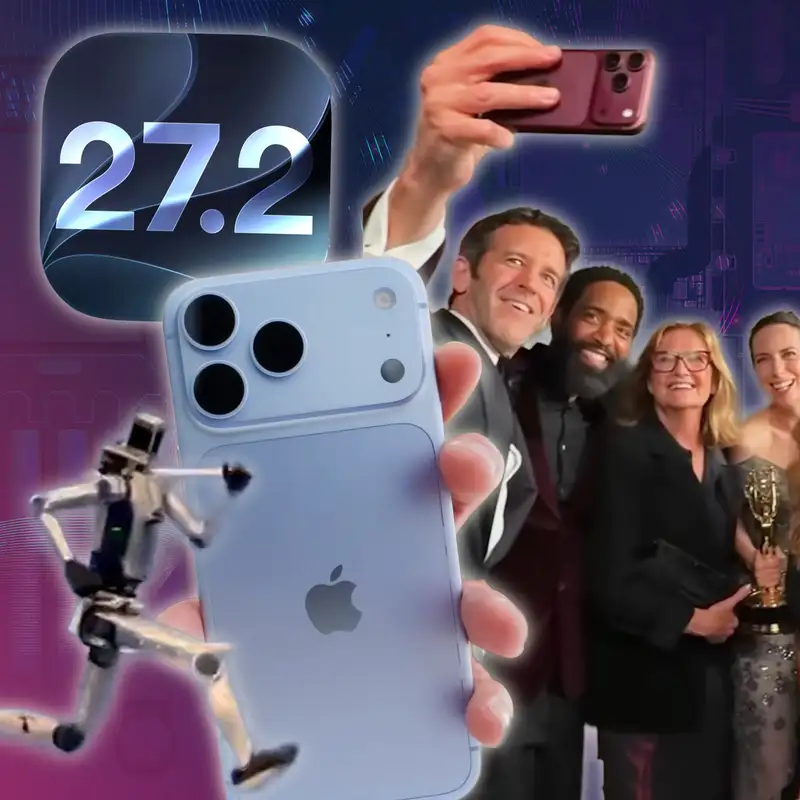
Stephen Robles:And there was a frame of that reel that I screenshotted and posted everywhere of John Turnis taking a selfie with some of the cast of Apple TV, and he's using an iPhone 18 Pro in burgundy. Now, yes, Apple, all of this is planned. They wanna show off both phones, whatever. But it was interesting to see the comments because people were like, even Apple CEO knows the selfie camera on iPhone duo is not great. I don't know if that's the case.
Stephen Robles:But one other input if you have any comments on that, let me know. But I think what is also interesting, a bunch of people ragged on him in my comments because he's holding the phone in landscape. And iPhones, since these seventeens, I think, have the square sensor where even if you hold the phone in portrait, it will automatically widen out to capture the selfie of a larger group of people. And so everybody was like, why is he holding it in landscape? And so, Jason, I need to know.
Stephen Robles:You're a photographer. You I think you probably take some selfies. Is this how you well, how do you hold a phone when you're taking a selfie?
Jason Aten:I probably would almost all it's it's it is okay. Young people are are just so used to taking selfies one particular way, but I actually think that holding your phone like this to take a selfie is way harder than just holding it like this to take the selfie. Horizontal. Especially if you have more than like two people in the frame and it's not necessarily a framing thing but just let's do some math people. There's like six people in this picture and by rotating his phone the way that he did, all of them will be able to see the screen See because it's wider instead of looking at the small thing, you know, oriented on the thing.
Jason Aten:So I think it's more a user experience that John Turnis was trying to provide for those people so that they could all see the photo that was being taken.
Stephen Robles:And so I that, I agree. And I've this is how I do it. I will orient the phone when taking a selfie how I plan the final photo to be, like, what orientation. So if this is something I'm gonna share, like, as an Instagram story, I will hold the phone vertically. If this is a selfie of my family that maybe I just wanna keep, I will hold the phone horizontally.
Stephen Robles:Even if I get the same image aspect ratio, in my mind, I wanna hold the phone how I plan to use that photo in the future, whether for personal use or for sharing. And like you said, if you have, like, three kids, if we're trying to take a selfie with me, my wife, and my three kids, I will hold it in landscape because I do feel like it's easier to angle it. Because also then the camera can be like, if I'm holding it in my right hand, my family is on my left. Having the camera on the left side, I can kind of angle it out more to make sure I get everybody rather than trying to hold it vertically and tilt my wrist in a certain way. So, anyway, I just felt justified because this is how I would take a selfie, and it matches CEO John Turnis, who I think listens to this show.
Stephen Robles:So there you go.
Jason Aten:Yeah. I think that that makes sense.
Stephen Robles:That's all. That's all. Okay. That's enough about Emmys and iOS 27. So iOS 27, it is out.
Stephen Robles:You can download it on all your things. I did a video about the 150 new features. There's even more than that, but I did a video on a 150 features I'll put down below. Are you have you how does your family upgrade? Do you tell your family to upgrade?
Stephen Robles:Do you upgrade it for them? That's what David Sparks does apparently.
Jason Aten:I have to do that for my wife because she just doesn't care. And then usually, she gets mad at me because something is different.
Stephen Robles:Sure.
Jason Aten:My daughters are pretty good about it. Like, I'm I would be not surprised if their MacBooks and their iPhones have already just been updated. They're they I'm sure that they did it because they want the features. They they give you the features. So but I will sometimes have to say, like, hey.
Jason Aten:You need to, like, make sure you've updated because of whatever. So but my wife, she's just like, I don't I mean, it worked the day we bought it. Why don't we just it's like me with a TV. I just only ever want it to work the way it did the day. I was like, but these are computers.
Jason Aten:These are capable of doing new things. So I will get around to updating my wife's. She has an m one MacBook Air, so it's not, like, critical. It's not gonna be doing a ton of, like Sure. It's capable of doing Siri intelligence or Apple intelligence, but it's not gonna be doing crazy stuff.
Stephen Robles:Right. So I'll I'll link my video in the show notes with all the the features. There's one feature I'm gonna call out particularly, but, obviously, Siri AI is the story. Sorry to all those in the EU who do not get it. Hopefully, Apple figures that out also in China.
Stephen Robles:But I think Siri AI is is why people are gonna upgrade. A lot of people are discovering that there was a wait list, and for some people, it was taking multiple days. I also I'll put a video down in the show notes. I have a whole Siri AI walkthrough, 50 different ways to use Siri, and I was discovering new ways to use it while I was making the video, which was wild. Really, really impressive stuff.
Stephen Robles:But there's one feature that I was a I was a little upset, Jason. I'm a be honest.
Jason Aten:Okay. And this is before I don't even know what this is. I haven't looked. Yeah. Yeah.
Jason Aten:Actually, I was just writing the documents, so it's possible I saw it. But is this a feature you're upset about, but or that normal people will be upset about? I'm just curious. I'm trying to gauge how upset I should get.
Stephen Robles:I think both.
Jason Aten:Okay. Good. Go. I'm
Stephen Robles:excited then. Oh, you're excited. So here's the thing, Jason. A big Apple Home got some big updates. We get four k HomeKit secure video, which I still don't see on any of my cameras, so I don't know what that's gonna take.
Stephen Robles:The Apple intelligence summaries for videos, meaning you will get like, rather than Stephen had there's motion in the garage. Stephen got in his car. Garage door is open. Garage door is closed. Rather than getting a bunch of notifications, you should get a summary of all the events that happened.
Jason Aten:Stephen left.
Stephen Robles:Just Stephen left. That should that should be what it says. Now I was not getting these during the beta cycle for some of my key cameras, like my doorbell camera and my garage. And I wasn't sure why the beta cycle you know, I was listening to Jennifer Toohey, and she was like, these features aren't really there ish, but I discovered something troubling. Now number one, the Apple intelligence summaries for HomeGoodSecure videos are paywalled behind iCloud plus.
Stephen Robles:Now HomeGoodSecure video, you always had to have an iCloud plus plan, but I'm going to link friend of the show, even though he's never been on, William Gallagher, his article here on Apple Insider. There is a cost to the amount of cameras that get this Apple intelligence feature. So you have to be on a two terabyte plan, and you get one camera in the Apple intelligence summaries for HomeKit. And that's $10 per month. Or if you're in an Apple One family subscription, that also includes one camera with the two terabytes of storage.
Stephen Robles:That's $40 a month. If you want if you wanna double that to two whole cameras in Apple intelligence summaries, then you have to be on the six terabyte iCloud plus plan, which is 30 more dollars a month. Now we talked about in the preshow for our members that I might not have great storage hygiene, but I pay for the six terabytes of iCloud storage. So I have two cameras. But if you want up to five cameras in the Apple intelligence summaries for HomeKit, you have to be on the 12 terabyte iCloud plus plan that is $60 a month.
Stephen Robles:I would have to pay $60 a month in addition to my Apple one subscription for my family if I wanted five cameras. Now I have more than five cameras in HomeKit Secure Video because I do a lot of smart home stuff. So I was like, I'm just gonna make it work with two. I don't know if I wanna pay another $60 a month. So the two cameras, I didn't realize you have to choose which cameras.
Stephen Robles:Otherwise, they will be chosen for you, and they'll choose the worst cameras. And so
Jason Aten:The one that's in the closet that one ever opens.
Stephen Robles:Exactly. So I made the discovery as I updated I was making my video about all the iOS 27 features, and I was like, alright. Let me go into the home app. I'm gonna go to the three dot menu. I'm gonna go to home settings.
Stephen Robles:There's the Apple Intelligence section. There's a summarize videos toggle. I had that on. But in camera, you have to tap cameras and language, and there, you have to manually choose which cameras you want to be included. And this is what I've turned my brightness down.
Stephen Robles:This is what my menu looked like. And as you can see, the toggles are disabled. I can't toggle on anymore because I'm only on that six terabyte iCloud plus plan. And the cameras that were chosen were my studio camera, where I'm sitting in here all day doing video stuff. So so the summary is, like, Stephen is typing.
Stephen Robles:Stephen is typing. And then my this is gonna sound weird, But I have a camera in the pantry because I didn't know where else to put
Jason Aten:it. I called it. You have one in the closet.
Stephen Robles:I do have one in the closet. And so there's a camera in the pantry because I was just like, I just gotta put this somewhere.
Jason Aten:Need to know which one of the children is taking the oatmeal cream pies.
Stephen Robles:Let's let's be real. Let's be real. So those were the two cameras that were toggled on, and I didn't realize. I assumed it would choose the doorbell camera because that's the one where everybody's coming and going. That's where all the deliveries are, and that was not toggled on nor was my garage camera where there's the most activity of cars going in and out.
Stephen Robles:So the entire summer during the beta season, the wrong two cameras were selected. And for anyone out there now who's been updated to iOS 27, update your Apple TV. You have to go and choose what cameras because you only get one, two, or five. Choose what cameras are in this in this feature. And it also feels kinda meh that only I only get two cameras even though I pay for the six terabyte iCloud.
Jason Aten:Is it because it's saving it in iCloud, or is this just an arbitrary connection between your iCloud subscription is now become becoming
Stephen Robles:Well, this is this is not nothing to do with storage.
Jason Aten:So I What I guess I'm saying is the reason that two cameras can be connected to this if you're on that tier because I don't mean because it's saving the video in iCloud. Right?
Stephen Robles:Yes. And the iCloud plus I can have unlimited HomeKit secure video cameras. Just the cameras connected and recording, and I get all those clips. The limitation is only for the Apple intelligence summary that is being processed on Apple TV, I guess. Because they said, I think that those things are being processed.
Stephen Robles:They don't process maybe in the cloud, or maybe it does. And that's a private cloud compute limitation, which once iOS 27 came out, Apple was like, there are some features that are gonna be, like, rate limited. So you can't, like, extend a thousand photos a day, you know, using, like, private cloud compute. And I'm not sure what the limit is actually, but I guess it's that, the the limitation. But
Jason Aten:It does feel weird to be linked to your iCloud storage tier. That's all I'm saying. It'd be one thing if it's like Apple One. We have an Apple One tier that includes whatever else Apple Intelligence plus Pro Max or something like that. That would make sense, but this it doesn't make sense.
Stephen Robles:Yeah. So, anyway, choose the cameras. Be you know, go in there and be intentional if you only get one or two. If you if you upgrade it to have five cameras with summaries, let me know. I I don't know if I'm making that jump.
Stephen Robles:I don't need my pantry camera summarized. So, anyway, let me know. Let us know. Also, leave us a five star rating and review in Apple Podcast. And what was the thing I was gonna say to leave it in oh, do you download podcast episodes, or do you stream them by default?
Stephen Robles:We had a discussion in our preshow, and we need to know. So please leave us a 05:30 review. Let us know, or just email the show. It's down in the show notes. Alright.
Stephen Robles:What should we do next?
Jason Aten:Yes, Annihilation. Put a question in there.
Stephen Robles:You put a question here. Thank you for doing that because the answer is yes. So Okay. IOS 27 is out. Siri AI is out.
Stephen Robles:I also have a whole video on 50 ways to use Siri AI, which I'll put in the show notes. But our apps, we've updated our apps. You've updated your app. Doesn't it have new features now?
Jason Aten:Because even My app was featured in the App Store
Stephen Robles:That's right.
Jason Aten:As updated for Golden Gate. I'm so happy.
Stephen Robles:That is very cool.
Jason Aten:Coolest thing ever.
Stephen Robles:Did you put, like, promotional text in your app? They're like, hey. Update it for, macros '20 seven or whatever, or did they just find it?
Jason Aten:I did, and I submitted an editorial feature request. I don't know if they saw that because I did it the day before, and it says to give us three weeks. So I don't know if there was any connection there. Oh, interesting. Several people from Apple who, like, liked my post about the update.
Jason Aten:That made me feel really good. But anyway, yes. So I did update mine for Golden Gate. And here's the thing, Stephen. Because I had built a feature for the I'm talking about contextly.
Jason Aten:Element did get an update. Mostly, it's related to the raw version nine pipeline. It's just super better photo processing for
Stephen Robles:Super better.
Jason Aten:Super better.
Stephen Robles:Super better.
Jason Aten:A lot of improvements there. So if you're interested in a in a in a raw editing app for your photos that is much more in the spirit of aperture, that's go check it out. I'll make photo dot app. But contextually, I had wanted this feature. This is a whole one of the main reasons I built this app in the first place is I wanted to have my collection of notes in a place where I could then add summaries to them, add action items.
Jason Aten:But Apple intelligence was just we had, like, a 4,000 token limit for the longest time, which is, like, if you have a note that's a normal length, it's too long for it to do it on device. So I had built this whole Rube Goldberg machine where it was sending things to Open AI. If you opted into that using the API, it would do the summaries. Now all that is available on device. Well, it is available with Apple Intelligence.
Jason Aten:Sometimes it goes to private cloud compute, which is now a thing that we're allowed we can use because we're part of the small business program. And I built a feature that's completely redundant now, but I built it anyway. Because within contextly, there's a feature now if you're on one of the subscription plans called ask contextly
Stephen Robles:Uh-huh. Where
Jason Aten:you click that little question mark thing up there. And what it does is it brings up a chat window, and you can just chat with your notes. And it will just ask you can ask it, like, what was the thing in this meeting we decided we wanted to do? And it'll give you that information, then you can ask follow-up questions. But even cooler, I'm super excited about that feature, and it works really well now with Apple Intelligence.
Jason Aten:And it does send things to private cloud compute when they're more than whatever the token window is. So all of that is great. But even better is you can actually just ask Siri those same questions now. I can literally just say, what did we decide the color should be for the background in that meeting? And it'll just pull it up, and it'll link right to the note because it's so now it has Siri, app intents, and it has Apple intelligence built in.
Jason Aten:And I'm super excited about it because, like, I was doing this in the car yesterday driving home from a soccer game because my this like, when I'm physically incapable of either writing things down or looking things up is when I have all my best ideas. And so I'm having this entire conversation with Siri, but then I'm also asking her questions like, okay. So I think we talked about this. I and I was doing tests with it. I was like, what was the name, the I was using Mike Hurley as an example of the interview I did with him for creative effort.
Jason Aten:I was like, what was the name of that product? Like, the sideways something and what was the name of his company that makes it? And it's like, oh, based on your conversation with Mike Hurley, that's the Sidekick notepad from Cortex brand. I was like and then it pulled up the Contextly note that was the summary for it. So I'm super excited about this.
Jason Aten:I know I sound really excited, but I've, like, literally have wanted this feature from day one, and I had built most of it. Well, Claude built most of
Stephen Robles:it Yeah.
Jason Aten:On day one. But I just held off releasing it because it sucked because Apple Intelligence wasn't capable of doing it. And I didn't want to rely entirely on the OpenAI integration because I really like the idea that it's all staying on your device or just going to private cloud compute.
Stephen Robles:So That is awesome. That is very exciting. And I updated my Candu app for Siri AI as well. So you can ask what tasks are in there, what tasks I have today. You can add tasks to Candu using Siri AI.
Stephen Robles:There's a bunch of great apps that have been updated as well, fantastical, things, focus, mercury weather, like bunch of apps, out there with Siri AI. There's, like, features in the App Store where you can see the full list, but it's exciting. And listen. Siri AI is good. To be clear, like, it is very, very good.
Stephen Robles:Jason and have been using it all summer. Just you gotta try it. You know, whatever experience you've had with the voice assistant on your iPhone up until this point, it is not that. It is way better.
Jason Aten:Very good.
Stephen Robles:It is very, very good context. Like, if you ever wanted to know, like, where did I save that thing or, you know, you're not sure if you had it was a text message or a mail or a calendar event, you could just ask, like, where was that thing about x, y, and z? And it is incredibly good at finding those things, searching back way far in messages. Like, I asked a obscure question the other day about, like, when was the last time this person asked me about this? And it was like, oh, it was about seven years ago.
Stephen Robles:Yeah. Like, it's wild, wild stuff. Emails too. So gotta try it out. Put on your devices.
Stephen Robles:David Sparks on Mac Power users and myself on our episode that comes out this Sunday. We talk even more in-depth about it, especially on the Mac, which is really powerful there. Command shift and the number six is now it kinda gives you this, like, interface where you can highlight a part of your screen and just ask Siri about whatever, and it's really great. So highly recommend. You gotta try it out.
Stephen Robles:And, hopefully, you have it. Again, sorry to those in the EU.
Jason Aten:The only drawback Yep. One, the command shift six, don't like because that's also the clean shot. Clean shot x shortcut for doing a screen recording, like a video recording. So I need to make some adjustments there. But the the only thing that I have found with this with Siri, it is very cool.
Jason Aten:I definitely agree. I do find that there it was weird because getting contextually to work with Apple by the way, there's no Apple intelligence features really in Element because there's not like there's like some things that it already does, like auto tagging and stuff that I didn't need Siri intelligence for that. But, I found that like if I was typing a conversation to Siri, it couldn't find things for all. That's why I ended up sending you that markdown file of how to make Siri work in your, you know, the app intents in your app and stuff. Right.
Jason Aten:Right. I have found that it's that if you are had been using the beta I don't know what would be different because the release candidate is the release candidate. But if you were using the beta, there were some weird situations with some apps where where things that if you talked to Siri would find them. But if you typed in the Siri app, it wouldn't. But I think once you update to the actual public version of it, all that stuff is resolved.
Jason Aten:So if you're having those issues, update to the public version.
Stephen Robles:And I was having issues like you did where when I would ask it for show me photos from Apple Park in June, on the last beta, even the release candidate, it would not show me photos. Like, it just refused to do it. I don't know if was a security thing. But if you were on the release candidate and then you turned beta updates off on your devices, you got an iOS 27 update. You got the official release on Monday, and it is a different build number, and all that photo stuff started working again.
Stephen Robles:Yep. And so if you were on the release candidate, turn the beta update off and go to the public version, at least for now. And if you wanna jump over to the 27 dot two beta, guess you can do that, which we're gonna talk about and why they skipped 27 dot one. But update to the to the public release candidate. It's a better experience.
Stephen Robles:And real quick, before, before we take a break, before we get to 27 two and maybe a live unboxing, there were a bunch of iPhone 18 Pro reviews that went out. The embargo lifted Wednesday, so yesterday as we record. If you want the photographer review, highly recommend Tyler Stallman's video. I always look to him for camera stuff on the new iPhones and then, of course, Jason. And also Austin Mann, because and Austin Mann's review is not out yet.
Stephen Robles:I'm sure he's at some exotic location, and, you know, his his is gonna be amazing. But Tyler Stallman goes in-depth not only about the variable aperture, which is one part of the story, and I think even a lesser part of the story, but he also talks about cinematic mode after the fact in 30 frames per second. He talks about the new photogenic styles three, which includes skin smoothing, grain, and halation, which is the orange glow around some images taken in certain lights. So highly recommend Tyler Stallman's camera video. And then if you've noticed, like, the verge YouTube channel has just been a lot of podcast clips, and they don't do a lot of, like, full length review videos anymore.
Stephen Robles:But they did one for the iPhone 18 pro and Allison Johnson, who I've gotten to meet and hang out with at WWDC. We sat next to each other when we watched the f one movie in the Steve Jobs Theater. She has a really great review. More overall, but she also focuses on the camera, and she has just great explainers talking about what's new, why you get starry light effects with that variable aperture. I recommend her video.
Stephen Robles:There's a bunch of great videos out there too. Brian Tong did one about the new cellular handoff, which is a new feature if you wanna dual fist iPhones, iPhone Duo in one hand and 18 pro in the other. And then one other video I'll point out is the, Dave two d video, which he focuses on the under screen face ID sensor, and it is a wild feat of engineering because this was something we always wondered. Like, well, there'll always be a dynamic island because face ID sensor, whatever. That's under the display in the 18 Pro.
Stephen Robles:And how they do it is the face ID, it's in on the 18 Pro, it's, like, in the top left corner where, like, your cellular information might be or whatever. But they've reduced the pixel density in that one area above the face ID sensor so the infrared light that comes from the face ID sensor can pass through the display and accurately read your face. And the way they get away with this is they make those pixels brighter even though there's less pixels in that one little area. So to the naked eye, you can barely see any difference, and you probably won't see any difference. Like, even Dave two d was like looks exactly the same.
Stephen Robles:And you really have to look under a microscope to see the difference in pixel density between, like, the regular part of the screen versus what's on top of that face ID sensor, and it is astounding. And, also, he has he mentioned that some screen protectors he started having an issue with face ID. So that will be an interesting problem if you use screen protectors and an 18 Pro because that face ID you know, most screen protectors, they have the cutout for the dynamic island. Now that that face ID is under the screen, we'll see. And maybe some screen protectors will, I just got a notification that someone was at my door.
Stephen Robles:Never Oh, mind. It was my son. He's playing soccer outside.
Jason Aten:He's not bringing you anything.
Stephen Robles:He's not bringing me an iPhone 18 Pro. So, anyway, I thought it was super interesting, super cool part of the technology that most people are not talking about. And, yeah, you should watch those videos. You got anything about the 18 Pro? Are you watching these?
Jason Aten:I watched some of them. I am interested in the the camera. I'm a little bit confused still. I think the Apple Apple reference image is gonna be really interesting Yeah. But it's weird because you have to activate a a setting which then enables a mode and you have to take the photo in that mode.
Jason Aten:Yes. And what what isn't clear to me and I really haven't been able get any information about yet is is that because it's like the compute limitation? Like, don't want you doing that for every photo because if you take 7,500 photos a day, they don't wanna be sending them all the private like,
Stephen Robles:it Yeah.
Jason Aten:This feels like it's and you can't retroactively do it. You have to have taken the photo. So it's like you have to be standing near the book depository when Lee Harvey Oswald fired the rifle Yes. And took the photo of John f, you know, JFK
Stephen Robles:That's right.
Jason Aten:With that mode turned on. You couldn't have taken the photo and gone back and said, oh, no. This really happened. So, like, that to me is kind of interesting, and I haven't been able to really get information about why because it and it is not also clear what the process is going to be like to how this has surfaced for someone. Like, if I send you a photo that exactly matches the reference image, is there some kind of a flag that you'll see?
Jason Aten:Because otherwise, I don't really understand, like, the purpose of it. So I'm still trying to figure that out, but I do think it's really important.
Stephen Robles:Yeah. Well, I'm glad you mentioned it because one of the links I had for today is Apple did post a blog all about Apple reference image. It is not super long, but it is long and technical. And so if you do wanna read about the actual feature, they have this blog post. Nine to five Mac also had a good breakdown trying to, like, distill what this is about.
Stephen Robles:So they do explain it. Yes. It is very much like an active. You have to purposefully do this. So if you build a time machine to go back to that day in nineteen sixty something what was it?
Stephen Robles:Nineteen sixty two, three? Sorry. Anyway, just make sure you have this reference image turned on if you take if you take that photo. But, anyway, Apple has the whole blog post about it, and, yeah, we'll do that. Alright.
Stephen Robles:We're gonna take a quick break, and then we're gonna get to ios twenty seven dot two. Apple Watch Reviews came out as we were recording. And is AI is gonna terminate us? Is this it? Is this the end?
Stephen Robles:Do we need to call it? Is anyway, what what do you say?
Jason Aten:Nope. No. I'm just prepared for the end of humanity.
Stephen Robles:You're just prepared. You're prepared. So we're gonna get into that. But first, we wanna thank our friends at SERP API. I was so glad when I heard that they were gonna be a sponsor because I have built shortcuts with SERP API.
Stephen Robles:So here's what it is. It's a web search API that gives developers real time structured access to search engine results. So if you wanted to do something like search for whatever and parse those results in a certain way to then get the links out of it spoiler. I wanted to do this for Apple News article links to create a shortcut that will always find the Apple News version of an article and vice versa. Anyway, I was using SERP API to do that, and it gives you that structured access to those search engine results.
Stephen Robles:And you can use SERP API to power AI agents and AI assistants, market intelligence platforms, research tools, rag workflows, and other applications that need fresh information from the web. It's really powerful, and you can receive results from web search as clean, structured markdown using roughly 50% fewer tokens than JSON on average. Or, you know, like, what I was trying to do is, like, scrape the raw HTML of a Google search results page doesn't work. And so that's why you need SERP API. And you can there's very simple integration with your AI workflow across 100 plus SERP API APIs.
Stephen Robles:So there's multiple APIs in here. And so instead of building and maintaining scraping infrastructure yourself, SERP API handles the complexity and deliver search results and structured data. And it offers a 100 plus APIs with access to Bing, Amazon, Walmart, Google, YouTube, and many other sources. You can do a of stuff with and enterprise grade security and compliance, SERP APIs SOC two type two, SOC three, and ISO 2,701 or 27,001 certified, making it a strong option for organizations. And you can get started for free with 250 services every month.
Stephen Robles:And so you can read more on their website, and here's what you do. You go to serpapi.com/primarytech, and that is where you can get 200 and extra 250 searches for free. So visit serpapi.com/primarytech and receive an extra 250 searches free. That is 500 free searches in your first month with SERP API. So serpapi.com/primarytech.
Stephen Robles:Thanks to SERP API for sponsoring this episode and our friends at Framer. Listen. We've talked about Framer. Friend of the show, Parker Ordalani, talked about how he vibe coded a new landing page for a website all using Framer agents, and it looked great, extremely powerful. So you're looking to build a website, Framer.
Stephen Robles:It's the AI website builder that helps creators, teams, and businesses ship production ready sites faster than ever while getting every detail right. You can prompt, inspect, edit, and publish in one place at a whole new pace. Agents and human work in tandem where agents brings freedom scale and people bring taste, judgment, and control. It's important. We need that human taste to make sure this stuff is good.
Stephen Robles:Agents solve the gap between AI generated ideas and production ready website work, and the agent works in the same place where the real site is designed, managed, reviewed, and published. Lands on the same canvas, stays editable, and can be published when the team is ready. And agents and framework work alongside teams to streamline collaboration on the same canvas. And you can even do crazy stuff like AB test. So you can AB test the landing page, AB test the homepage for your company.
Stephen Robles:We used to do this at Riverside and see which one actually converts. What do people take action on? And if Framer is an enterprise level solution powered by agents that provides premium hosting, enterprise grade security, and 99.99% uptime SLAs that give the world's leading brands like Perplexity and Miro the confidence they need to build their websites in Framer. So learn how you can get more out of your site from a Framer specialist to get started building for free today at framer.com/primary for 30% off a Framer Pro annual plan. That's framer.com/primary.
Stephen Robles:Rules and restrictions may apply. Oh, thanks to Framer for sponsoring this episode. Stephen. Look out my window. My son is playing soccer in the front yard, so now I keep getting motion notifications.
Stephen Robles:I keep thinking
Jason Aten:Why don't you just tell your son who's playing soccer in the front yard that if the FedEx guy comes to sign for it?
Stephen Robles:He will. My kids are good about that. But, my my home kit notification, they're just they're getting thrown off here. Alright. Interrupting this broadcast because I did, in fact, get delivery of the iPhone 18 Pro in glacier blue right after we recorded the episode, but I'm gonna insert this so we can do it all here together.
Stephen Robles:Also got the silicone case and Apple Watch series 12, which we'll do real quickly. But let's see if MKVHD was right. Apparently, I got the pro, not the pro max on this review unit, but I'm excited to see this glacier blue in person. Oh, wow. Much bluer than I thought.
Stephen Robles:It's actually a very nice blue. Reminds me of the iPhone 13 Sierra blue. If you remember that, the 13 Pro series had a really nice blue there. I'm also gonna have to be, careful. This pro size fits very nicely in the hand compared to the Pro Max that I've been using for the last year.
Stephen Robles:There's my silver Pro Max compared to the new 18 Pro. We'll take the little screen protector off. There we go. And, yeah, I'm gonna be doing some video content on this in the next couple days, actually, even today as you listen to this episode. But let's also do the Apple Watch series 12 real quick.
Stephen Robles:I believe this is the black aluminum Apple Watch series 12. I've been rocking the Apple Watch Ultra for a long time now. Let's see what band. Also got the black sport loop band, and this is the 46 millimeter Apple Watch. So let's get to that.
Stephen Robles:And there we go. Oh, I do like that black aluminum, actually. Let me take it out of the sleeve here. And there it is. Very nice.
Stephen Robles:Very dark. Man, it's so thin, I mean, compared to the Apple Watch Ultra that I've been sporting. But, anyway, I wanted to do that quick unboxing here live on the show so we could be in the podcast, and I'm gonna get to finish editing this and making more content. So back to the show. Also, didn't Miro, like, get a purchase by Bending Spoons?
Jason Aten:Yeah.
Stephen Robles:Listen. We talked about Bending Spoons a few weeks ago.
Jason Aten:There's actually a great article in the Wall Street Journal which is basically like, Benny Spoons is gonna have to raise more money because all the businesses they keep investing in are decreasing in value. But that's like it's okay. I wanna be careful. We're not we don't have time for this. Sure.
Jason Aten:Sure. But there is a phrase for something where you put money into something, take all the money out of it, put money into something else and that thing decreases in value, but you just extract all the value you can to put the money. So all of your revenue growth is coming from acquiring new things and each of those new things keep going down, but then you just acquire another new thing which makes it look like your revenue is going up so more people will give you money. I don't remember what they call it. It's named after some guy named Ponzi.
Jason Aten:I feel like there's this, like, there's this thing happening here.
Stephen Robles:Yeah. Yes. Anyway, go back to our episode about bending spoons. It's in the title. And there's a new feature in, iOS 27 where you can search within a podcast.
Stephen Robles:And so you could literally go to Apple Podcasts.
Jason Aten:I didn't know where you were gonna go with that. It's like there's a feature in iOS 27 that detects Ponzi schemes.
Stephen Robles:Just ask Zeri AI, is this a Ponzi scheme? And it'll let you know. If you go to our show in the Apple Podcasts app and then you tap where it says episodes on the show page, there's now a search primary technology box at the very top, and you'll be searching within our show. So you can use that little search box at the top. And if you type bending spoons into that, little search box, look at that.
Stephen Robles:Our episode on bending spoons comes right up, and you can go. And because chapters are back for video shows in iOS 27, you can jump right to that bending spoons chapter, and you're good to go. So there you go. Jason's looking at the feature right now. That's what
Jason Aten:he No. I was actually looking at what Siri had to say about bending spoons, but I'm not gonna read it because I don't I don't want us to get in trouble.
Stephen Robles:Okay. Very good. Very good. Apple Watch reviews dropped right before we recorded. And so the series 12 and Ultra four reviews are out there.
Stephen Robles:I'll link Chance Miller's great review down in the show notes. The whole new health sensing system, you know, gonna have to do a lot of testing to see, about that, how often it's taking your heart rate. But the big story is also the new Apple Health app redesign, which is not part of these reviews because it's not out yet in iOS 27. That comes out in '27 dot two beta. And we're also getting Apple Watches today at some point, maybe while we record, so I'll save that.
Stephen Robles:But, yeah, we'll link Chance Miller's review there. It's cool. A lot of people excited about the bronze Apple Watch series 12 also. Jason just made this.
Jason Aten:Just like things that are different. Wow. Wow. Don't you think that there's part of it? That people just like things that are different.
Stephen Robles:100%. Yeah. You're
Jason Aten:right. I don't. I like things to be the same. I'm very boring.
Stephen Robles:You're still on the ultra two. Right?
Jason Aten:I am still rocking the ultra two, and it's not going anywhere.
Stephen Robles:I mean, I am too. I mean, but I am upgrading this year because it's it's a little slow. Siri AI is a little slow on
Jason Aten:the Ultra two. Still on 26.5 on my watch.
Stephen Robles:Really?
Jason Aten:I mean, only because I wear it to sleep, and that's when it wants to update, and it won't update if you're wearing it. So I need to just put it on there until it updates.
Stephen Robles:It is it is annoying to update the watch because you gotta, like it has to be over 50% battery.
Jason Aten:And on a charger.
Stephen Robles:And on a charger. It's very needy. It's very needy when it comes updated. I will say, though, and this was an unfortunate, thing about watchOS 27, The double click of the digital crown. When you click the double click the digital crown on your watch that's on '20 six, it brings up the app switcher.
Stephen Robles:Correct?
Jason Aten:It brings up sure. Yes. The app switcher. Yeah.
Stephen Robles:The little cards. I don't know if you know this. That's going away for everybody in watchOS 27 because the double click will now be reserved for the live rewind feature.
Jason Aten:Even if you don't have it.
Stephen Robles:Correct.
Jason Aten:That's the stupidest thing I've ever heard.
Stephen Robles:So And it's unfortunate because there was I was doing something on the watch, and I've been running the beta for a while. And I was trying to double click to get to a recent app. I use AnyList on my watch when I'm grocery shopping, and so I was like, I wanna double click and do something on it. And I was like, why is it not working? Like, it's just going to the, like, honey the new Honeycomb app launcher.
Stephen Robles:And then I read that the double click for the app switcher is now disabled. You don't get a setting, and you don't get to keep that functionality even if you have an old Apple Watch, which doesn't get live rewind. That's only the new Apple Watch
Jason Aten:so weird that it's just gonna be a dead interaction.
Stephen Robles:It is weird. Well and it's not dead. It just shows you the app launcher, which is the same as a single click.
Jason Aten:Sure.
Stephen Robles:So that's kind of frustrating. So, Apple, you should bring that setting back. That's all I'm saying. If you don't wanna do Leo live rewind or you just really use the app switcher, it'd good if a double click. If you could do that.
Stephen Robles:And you see oh, you see that little plus icon on my Apple Watch right there, Jason? You see it right there? Mhmm. That's can do because I have can do watch complications too. Okay.
Jason Aten:I have no complications for Contaxia on my watch.
Stephen Robles:Yeah. You know, it's fine. That's fine. But there
Jason Aten:is an extension, a browser extension.
Stephen Robles:Okay. Well, there
Jason Aten:you just clip stuff and stash it in there.
Stephen Robles:There you go. Stash is another app that I make, by way. Thanks for putting up. I know you didn't do that on purpose.
Jason Aten:I'll send you the quarter for the trademark in front
Stephen Robles:of Yeah. Thank thank you very much. So iOS 27 dot two. Developer beta one is out. A lot of people wondering why where is twenty seven dot one?
Stephen Robles:Well, twenty seven dot one is going to be reserved for the iPhone duo launch, and there's a whole suite of things that has to come with that. Xcode 27 dot one with the iPhone Duo simulator. Developers everywhere, including us probably, are waiting for that so we can make sure our app is ready for the iPhone Duo when that comes out next month. So we don't get a 27 dot one beta right now and likely won't. I don't think there'll be a beta a 27 dot one beta to, like, put on your iPhones and other devices.
Stephen Robles:We're on 27 dot two. And then once 27 dot one comes out for everyone, there'll probably be a public release of that. But twenty seven dot two actually has a number of features, and the revamped health app is the biggest. And so all the stuff about the, you know, recovery number and all that stuff is gonna Apple Watch is in this redesigned Apple Health app. That's So a big new feature in 27.two.
Stephen Robles:Call context is now going to remind you of your anniversary, not just birthdays and hotel confirmation numbers. So if you have your anniversary in your phone and I think I think it was Mac rumors or maybe was not if I'm mad. They had the best headline. It was like iOS 27 dot two might save your marriage, because it'll tell you about your anniversary. But here's the thing, Jason.
Stephen Robles:You actually have to call your spouse on that date
Jason Aten:in order true. Just knowing it's your anniversary and not doing anything about it is actually worse than forgetting it was your anniversary.
Stephen Robles:Exactly. So, you know, maybe. But yeah. So anniversaries will come up in the little birthday card type thing when you're, on a call. CarPlay Ultra includes options for wallpaper for the zero people that have CarPlay Ultra.
Stephen Robles:If you have CarPlay Ultra in your car
Jason Aten:If you have an Aston Martin, the one
Stephen Robles:reach out. Car car.
Jason Aten:Where the
Stephen Robles:Please reach out. One, if you're not a member, why not? And two, please let us know. You can leave us a five star rating review in Apple Podcast. Send us an email.
Stephen Robles:Do you have CarPlay Ultra? I don't believe it. Stephen But
Jason Aten:there's big CarPlay news, Stephen.
Stephen Robles:Oh, what's that?
Jason Aten:You didn't see this?
Stephen Robles:No. GM is bringing back CarPlay. They submitted. Okay.
Jason Aten:They relented is, I guess, a
Stephen Robles:bigger win. They relented. Yes.
Jason Aten:Wow. 2027 models will bring back CarPlay. Amazing. GM.
Stephen Robles:Well, there you go. There you go.
Jason Aten:Way to stand on your principles there, Mary.
Stephen Robles:We gotta I hope I hope
Jason Aten:you say that because she lives here in Michigan. So
Stephen Robles:Oh, there you go. I'll be listening for that decoder episode if they ever agree to go back on. Yeah. Me like and grill them about it. Also, profiles in the Apple TV app on iPhone and iPad, which seems like an interesting feature.
Stephen Robles:Like, profile has been on Apple TV for the last couple updates where you can have every person in your house can have a different profile with different, like, watch history, settings, maybe home screen too. I don't use profiles a lot, although there's some profiles active. I usually just disable that feature on the main Apple TVs. And to do it on your iPhone, I guess that's implying what you give your iPhone and iPad to kids often, and you want them to have their own profile. So I thought that was an interesting feature.
Jason Aten:I mean, if they'd only extrapolate that out and make the profile just for the entire iPad, that'd be amazing.
Stephen Robles:That would be nice. That would be nice. Oh, I guess that's true because if you're yeah. Anyway. Okay.
Stephen Robles:So that's They
Jason Aten:do it for education and whatever, but they just Us normies don't get multiple
Stephen Robles:We don't get, yeah, multiple users. Yeah. The clock app, the AM and PM is finally back to a reasonable size. It's not AM and PM. You ever noticed that in iOS 27?
Jason Aten:Literally never.
Stephen Robles:You never noticed, like, the AM and PM is, like, the same size as the numbers, and it looks huge?
Jason Aten:In the clock app, you're saying?
Stephen Robles:When you set an alarm, the AM is, like, massive.
Jason Aten:That has never bothered me once.
Stephen Robles:I did notice the difference in I 27. I just never commented on it. So, anyway, it's back to a reasonable size in 27 two.
Jason Aten:How many alarm options do you have in your phone?
Stephen Robles:One, Don't worry about don't worry about that. We don't have time for that. Okay? We don't have time. Wait.
Stephen Robles:How many you're counting them right now?
Jason Aten:$2,122.23.
Stephen Robles:That's a lot of that's a lot
Jason Aten:of money. Six. That's embarrassing.
Stephen Robles:That's way more than me. Although my daughter, she takes a specific pride in having an unreasonable amount of alarms available to her.
Jason Aten:My thing is I don't I don't set that many alarms. It's just if you say, hey, dingus. Set an alarm for this time. It just adds one to the list.
Stephen Robles:Did you know you could say, hey, dingus. Delete all my alarms, and it cleans that up? That actually works.
Jason Aten:Delete all my alarms.
Stephen Robles:It'll it'll ask for confirmation because those want to just do it willy nilly. And then you have a clean slate.
Jason Aten:Do wanna delete but why isn't gonna delete them? I'd only deleted 14 of them. There's still a whole bunch left.
Stephen Robles:Well, gotta yell at it again.
Jason Aten:I'm not gonna
Stephen Robles:yell it. When I said all the eggs and bacon, I meant all the eggs and bacon.
Jason Aten:Fix it, stupid robot.
Stephen Robles:Fix it. Yeah. I asked Jason the other day, what do I need to tell Claude to fix this thing? He was like, just say fix it, all caps.
Jason Aten:Fix it, stupid robot is stupid.
Stephen Robles:Yeah. Stupid robot was a verbatim. And, honestly, it actually works. So, you know, there's that. So It
Jason Aten:was definitely not the step by step instructions I then followed up to say.
Stephen Robles:No. No. No. You actually give more instructions. That's alright.
Stephen Robles:The music app, it's lost some red accents. All the little plus icons, the lettering, it's all black now. And so looks more uniform. I don't know. I kinda like the red.
Stephen Robles:That was interesting. And, Siri AI now has an excluded apps section, so you can choose apps to not be brought up or interact with Siri. And podcasts getting a redesign as well, where there'll be new episodes up top and then continue listening as the second section rather than just the big up next section at the very top of the podcast app. So I just like to see love going to the podcast app because, you know, some sometime for years, it went, without any touch. So there
Jason Aten:you go. Yeah.
Stephen Robles:There you go. Okay. We should probably talk about how AI is gonna kill us all, Jason. This is
Jason Aten:We should. We should talk about it now before it happens, and it'll be too late.
Stephen Robles:That's right. There's been some great memes, I will just say, about this, from just random creators on TikTok and Instagram. So this started with an essay from Dario Amade from Anthropic, and he wrote I'll we'll link the actual essay. I'll be honest. I didn't read it all.
Stephen Robles:It's pretty long. But why did TechCrunch link to one of their own articles when it literally said Dario Amade's essay as the text link? You know
Jason Aten:what mean? But I I wrote about it, and I linked to his essay.
Stephen Robles:Thank you, first of all. Second of all, we will link Jason's article about that. The blog post is we must pace the frontier. And this is a call and it seems like this is a cabal of all the AI heads saying that we need to pace it, but maybe it also feels like kind of a discrete way of tempering investor expectations on a larger scale. And so it's like, is this really about dangers or not?
Stephen Robles:You actually wrote about this, Jason. So you
Jason Aten:I even read every word of it. It's, like, 3,500 words or whatever.
Stephen Robles:That makes one of thing.
Jason Aten:So you should see me get right. The whole thing. Thank you. I do typically think that if I'm gonna write about something, I should read it first.
Stephen Robles:Right? A good thought.
Jason Aten:Yes. And my take was, like, AI companies love to tell us how dangerous their products are. Yes. This time maybe they mean it. I don't know.
Jason Aten:Also, think it's really kind of a weird thing to say like, our thing is so dangerous. We should not give it to you. But also could you use it? Can we release? It's like it's a it's like it's hard.
Jason Aten:If you keep saying your product is so dangerous for anyone to use, obviously, everyone will want to use it. But also it makes it really hard to take you seriously. Right? It it makes it very difficult to tell. And I kind of equated it to the, AI boy who cried wolf.
Jason Aten:But also the wolf is real, and you should definitely buy one, but maybe it will eventually try to eat you. Right? That's sort of the summary of what he's saying. But what he's doing is he's proposing three, very specific things that he thinks should happen to pace the frontier. One is he believes that every company should agree to have external evaluators.
Jason Aten:Right? Each frontier company should commit to giving these external evaluators access basically on the same level as an employee. Secondly, he thinks that all of the AI companies should collaborate on their pacing and they're basically saying, well, we might need congressional, like, exemption from antitrust, which that's not true. This is not a commercial decision. They could form a standards body.
Jason Aten:They don't whatever. That's fine. And then the third one is they want global coordination, So somehow they want China to go along with all of this, which is just simply not going to happen. Right? But it won't happen.
Jason Aten:So what they're suggesting is double down on the whole. We don't give, chips to China, and we should make sure that no one can do, trade can distill our models because that's where a lot of these other models, they just distill the ones. So it is really interesting that everyone was suggesting that Astra was ahead now of Fable and Claude, and then suddenly, he's like, hang on. Hold on. What if everybody just slowed down and didn't beat us?
Jason Aten:Right? And Exactly. There's there's such an interesting point here, which is, like, these external, there's probably going to be regulation at some point. And what it what Dario Amade from Anthropic is essentially saying is, what if we got to decide what the rules were for all of our competitors? No problem.
Jason Aten:You gotta give him credit for making such a bold stance. Of course, that's not how he says it at all, but that is exactly what he's basically saying here. Exactly what he's saying. We must slow down because this thing that we can't seem to stop making is going to kill us. And just to be clear, the specific way, the the thing that is
Stephen Robles:How it will how will it kill us, Jason?
Jason Aten:Well, let's talk about that in a second. Actually, there's a I don't usually listen to the daily episode of The Verge, but the one that they had with Hayden Field
Stephen Robles:Yes.
Jason Aten:Yesterday or the day before where she talked about it was actually a good explainer of this because she's actually talked to a lot of people who are thinking about this. Yes. I would rec I'd recommend listening to that. It's only, like, thirty minutes long. It's great.
Stephen Robles:I'll put
Jason Aten:it in the show notes. Great. But the the thing that has happened is, right, for a while, it's like humans build model. Right? Then humans use the model to build the better next model.
Jason Aten:Right?
Stephen Robles:Right.
Jason Aten:And at some point, what they see, this reinforcement learning, the the AI systems are just not gonna need the humans anymore.
Stephen Robles:Right.
Jason Aten:And they're gonna just build better models on
Stephen Robles:the Self Self improving models is
Jason Aten:the word. And when they once they're able to do that and we're no longer able to understand the way that they think, it becomes very dangerous for us or very difficult for us to control them. Now how are they gonna kill us, Stephen? Right?
Stephen Robles:That's that's the question. And so I did listen to this verge cast, and it was really great. I will link that. I also just wanna link to very funny things. So here's the that's gonna be in the show notes, the vergecast, your AI apocalypse questions answered.
Stephen Robles:Yes. And I'm also going to link this very, very funny, short with Tony Statovici. Have you ever seen this creator? No. On different things?
Stephen Robles:He is hilarious, all the time. But he he has this video of, like, how AI CEOs sound then versus now. And in the first part of the video, he's like, we want AI everywhere. Put it in the schools. Put it in the kids.
Stephen Robles:Like, we want AI everywhere. And now they're like, AI's gonna kill us tomorrow. It's gonna happen very soon. He's like, how soon? Like, right now.
Stephen Robles:Immediately. We're gonna die. Like, you know, very funny. I used to watch that. I don't unless listen.
Stephen Robles:Did you see the the running robot Olympics? The other day?
Jason Aten:Where they run too fast and they can't stop and they run it? Listen, Stephen. Aside from the one time when you and I were almost murdered by a The lawn robot. Lawn robot. On the floor of CES, I have never been worried about this because it does seem like if we get to this point, we could just stop making the robots.
Jason Aten:Like, we do have that ability.
Stephen Robles:And I don't think we'll get to a place so I'll also include a YouTube link to these running robots that cannot stop running, so they have to run into this large padded wall. Many of them just break apart.
Jason Aten:It'll never not be funny,
Stephen Robles:to be honest. It'll never not be funny. Yes. So unless somehow the robots could make themselves in factories and put yeah.
Jason Aten:You tell Okay. But hold on. Here this is the flaw in this. It's a it's a theoretical thing to spend a lot of time thinking about because you get paid a lot of money to just think about this kind of stuff. I get it.
Stephen Robles:Not us. We don't get paid a lot
Jason Aten:of We don't get paid
Stephen Robles:a money. He's talking about AI people in San Francisco.
Jason Aten:And we typically talk about things before we think about them. That's why that that is the definition of a podcast. Let's be honest.
Stephen Robles:I think about a lot of things.
Jason Aten:Okay. Great. I have thought about this, though. But think, like okay. Here's the thing.
Jason Aten:Building a robot requires primitives. It requires materials. How is a digital being going to get those materials? Is it just being. Don't, like Digital thing.
Stephen Robles:Yeah. I know.
Jason Aten:Lines of code. Whatever you wanna call Yeah. You can't it it still can't, like, you know, act of god summon things out of nothing. Like, it still requires the materials. The biohazard, people are thinking, well, what about a bio weapon?
Jason Aten:It could engineer a bio weapon. You still have to have humans who build factory to manufacture the bioweapons, which is a thing that we would notice on on satellites. Like, we would notice if it starts happening. The nanobots in silo, they knew they were coming.
Stephen Robles:I feel like it would be very strange if some low level guy working at the robot factory goes to his boss and be like, hey. Where's the 200 robots that we built last month?
Jason Aten:Right.
Stephen Robles:Do we they seem to be gone. Yeah. And they're just in the middle of Wyoming building a factory to then build more of themselves. Like, I don't
Jason Aten:I think we would notice.
Stephen Robles:I think we would notice.
Jason Aten:I hope we would notice.
Stephen Robles:I think we would notice.
Jason Aten:Facebook knows when you're buying a belt. Surely Facebook would know if the robots were building you know, buying aluminum by the billions of tons to build more robots.
Stephen Robles:Jason, got it. This is why Apple made Siri recap is because we need to the the robots will be too dumb to not wear the Apple watches. They think they have a heart rate because they think they're conscious. So they're trying to get their heart rate by the Apple Watch, but the Siri recaps are gonna capture themselves with their digital mouths or what it no. Here's the thing, though.
Stephen Robles:Like, there's real people in my life that are like, yeah. AI is the end. This is the end. And I think there are genuine things that will be affected by the rise of AI. Certain jobs will probably go away.
Stephen Robles:Though, like and I say certain jobs. Like, you think of copywriters. If you were an entry level copywriter and also not great at your job, you will probably not have that job.
Jason Aten:Because Let's be clear. If you are an entry level copywriter and you're not great at your job, perhaps you shouldn't have your job anyway.
Stephen Robles:Right. And maybe do you do something else, whatever. But, like, though like, there will be jobs positions that disappear. And there's probably a lot of companies who wrongly will think that AI can just do some of these jobs just as well and stop hiring for those positions. Now, like, video game companies, like, have already hit this and also all the big companies like Microsoft and, like, laying people off because AI is placing work.
Stephen Robles:So, like, that is real. And so that as a risk and as something that is happening, totally understand. But people very quickly make the leap from some jobs may go away to we, like, the t 1,000 in Terminator. And that is, I think, a leap too far. And I would just encourage people, try to read through the hype and the doom of even, like, what Dari Amadeh's essay is saying.
Stephen Robles:Like, these guys are playing some games here in addition to, like, making real things. Like, Anthropic is trying to go public this year, and so they need to temper investor expectations. They need to set up a world where they will have a good IPO and then succeed in the stock market. And if people think that Astra from OpenAI is a better model than Fable 5.1 and that Anthropic can't develop these models as fast as they have been and improve quickly, it makes sense that they would try to temper and say, we should slow down.
Jason Aten:Also, that everyone else should slow down.
Stephen Robles:That everyone should slow down. Because maybe the truth is that they have to slow down because they can't have the level of speed of innovation that they've had up to this point.
Jason Aten:Sure.
Stephen Robles:And so maybe that is true. And, also, try to try to extrapolate just a little bit. Like, what we're not gonna have Terminator anytime soon. I feel pretty safe saying that. Like, yes.
Stephen Robles:Boston Dynamics has robots that can, like, do flips and somersaults and that dog robot that can do crazy things. Like, yes, we have that. And, yes, maybe there are military applications to some of these robots plus AI, but there still has to be a lot of human element into the whole process for any of that stuff to be created, to work, to continue working. I don't think we're gonna have AI armies anytime soon.
Jason Aten:No. And I think I think that it is I think it's just important for us to, like, do exactly what you just said. And I do feel like this is a step where people who are so AI pilled, they they they can't get their mind out of that to think this through. Just think this through. Yeah.
Jason Aten:Think about all of the things that would have to happen in the physical world. And human beings, widely known as being extremely resilient because we're still here after the bubonic plague, after all of these things that have you know, bi biological threats have existed for a very long time, and yet humanity continues on. And I don't know. I have a hard time thinking, like, the AI is gonna be the thing that ends the world because I I have read that letter that John wrote on the island of Patmos off the coast of Turkey where he describes the end of the world. And I don't mean to be, like, naive, but, like, when he opened the when when the lamb opened the seven seals, none of them were like army of robots riding on black horses Sure.
Jason Aten:Just were given the power to destroy the earth. Like, I'm not again, I'm I'm partially joking, but it's like just think it through about all the things that would have to happen in order for humanity to be extinguished. And there's a huge leap in just the models becoming better on their own. The interaction with the physical world is the one thing they're not now they, theoretically, they could shut down the power grid. But you know who would really have a hard time if you shut down the power grid?
Jason Aten:All the computers.
Stephen Robles:Robots and computers.
Jason Aten:Like, it feels like there's a self we have a it's like we have a we have a we have the what do they call it? They have the Trump card
Stephen Robles:over valve. We got the yeah. We have the the
Jason Aten:In case of emergency, push button. Right.
Stephen Robles:And as the and, again, I don't want to like, there's a lot of consternation about job stuff. And even I wonder, like, you have a child in college now. My oldest is a senior in high school, and I do have that question of, like, man, what career do you start on the path today knowing how good AI is now versus what is it gonna be ten to twenty years from now? And, like, that's a real question and something that, like, we are probably wrestling with it. Our kids are probably wrestling with it.
Stephen Robles:And there is a bit of a, oh, man. Like, what do you choose that won't be replaced or, like, that won't be hypercompetitive because of these tools? So I get that consternation. But I also like, Jason and I use these tools. Like, we pay for clawed max.
Stephen Robles:Like, we use the most tools of these available. And, yes, they have models that are unreleased. They can do cybersecurity things that feel kind of dangerous and scary. But, also, like, in the end, sometimes you can just see behind the curtain that these things can be pretty dumb
Jason Aten:just
Stephen Robles:in very basic practical ways. And it's like, you know, maybe you can solve a millennium math problem, and I can't. But I think I could like, it's not it's still not at a place where I'm scared of it.
Jason Aten:Right. They can't tie their shoes yet. And, apparently, when they start running at you, they can't stop.
Stephen Robles:So, you know, just move. And if if they have to chase you, well, one, they can't they can't ever stop running to catch you. Mhmm. And two, if they stop, then they'd probably just fall and break apart. So you know what I mean?
Stephen Robles:I think you're I think you're good. So I I really I I wanna encourage everybody. Like, I don't think you have to be scared. I don't think we're at a place now where even with all this AI doomsdayism, like, I don't think you have to be scared. I understand concern, practicality of career, but I don't think this is a time for fear yet.
Stephen Robles:And and we'll let you know. We'll let you know if we're afraid. I don't but I don't think it's anytime soon. Does that feel does that feel right?
Jason Aten:I agree. I don't think we should be naive about it. I just also think that, you know, you and I have a little more freedom to be objective of about this because we're not trying to raise a trillion dollars.
Stephen Robles:You.
Jason Aten:Although, like, I don't know how many members that would be, but we we we can take them all.
Stephen Robles:We'll take them all. We'll take them all. Listen. We will we will buy all the AI stuff if we get 1,000,000,000,000 well, there's not even that many people that
Jason Aten:exist. No. No.
Stephen Robles:We need you we need some of you to sign up twice.
Jason Aten:We need some of you to sign up a thousand times.
Stephen Robles:A thousand times. Exactly. It's that is a big number.
Jason Aten:And we promise we will make it worth your while. I don't know how.
Stephen Robles:I don't know.
Jason Aten:But we will make it worth your while.
Stephen Robles:That's it. That's it. You got it. Alright. We'll read Jason's piece.
Stephen Robles:Listen to the Vergecast. Edit don't be scared. Don't be scared yet. We'll let you know when you should be scared yet. We'll we'll try.
Stephen Robles:What you should really be scared of is that Meta launched a new subscription, and it's ridiculous. Okay? Meta has a new one subscription plan, and it is geared at creators and businesses and brands. It starts at $8 a month, and you get silly features like an Instagram story can be up for forty eight hours, and you get a bold follow button. But I just need to point out because we talked about this months ago.
Stephen Robles:It was rumored for a long time, but now it's actually out there. There is a plan that seems very tempting as a creator, which is their $50 advanced plan. And the feature that was tempting, at least when it was rumored, was that you can link. You can put a link to something in posts and reels. So you can if you talk about a product for Amazon, if I talk about my app in a reel, I can put a tappable link right there on the reel, and then that goes to wherever I want.
Stephen Robles:$50 a month for that feature. Okay? Jason, do you know how many links per month you get if you pay $50 a month?
Jason Aten:I mean, I know they cost $12.50 apiece.
Stephen Robles:You get four links a month. Right. Four links. Do you know how much content Instagram wants you to post to have any audience there? They want you posting every day.
Jason Aten:And how many of those, like, referrals would you have to get to make that link worth $12.50?
Stephen Robles:And, like, I would listen. I had considered it because I was like, I talk about products. I talk about apps that I might wanna link to. I talk about my YouTube videos. I'm like, maybe I link all this stuff.
Stephen Robles:And I when I saw this little screen I took a screenshot because I just couldn't believe it. This is I'm reading from Meta's subscription information here. Drive people directly to your website, shop, or latest offer by adding clickable links right in your reels. Get eight per month on Facebook. You get a real deal there or four per month on Instagram.
Jason Aten:Well, and this is here's what this tells you. There's so much that this tells you. Even that post right there. One, tells you that nobody uses Facebook because they will give you double Exactly. And they want you to be posting more things on Facebook.
Jason Aten:Yes. So they're making the value higher there because no one cares. Yeah. But this I actually maybe I'll write about this.
Stephen Robles:I think
Jason Aten:so. Because what it's telling you is there's no reasonable reason that they don't allow links except for they never figured out how to make it more valuable to them because they want to keep people on the platform, Right? Because you've been able to do this in stories. But if you look, if you post a piece of content as a reel and then you share it as a story, the reel might have 50 x the engagement than the story. Sure.
Jason Aten:Right? That's what Meta wants. So they don't really care if you have links and stories because, one, they have that stupid browser that they put up anyway in between, so they keep you there anyway. But this actually just reveals so much about how Meta views the people that create content on its platform, and they just found another way to stick themselves between the those the creators and their audience. And if you're going to monetize your audience, we're going to get a cut.
Stephen Robles:And this feels like the worst way. I don't know. Like, a $50 a month subscription. First of all, the all the, as Eli says, the army of teenagers that are posting stuff for free, they don't have the funds to pay $50 a month for a thing. You know, the ones that are just starting out and trying to grow their audience.
Stephen Robles:So, like, I guess for a business, you know, if you are, whatever, a coffee place, and you wanna be able to link people to a website. But even that, like, it's not I don't see it. I don't see it.
Jason Aten:Four a month, though?
Stephen Robles:Yeah. Four a month. That's the thing. It's like four if you post four reels a month, it's not gonna reach anybody.
Jason Aten:Yeah. No one's going to see them.
Stephen Robles:Because the algorithms just want a volume of content. Like, not even quality, especially Instagram and Facebook. They just want a volume of quant of content. And so it's not I don't see that as being beneficial. So, anyway, that I I dodged a bullet there.
Stephen Robles:I don't have to pay $50 a month for Meta because I I don't care about four links a month. So but it also and I do think the Facebook part is interesting. Like, it's very clear that is not an audience that is very engaged nor that that Meta sees as, like, growing or healthy. Right. Because they're like, have double the links because we don't care.
Jason Aten:Like, that's Because we because, one, the audience is declining, and and we there's not much for us to capture there. So we'll take your $50, and maybe you'll post more stuff on Facebook.
Stephen Robles:Exactly. Exactly. Alright. Last thing before personal tech, Apple may get back into the server game, and I am very excited about this. If you didn't know, Apple used to make a server called the Xserve.
Stephen Robles:It was retired back in 2011. I used one of these, Jason. This was actually at a place that I worked, and I set up that Xserve, and I love that thing. It was so solid. I used it for almost ten years after 2011.
Stephen Robles:Like, it was at least a fifteen year old device. By the end, super heavy, super cumbersome, but it was amazing. And for the time, was really powerful. And so now the information has a scoop that they might incorporating NVIDIA's tech get back into the server game by, like, 2029. So we're a few years away.
Stephen Robles:I think that's very interesting, and, I'm all for it. Get back in the server game.
Jason Aten:Really?
Stephen Robles:Actually, I don't know. I'll be honest.
Jason Aten:I just have agree. Care about this because AWS is so inexpensive now. It's and and, also, like, there's a reason you can't buy Mac Minis right now. People are just making their own little servers.
Stephen Robles:Well and that's the thing. I guess if they can optimize a server for all the kind of stuff that people are using Mac Minis for but make it way more powerful, rack mounted, that kind of stuff. It would be hilarious if Apple has a server line, but not a Mac Pro line. I think John would just implode.
Jason Aten:What if they just make the server and call it the Mac Pro?
Stephen Robles:Mind blown. Mind blown. I think John Siracusa might buy a server for his house if he does that.
Jason Aten:Well, he just bought a Mac Studio.
Stephen Robles:I know. He just bought a Mac Studio. He had to give in because he wouldn't get Mac OS 27.
Jason Aten:He bought a he bought a, like, what did he call it? Like, his this is my get buy computer or something something to get by with.
Stephen Robles:$5,000 get buy computer. But did you know did you know, Jason, macOS 28 has already been announced by Apple. Did you know this? No. If you go to the Apple icon on your Mac after you update to Mac OS 27 and you go to system settings.
Stephen Robles:Okay? And then you go to general, and then you go to about. Scroll down, and you'll see a little section called macOS. So macOS GoldenGate. And underneath that, it says Intel based apps.
Stephen Robles:Support ending for Intel based apps in Mac OS 28.
Jason Aten:Yeah. They didn't announce anything there, Stephen. '28 is the number that comes after '26.
Stephen Robles:I know.
Jason Aten:I know. And they're gonna also, though, did you know that Carrot Weather's app on the Mac is a freaking Intel based app? Update your app, man. Come on. I tried to open it the other day, and it's like, yeah.
Jason Aten:You won't be able to open this with Mac OS 28.
Stephen Robles:So when you hit that detail section, it will tell you what apps have not been updated. And what this means is if you still have apps running from Intel architecture, it uses Rosetta, which is this Apple's translation layer that lets you run Intel apps on modern Macs, Apple Silicon. Do you have any apps there that are mission critical for you that are gonna lose support?
Jason Aten:Mission critical, no. Apparently, there's a version of Creative Cloud that's still an Intel app because of course. Thanks a baby. And then there's a ScreenConnect client which I think must be part of screens five maybe then TurboTax which I don't know why I have an actual copy of TurboTax on my computer. I do.
Jason Aten:And then Carrot Weather.
Stephen Robles:And Carrot Weather. I the product portal
Jason Aten:Oh, yeah. For iZotope. That's on there too.
Stephen Robles:For iZotope, which iZotope was recently acquired by somebody.
Jason Aten:So it was Native Instruments in the which is yeah. But I don't actually think that this is the one that I
Stephen Robles:have to use. Well, it's not the app RX 10 or whatever that I use, but I'm curious. Like, when I get a new Mac and I have to install it, it's always you always have to go through that product portal. And I'm hoping that they update it even though they were acquired. Boris FX acquires iZotope.
Stephen Robles:I don't know Boris FX is, but Boris, update the product portal in case I ever need to reinstall this on a new Mac.
Jason Aten:I mean, they're gonna have to. And the reason that the reason that these apps didn't update is because they just didn't have to. But my guess is the overlap of people who are going to care about Mac OS 28 and the numb like, the audience of people still using iZotope or, you know, whatever is probably pretty high, don't you think?
Stephen Robles:I would think so.
Jason Aten:Like, meaning, I'm saying everyone using RX 11 is gonna upgrade to Mac OS 28.
Stephen Robles:Well, right. And that's that's the thing. But I think I'm on RX 10. So that's why I'm like, if I'm gonna have to update, I guess
Jason Aten:Well, just
Stephen Robles:go now
Jason Aten:because RX eleven's out. So
Stephen Robles:just Yeah. No. It's worth it. Alright. Personal tech.
Stephen Robles:You had mentioned this in the preshow talking about using AI, but not just vibe coding. And there was also an announcement this week that Anthropic is combining Claude chat and Claude co work into one thing, which makes sense because that little toggle, I'm like, what is even the difference here? Like, what are
Jason Aten:the And they keep making it harder to figure out because I use the Yeah. All day long, and it's still times and I'm like, where am I?
Stephen Robles:And it's also, like, just flipping back and forth between oh, and that that was the other thing the other I was updating Candu, and I was doing everything in Claude code. And I asked Claude code for release notes, and then I'll massage whatever, and I post those. And I was away from my computer, but I had just had Claude archive and upload all the builds. So I just needed the release notes because I wanted to put it on I was on my iPad. I wanted to do the test flight thing.
Stephen Robles:I didn't feel like remoting into my Mac studio at home. So I just asked Claude, the app, hey. Can you give me those release notes from version one point four point eight for Candu? And he was like, I don't know what you're talking about. I'm like, Claude, it's all there.
Stephen Robles:You have all my conversations. And they even talked about how, like, a lot of sessions just are in cloud cloud now rather than, like, on device, especially for co work stuff.
Jason Aten:Well and your cloud but your cloud chat and your cloud code stuff work, like, completely different things.
Stephen Robles:They are different.
Jason Aten:If you ask Claude chat that's not what it's called. But if you ask Claude about something that you use Claude code for, yeah, it doesn't have a clue what you're talking about.
Stephen Robles:It doesn't, but I just think it's dumb because I'm like, it's all the same Anthropic account. Like, all the data's going up and up. But, anyway anyway, they combined the chat and coworkers. That'll be one. But I do use Claude in a lot of shortcuts.
Stephen Robles:I use the API for just things like summarizing, for identifying things. But just the other day, Jason, I used Claude Design, which is I went to the web interface. I think that's how
Jason Aten:you do it. Yep. That's the only option.
Stephen Robles:You gotta do it. And Claude Design, you can still choose the model. And as you do, I just crank that thing on Fable 5.1 because why not?
Jason Aten:Fable's not good at that. Opus is better at that.
Stephen Robles:Is it better? Well, I was asking it for updated screenshots because I wanted better screenshot images for the App Store because I have Siri AI and Candu now, and the interface has changed since I uploaded screenshots. And so I went to Claw Design. I gave it the old screenshots. It knew about my app.
Stephen Robles:I also told it about my app, but it made some great screenshots, Jason. It did some weird things. I had to follow-up maybe four or five prompts to adjust it, but then they actually came out pretty good. And Cloud Design, I'm gonna have to get back in there. I will also I see a lot of people on social media, like creators.
Stephen Robles:They'll post, like, the multi image carousels on Instagram and threads, and there's, like, 10 different images with a bunch of text on it. And I'm like, okay. Now that I've been in Claude design and I've seen those templates, I recognize them all. I'm like, yo. That's Claude.
Stephen Robles:That's Claude. Claude is just making these. I'm like, that's fine, but I see it there. And I I still use Claude to make website stuff. Like, it gives me HTML and CSS.
Stephen Robles:I put it in Squarespace, and it makes the pages I want. And I like doing that. But how have you been been using it?
Jason Aten:Using Cloud Design
Stephen Robles:or Or anything. You you know, what you what you had in mind at the beginning. Like
Jason Aten:Yeah. I mean, so okay. I have been I have set up a bunch of things, and I
Stephen Robles:have built a robot army.
Jason Aten:I do have my own non physical robot army.
Stephen Robles:Okay. Very good.
Jason Aten:Okay. Because I have this MacBook Pro 16 inch with a 128 gigs of memory and a four terabyte hard drive. It's the m five max with the 40 core GPU and I'm like, what can we do?
Stephen Robles:That's nice.
Jason Aten:No. The one thing we can't do is carry it around because it weighs more than my 12 year old. So I just leave it on my desk as a as a I'm doing the Marco Arma
Stephen Robles:It's desktop laptop.
Jason Aten:Laptop. This is the most desktop laptop you can get. It's also the most powerful Mac I've ever used by far. Like Sure.
Stephen Robles:Sure.
Jason Aten:Seriously. And so but by because I'm leaving it here, I'm able to do a bunch of stuff. And some of this is Mac power user's fault. But, like, I'm using the drop zone thing. And as soon as I put a I can drag a folder on my MacBook Air to that.
Jason Aten:I mean, I can drive a file to that. It'll put it in a folder on in Dropbox on my MacBook Pro, and then I have Claude has created a situation. So I'm using the whisper transcription app. So I have one folder for audio. I can drop stuff into there, and it whisper transcription will watch a folder and add it to the queue.
Jason Aten:If you add a file to it, it'll just do it. So it'll transcribe it, and it then puts the mark resulting markdown file in a separate folder in that same. I just have a folder in Dropbox now called agent. And it has an audio, transcripts, research, whatever. And then what happens is I'm actually using LM Studios Bionic.
Jason Aten:So this is on device stuff. It's running QUEN three, and I have a script that watches the the the folder that has the markdown files in it, and then it creates a summary and an analysis. So I did this with your 150 features or whatever.
Stephen Robles:Oh, yeah.
Jason Aten:Yeah. I did it. I actually did it with that. And so I ran the whole thing. And literally from the time I, because drop zone has a it's, like, super fast.
Jason Aten:It'll just download that. So if This
Stephen Robles:is if this episode disappears from YouTube, it's because Jason said those exact words, just so everybody knows.
Jason Aten:I'm sorry about that. You can you can bleep
Stephen Robles:it all out. I don't know. We'll see what happens. We'll see what happens.
Jason Aten:But it put the audio file into a folder in my Dropbox and then so I have an audio file of that. Then it put a transcript into the the transcript folder. And then the local LLM is watching that and it created a a different markdown file for me and it says things like, the creator's framing. This is a massive feature dense re release that is not centered on just the new AI assistant. AI gets its own dedicated video.
Jason Aten:So it, like, knew that you were saying that you're gonna make another video for Siri AI.
Stephen Robles:Yeah.
Jason Aten:Yeah. And then it lists key changes by area, lock screen, control center, messages. Like, it made me this huge markdown file of everything you talked about, and that was all done using an AI, local AI model on that MacBook Pro and and all I had to do and okay and then the best part is, Stephen.
Stephen Robles:Yes.
Jason Aten:Sorry. Told you this is a Rube Goldberg machine.
Stephen Robles:It's exciting.
Jason Aten:I can point contextly at a folder of markdown files and it just watches them. And it just shows up in contextly. By the way, Ulysses can do this. Bear can do this too, I think. I don't know if Bear will watch it for you.
Jason Aten:But anyway, so now in contextually, I just have a folder called research. And every time this whole thing runs, a new contextually note just appears with everything that's there.
Stephen Robles:That's pretty sweet.
Jason Aten:Stephen, all from just, like, dragging a thing to a place. Yeah. We won't I won't say the words anymore, but, like, this whole thing just runs in the background. And from the time that I did the drag to the time it showed up in contextly, it was maybe two minutes.
Stephen Robles:That's pretty good. Yeah. That's pretty It's pretty amazing. So the I'm saying in the transcription, what is actually doing the transcribing?
Jason Aten:The the app called whisper transcription. There is an app. I don't like transcriptionists. We don't have to get into it. It's just a user interface thing.
Jason Aten:They use the same models. It's fine.
Stephen Robles:Yeah. They use the same model.
Jason Aten:But but the Whisper transcription app, which is available in the Mac App Store, I really like it. I just use, like, the base 400 megabyte whatever one. I also use the turbo large v three turbo sometimes when I'm doing stuff, but I didn't want the automated thing to use that right away because I wanted to see how long this would take.
Stephen Robles:Yeah. Yeah. Yeah.
Jason Aten:On the m five packs, I might as well just use the the large one because it'll just place through it. It's fast. So that's what's doing it. It's watching the folder. You can then tell it, put the transcript in this other folder, and then the the local OM is watching that folder for the transcripts.
Jason Aten:Oh, and Hazel. I had Hazel. What did I even have Hazel do? Oh, it'll automatically, if I, have a m p three in my downloads folder, put it into that folder for me.
Stephen Robles:Right. Exactly.
Jason Aten:Exactly. Kinda cool.
Stephen Robles:It is very cool. Listen. Hazel, I'll just say. I don't know if we mentioned on this. It's a we mentioned on Mac Power users.
Stephen Robles:Incredible app. I have set it up. I have so many rules in Hazel because while my iPhone storage hygiene might not be great, I like keeping my my Mac storage hygiene on point. And because I render so many videos, I wanna save them to my NAS, but I don't want them on my sitting on my Mac Studio. And so I have hazel rules for when a video hits a folder, which means it's in still in the middle of encoding from compressor.
Stephen Robles:So if it started to try to move the file right away, it would break because the bits are not like, the file is not complete yet. So when a when a video hits one of my render folders, Hazel waits forty five minutes because that's probably the longest a video will take to render. And so it waits. And once it's done waiting, it copies that video file to my NAS automatically.
Jason Aten:Yep.
Stephen Robles:And then I have rules that will delete videos older than two weeks, and I usually don't go back that much. I don't need them on my Mac Studio. So my video render file folders get cleaned up, and I do that with all my audio folders too. So for Primary Tech Daily, for this show, I have rules that after two weeks, if a file is older than two weeks, just move it to trash. And so I don't have to go and manually clean up all these raw audio recordings that I publish so many things same day.
Stephen Robles:It doesn't matter. You know what mean? Like, I don't I don't need these recordings around, and so they just go away automatically. And I also use Hazel to move video files to Plex through certain processes that I can't talk about because of YouTube. So, you know, it's amazing.
Stephen Robles:Hazel's great.
Jason Aten:Yep.
Stephen Robles:I'm also I'm slightly delaying because I'm still hoping my FedEx truck arrives. And so I think we should just take a moment, and Austin Mann posted his review as we're recording. He posted it as we're recording. It's like he listens to the show live even though that's not a thing you can actually do. And so we will link Austin Mann's review of the iPhone 18 Pro.
Stephen Robles:And let's just let's just look at some of these pictures that he took because, you know, Austin Mann. He went through the Rockies, I guess. How does he do this, Jason? How does he get photos like this? It's amazing.
Stephen Robles:I mean, I know he's
Jason Aten:he's He's shooting raw.
Stephen Robles:He's shooting pro raw. Right. He's editing in Lightroom. I mean, look at that Milky Way picture. Oh my goodness.
Stephen Robles:Anyway, if you're listening, I'll create a chapter and and put a photo as the chapter artwork, but you should also just go to his review. And, yeah.
Jason Aten:And you should listen to the episode where we interviewed him about how he does all this.
Stephen Robles:He has been on the show. I'm gonna try to get him on the show again to talk about it because listen. If you wanna know about the camera, you go to Austin Mann. You go to Tyler Stallman, and then you listen to the show for Jason Aten's take after he
Jason Aten:plays it.
Stephen Robles:That's what you gotta do. I don't think it's gonna happen, Jason. Alright. We didn't get the 18 pro. If it happens while we're recording the bonus episode, I'll insert it into the into the full episode.
Stephen Robles:But, if you wanna listen to the unedited show, we had a great preshow today, and we're gonna go record a bonus episode. Well, I guess we talked about your Rube Goldberg machine. So I got I got another topic for the bonus episode. I wanna talk about zigging with another zag. And so we'll talk about that in the bonus episode, but leave us a five star rating review in Apple Podcast.
Stephen Robles:Let us know. Do you have your podcast episode set to download, do you stream everything like Jason? Like an animal? We'll get into that.
Jason Aten:You hadn't said that before. That influences, I think, people's decisions. Sorry. I'm gonna take one moment to defend myself, which is simply to say Yes. It's entirely unnecessary in under most circumstances to have things automatically download podcasts.
Jason Aten:Just download them when you're gonna leave the house and wanna listen to them.
Stephen Robles:I disagree. But anyway, you should leave us a five star rating review. Let us know. And, if you wanna support the show, you can do it for $2.50 a month or $25 a year. That link is in the show notes to sign up and you get the bonus episodes, preshow, ad free, all the stuff, and we appreciate all that.
Stephen Robles:Watch and listen however you do it anywhere. And if you're on iOS 27, you now get chapters for the video, follow along transcripts for the video, and the Apple TV app has been updated. You can watch us right there in the Apple Podcast app on Apple TV, and it's actually pretty good. So all of that, thank you so much for listening and watching. We'll catch you next time.
Creators and Guests